


Development
Universe Sandbox with Integrated Graphics on Windows
Sep 17th
Universe Sandbox may fail to run on some computers with older integrated graphics hardware.
As of Update 36.3 | Crashing Craters, computers with Intel or AMD integrated graphics must support DirectX 12 Feature Level 12_2 to run Universe Sandbox on Windows. Computers with separate graphics cards, like NVIDIA or AMD GPUs, should still be able to launch Universe Sandbox with DirectX 12 Feature Level 12_1 or higher.
Does my computer support DirectX 12 Feature Level 12_2?
You can find out which DirectX versions your computer supports and install the latest version by following these instructions
- In the Search box on the toolbar, enter dxdiag, then select dxdiag from the list of results.
- In the DirectX Diagnostic Tool, select the System tab, then check the DirectX version under System Information.
- To check the supported DirectX Feature Levels, select the Display tab, then check the Feature Levels under Drivers
- If you have a separate graphics card, Universe Sandbox should run if you have a Feature Level of 12_1 or higher
- If you have an integrated graphics card, Universe Sandbox should run if you have a Feature Level of 12_2 or higher.
What can I do?
If Universe Sandbox is failing to run, here are some things you can try.
- Try updating your graphics drivers
- Make sure your version of Windows is up-to-date
- If all else fails, you can run an older version of Universe Sandbox
If you need further help, please contact us at support@universesandbox.com
What are the minimum graphics requirements?
With the release of Update 35 | Space in a New Light in March 2025, we updated our stated minimum graphics hardware requirements to be 4 GB of dedicated video memory (VRAM) on a separate graphics card. We have also noted since before Update 35 that laptops or other computers using integrated graphics (rather than discrete graphics hardware) may have issues with Universe Sandbox, even if they meet the video memory requirement.
However, you may still have been able to run Universe Sandbox on computers below our minimum requirements with integrated graphics cards, even ones that have reached end-of-life and no longer receive updates from the manufacturer.
Why is this happening?
The latest update to Unity, the game engine we use to create Universe Sandbox, now requires integrated graphics cards to support at least DirectX 12 Feature Level 12_2. When DirectX fails to start, Universe Sandbox uses Vulkan, a backup graphics mode (which is also failing).
We regularly update Unity so we don’t fall behind, which makes it easier to take advantage of new technologies, like those used for our new physics simulation architecture (DOTS) in Update 36 | Pale Blue DOTS. Doing regular small updates is much simpler and leads to fewer issues than doing sporadic large updates.
What is DirectX?
DirectX is helper software that sits between Windows and your graphics hardware.. Read more on Wikipedia.
The last version of Universe Sandbox that supports all versions of DirectX 12 on integrated graphics cards, Update 36.2, will always be accessible on Steam to those who purchased Universe Sandbox. Learn how to access older versions.

Crashing Craters | Update 36.3
Aug 19th
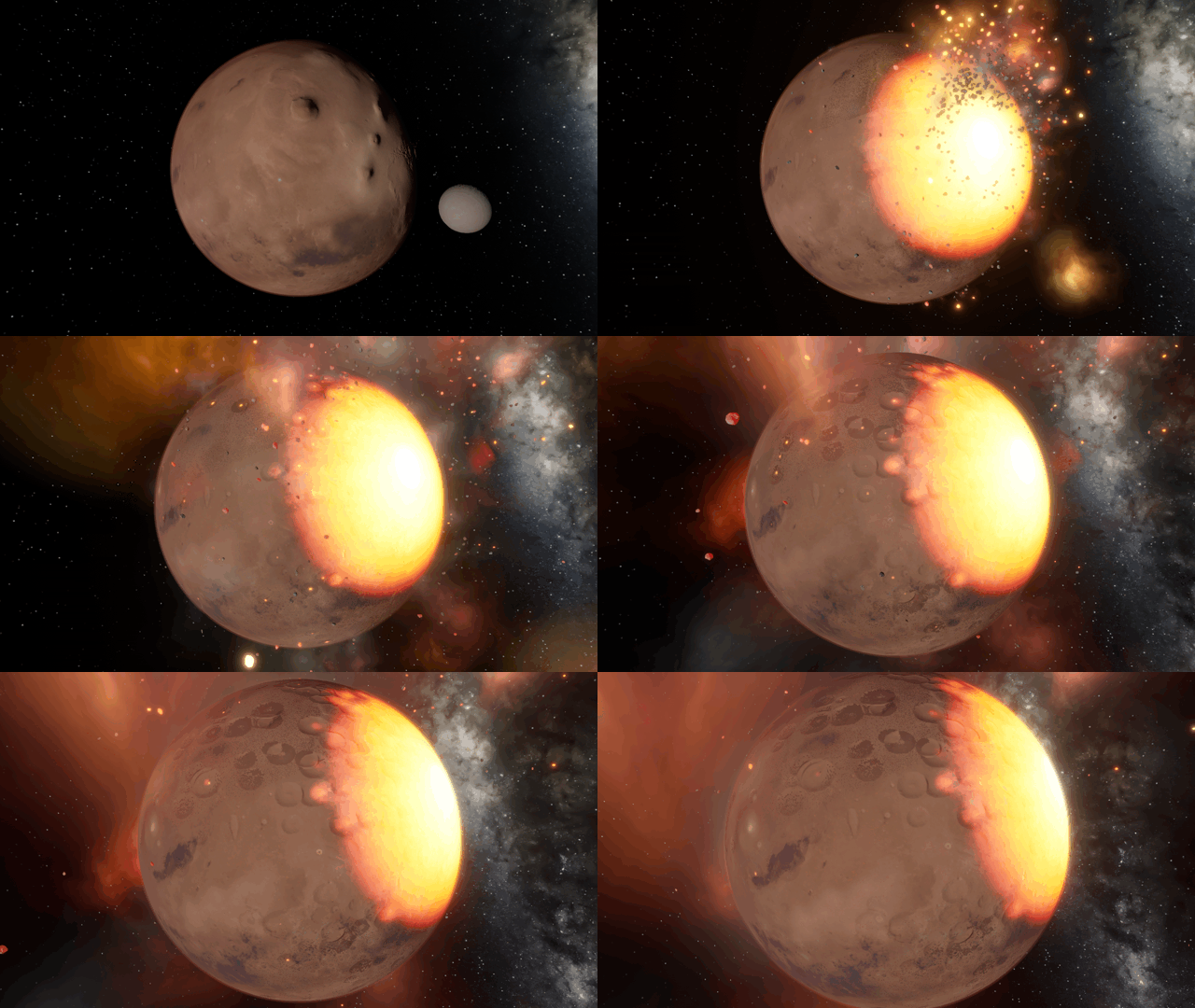
Collision craters form and combine together more realistically. You can also duplicate objects, watch black holes evaporate, and explore a simulation of a newly discovered exosatellite.
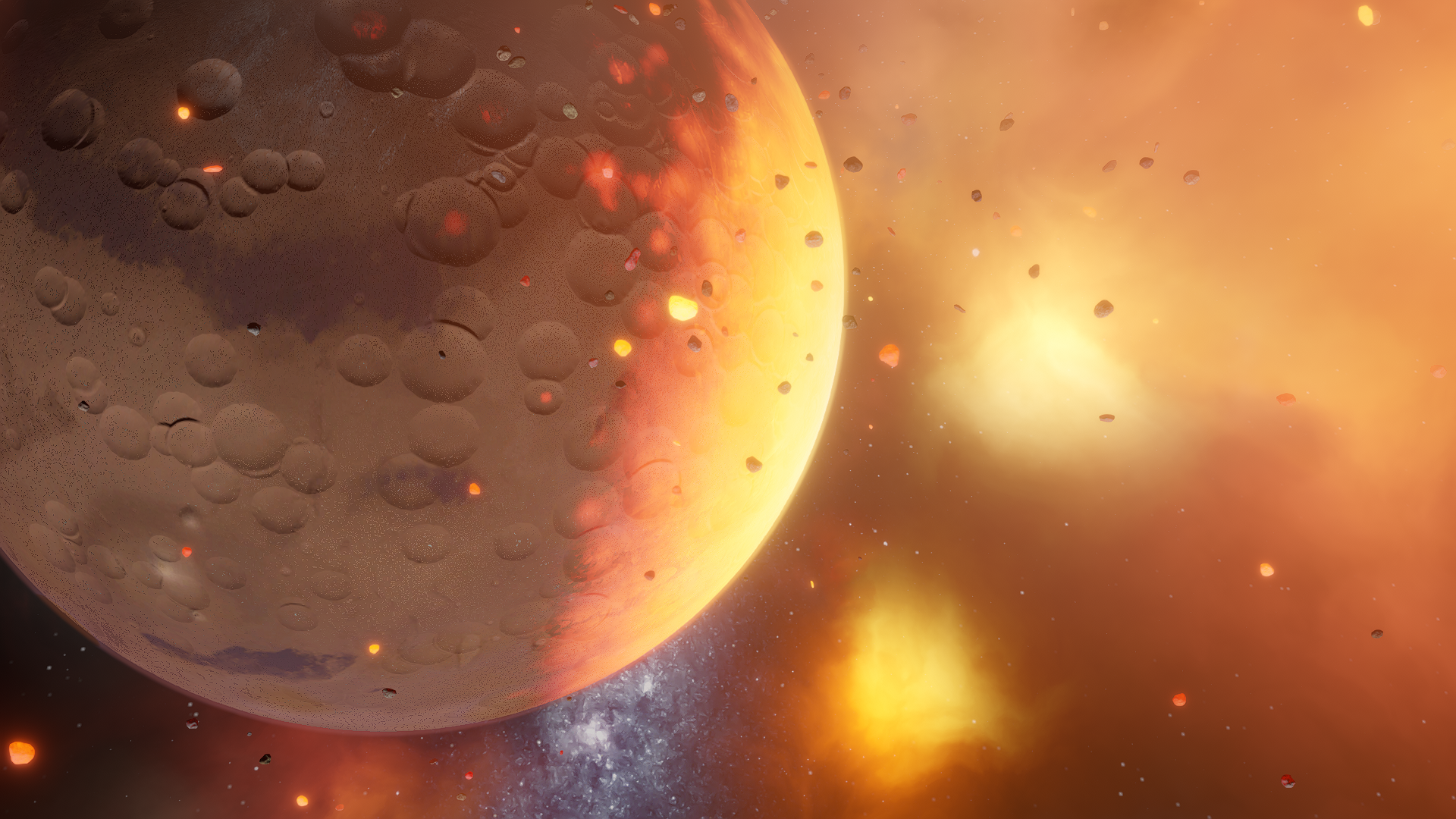
Creating Craters
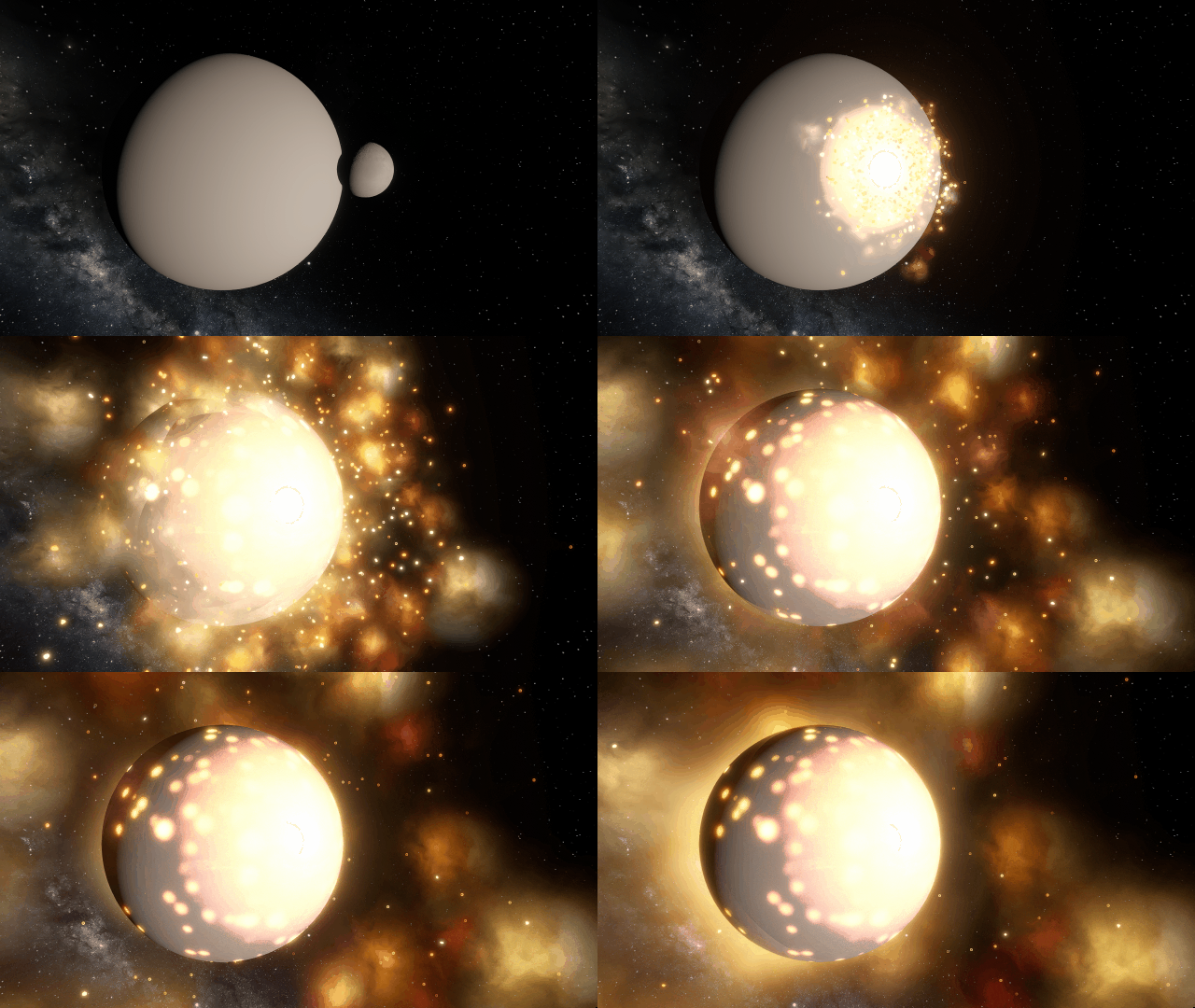
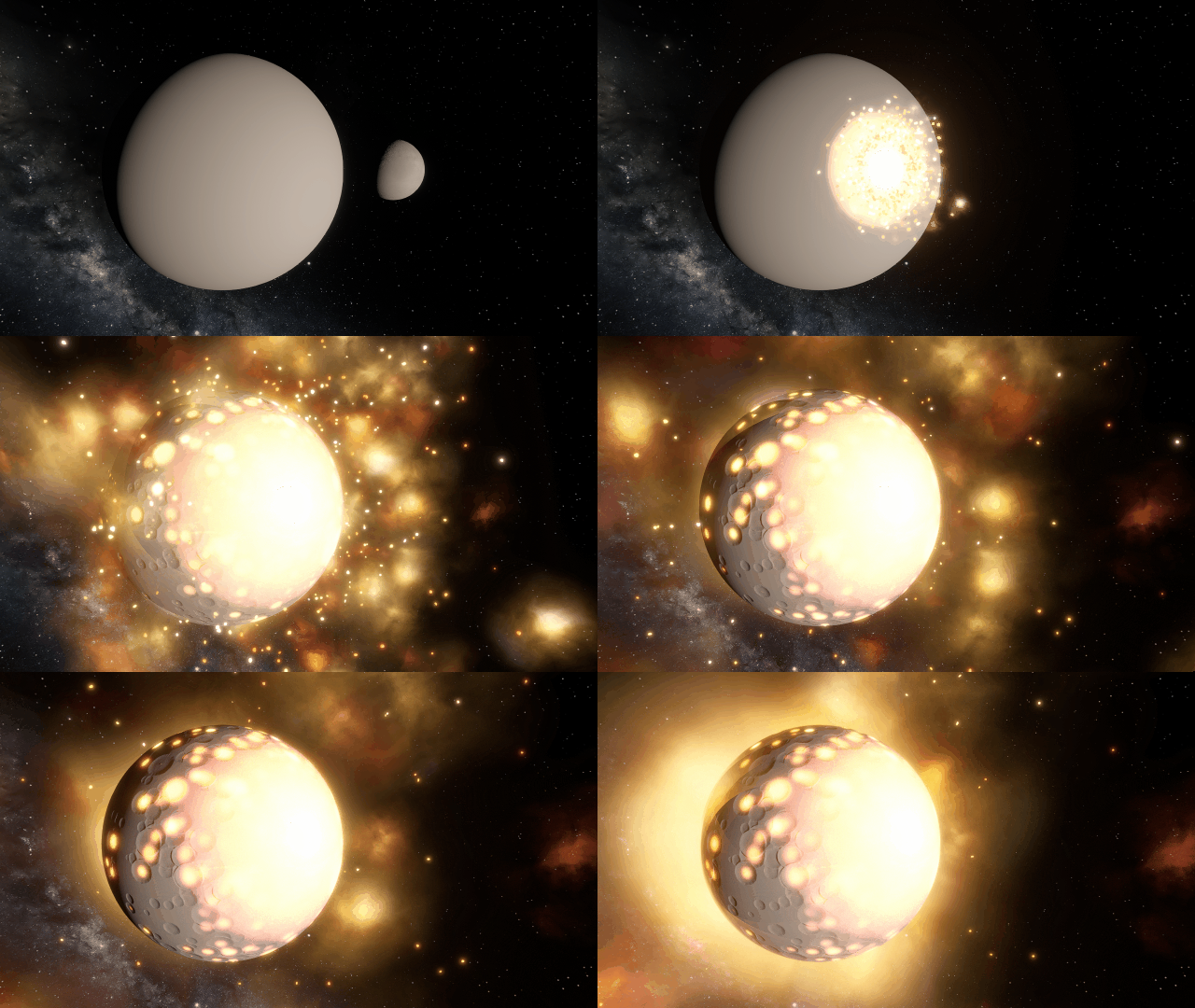
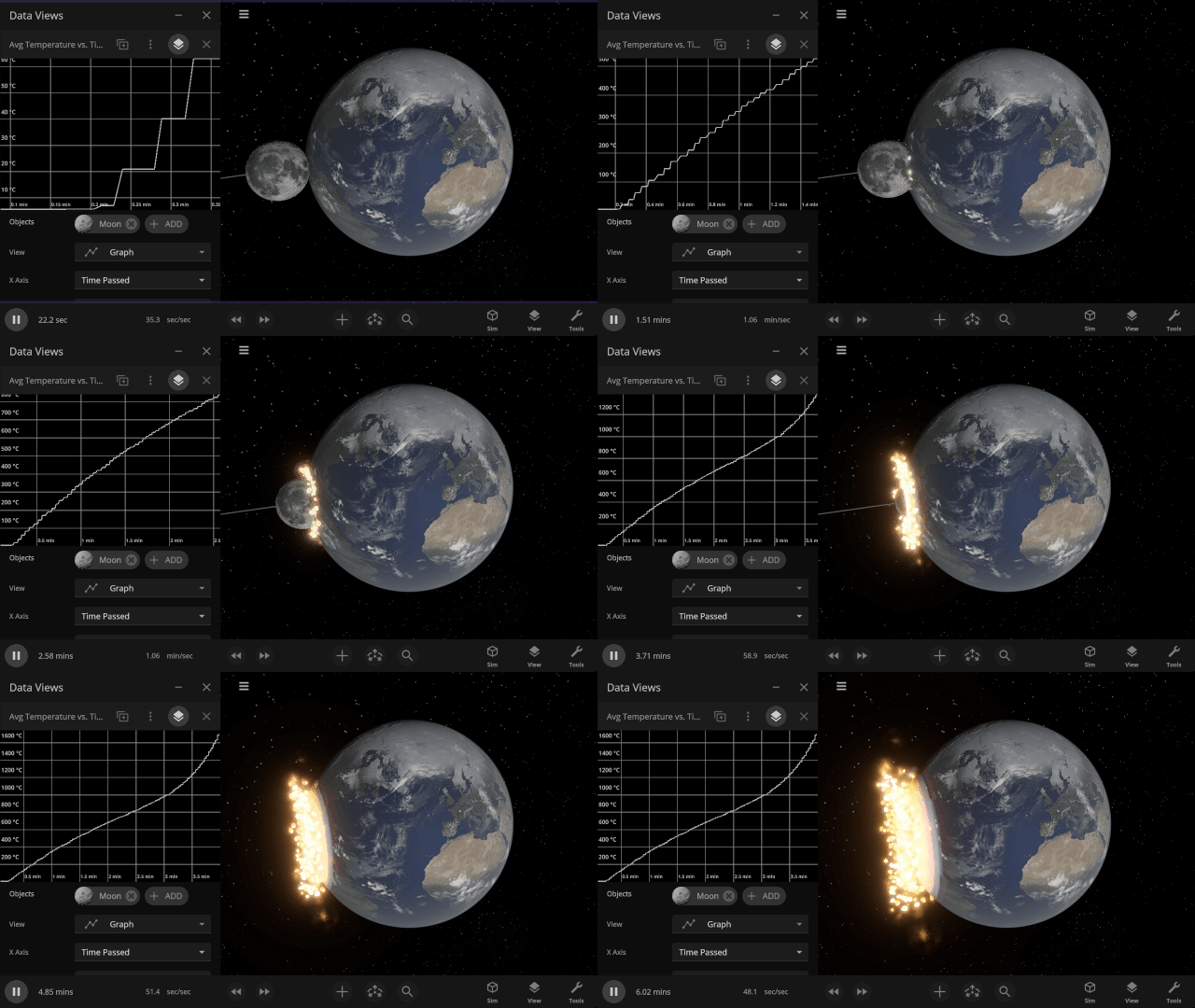
Craters from collisions with moons and small rock fragments alike are more realistic, blending naturally and better respecting an object’s elevation range and topography. Larger impacts now leave behind complex craters with a central peak.
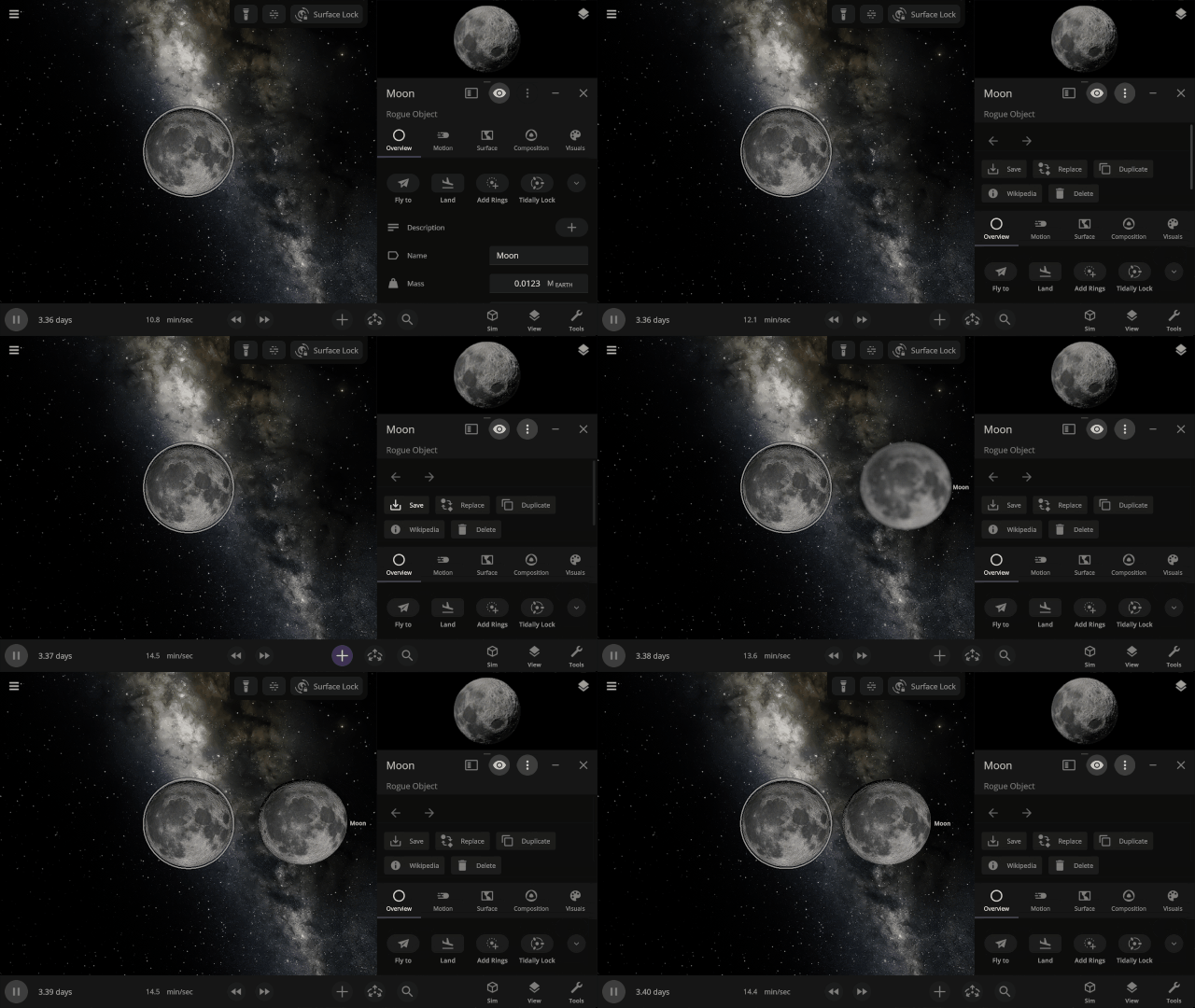
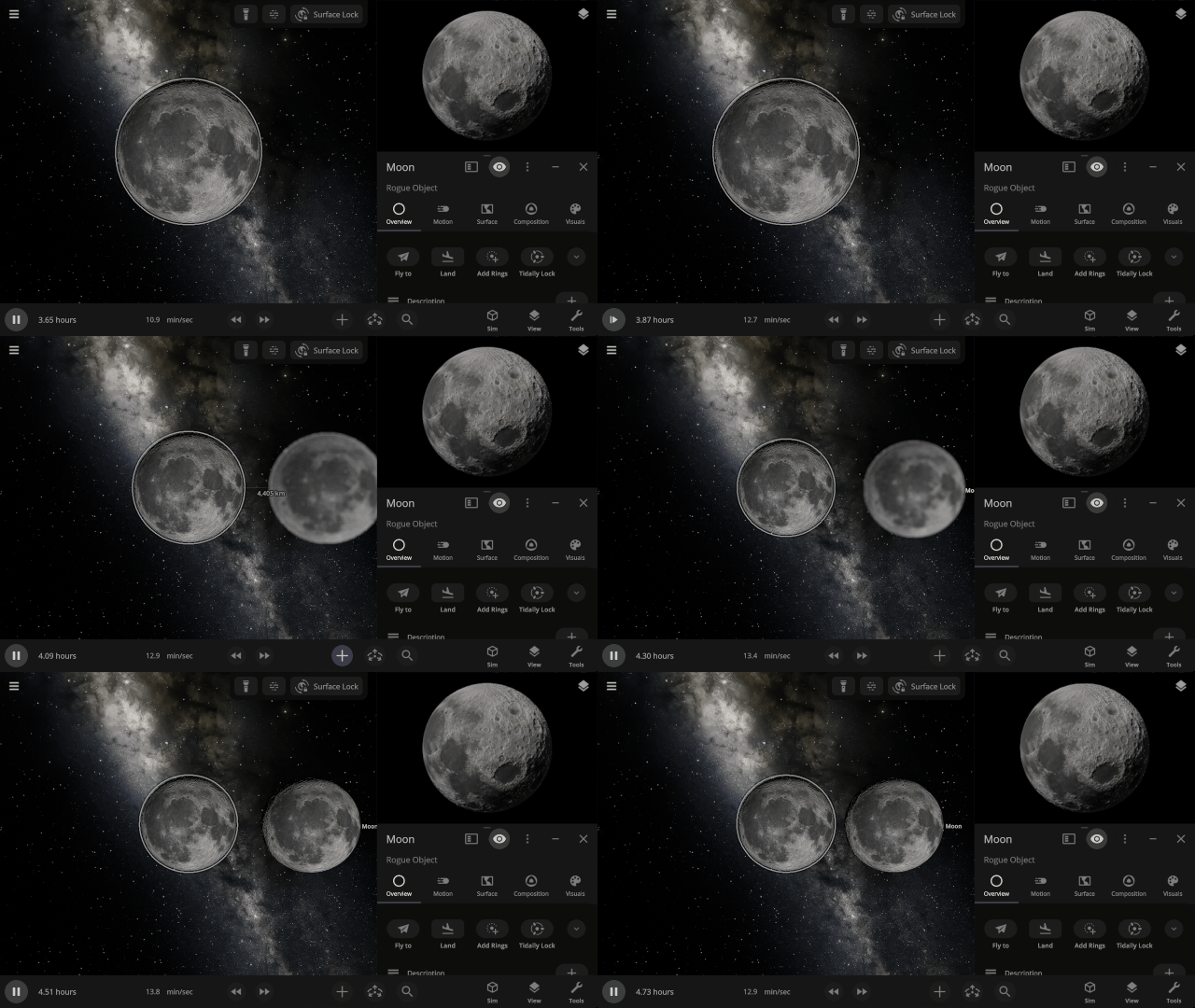
Duplicate Objects Duplicate Objects
Duplicate selected object with the new Duplicate button, or use the Copy and Paste keyboard shortcuts.
- On Windows, use Ctrl+C and Ctrl+V. On Mac, use ⌘C and ⌘V.
- Detailed surface data is not yet copied, so local surface features like liquid depth and temperature variations will be distributed evenly across duplicated surfaces and may need to be resettled
Object Holograms
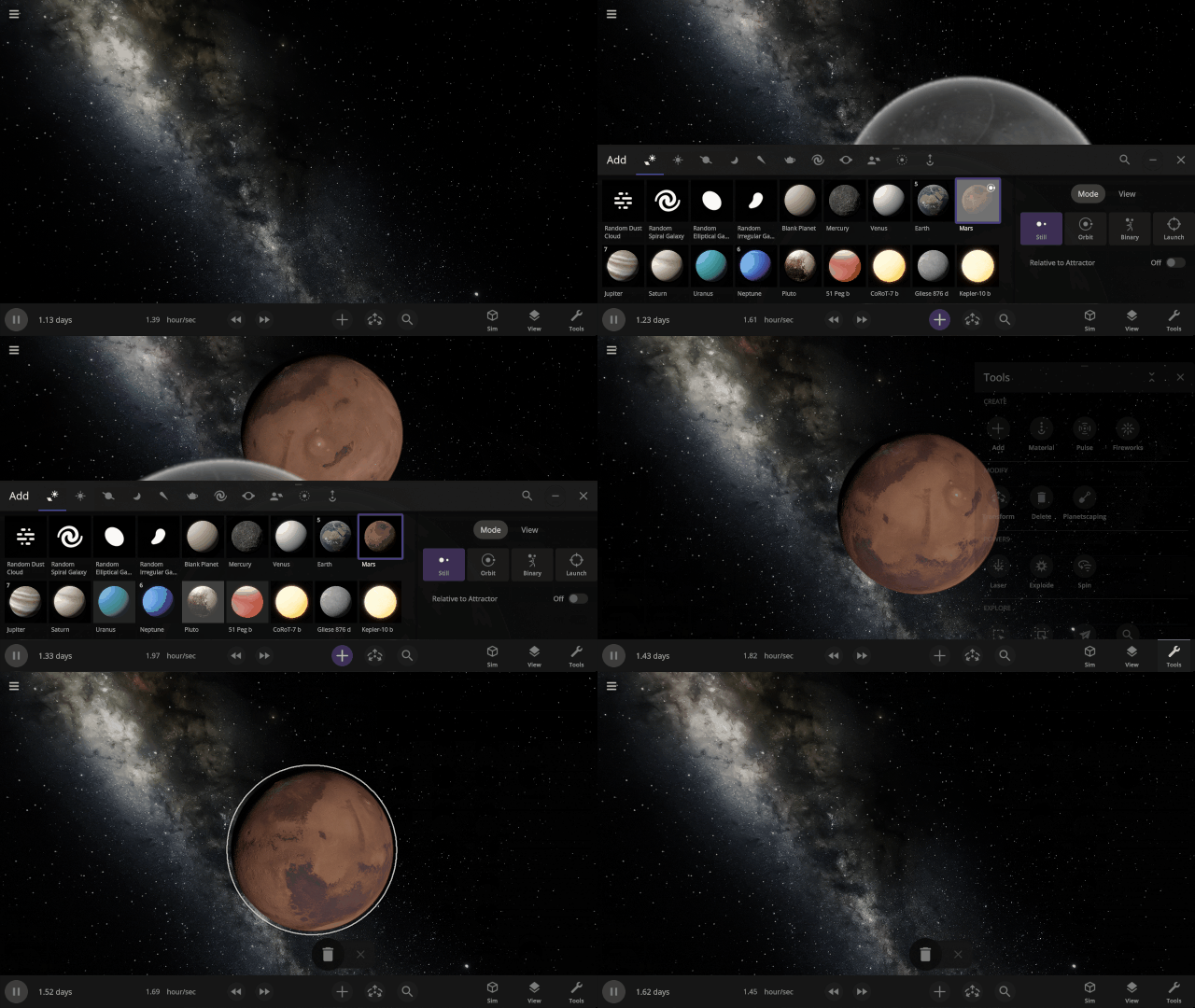
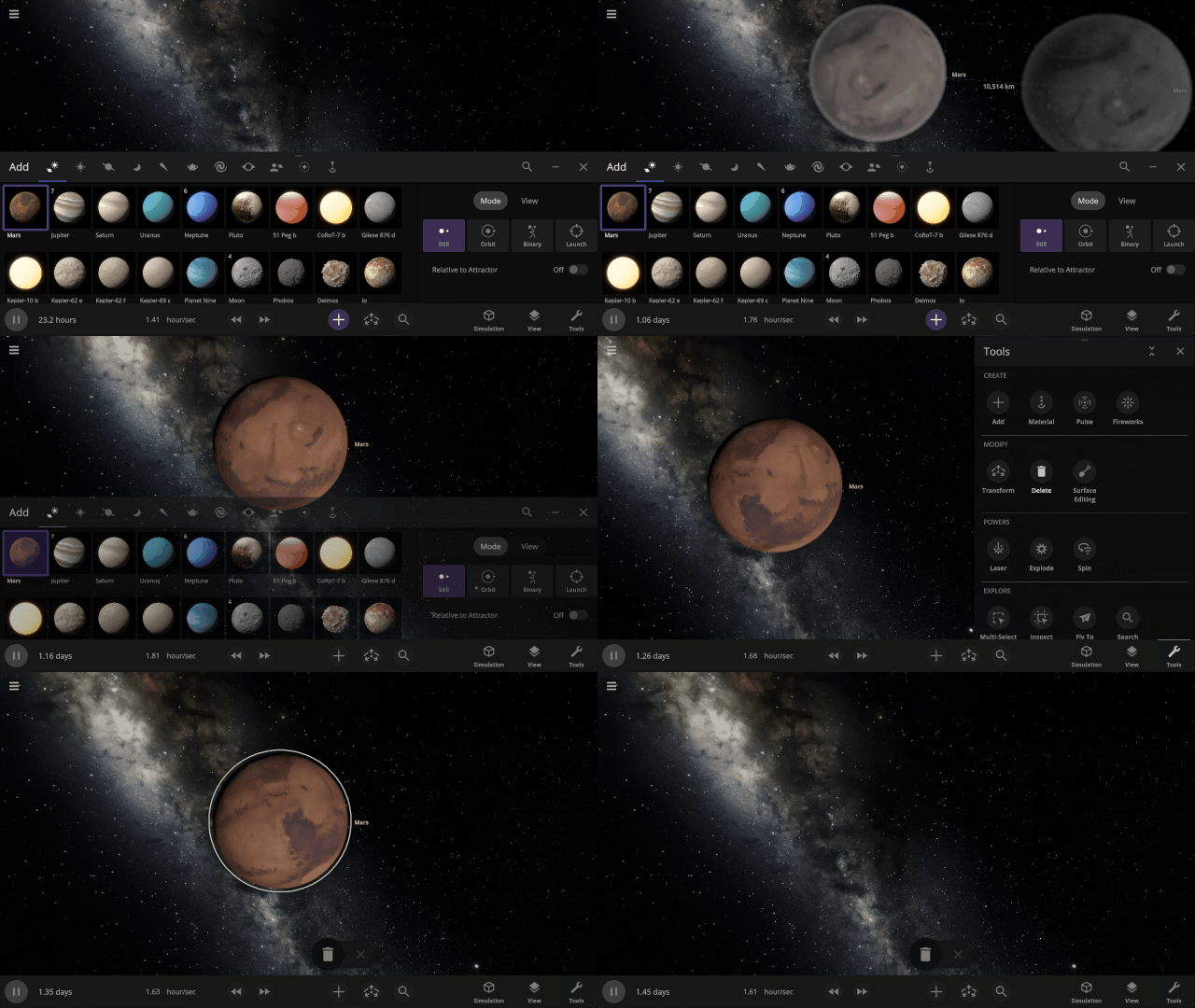
Objects now smoothly fade in and out of existence when an object is added to or removed from a simulation.
More Highlights
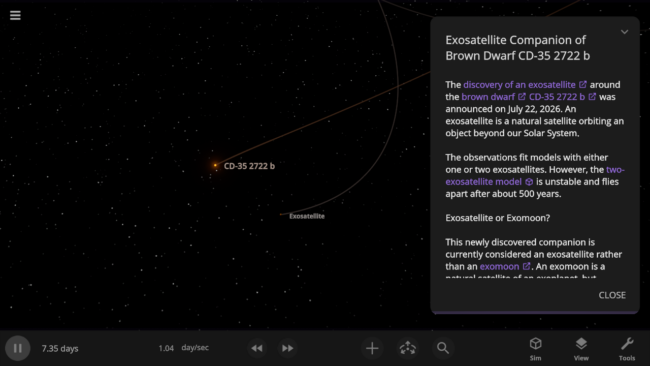
Check out the recently discovered exosatellite that challenges the definition of an exomoon in our new simulation, Exosatellite Companion of Brown Dwarf CD-35 2722 b.
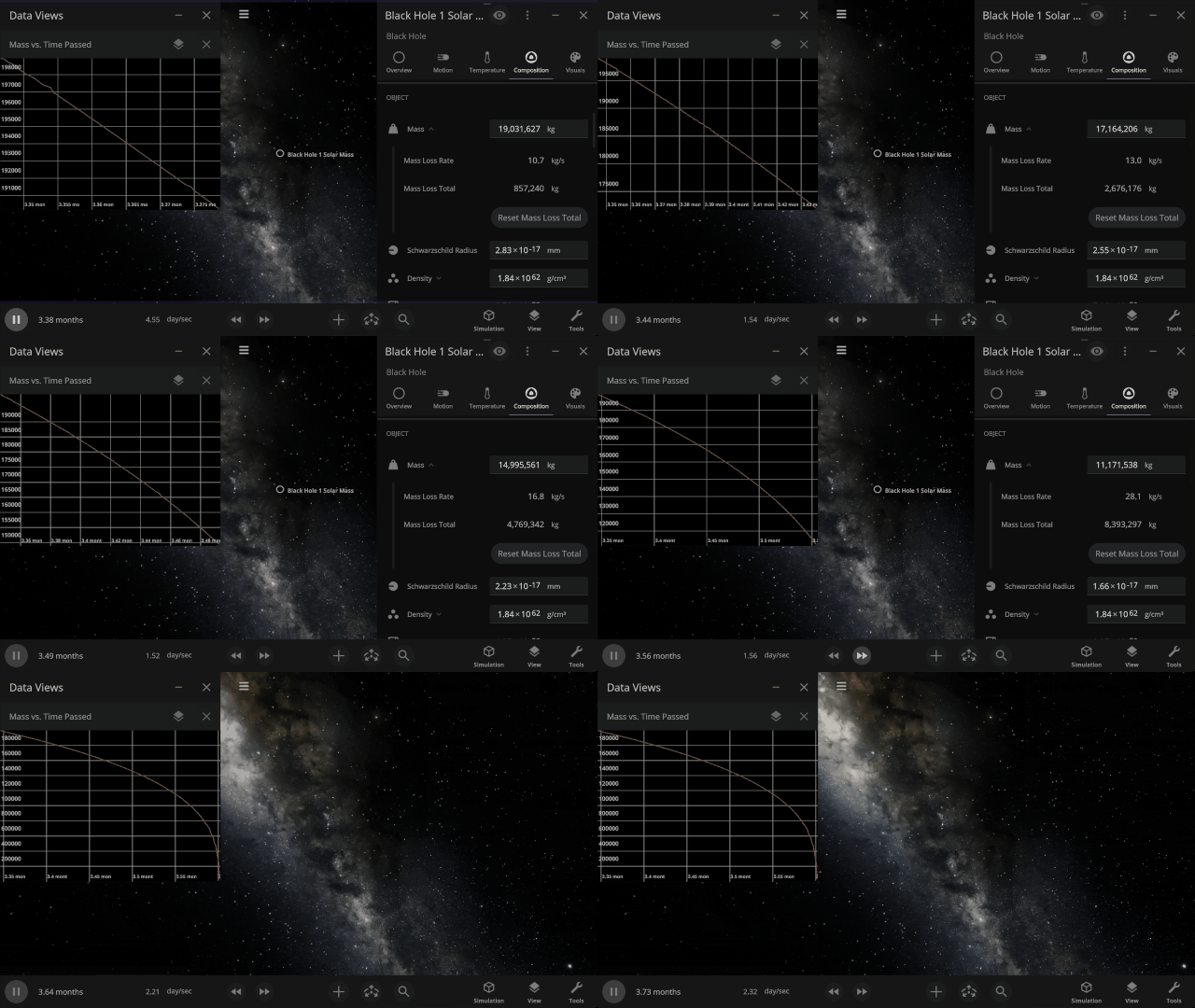
Black holes now realistically lose mass and evaporate due to Hawking radiation. This primarily affects tiny black holes, but all black holes experience some mass loss.
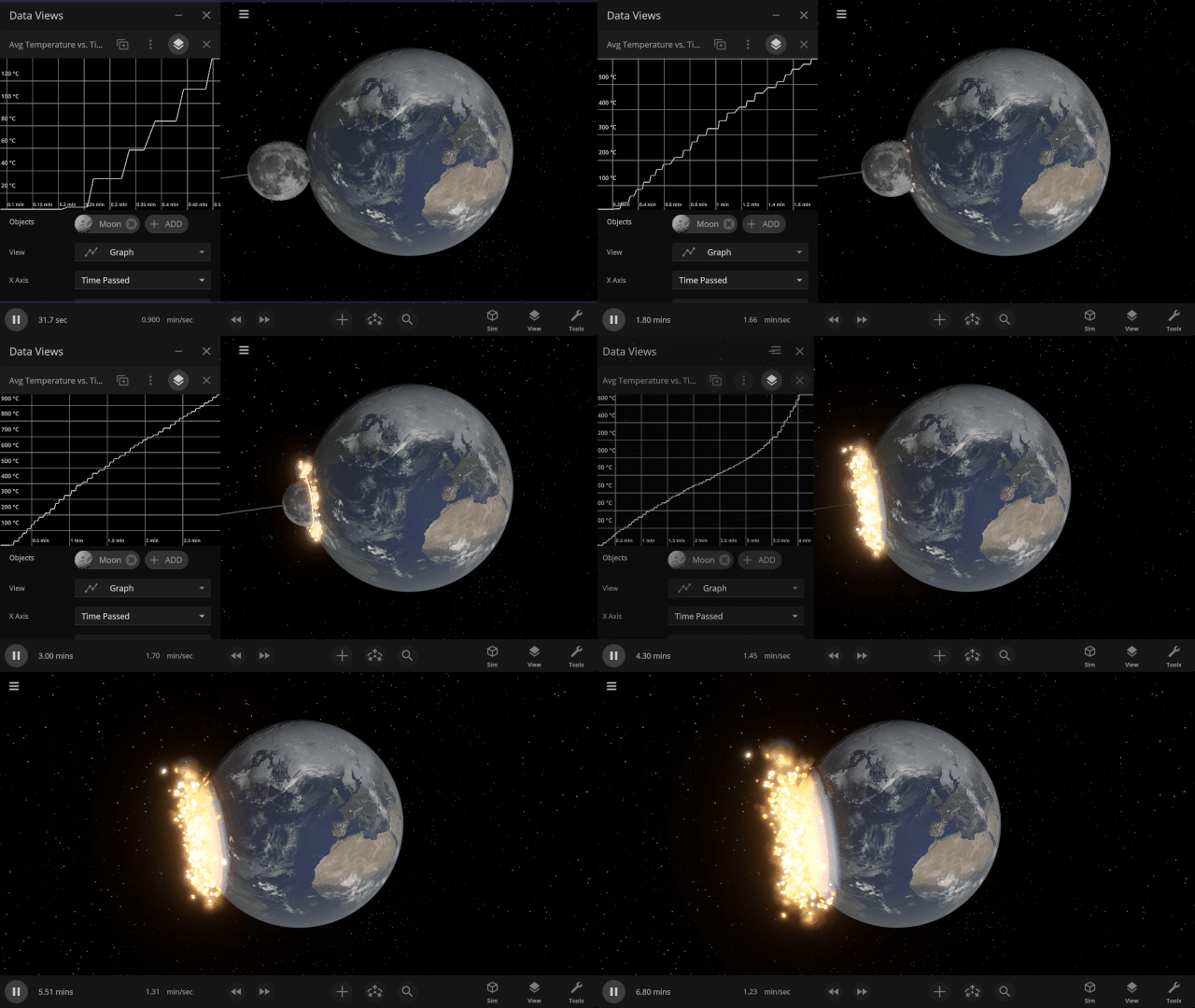
Graphs now stay open and retain their data, rather than closing, when the object they are tracking is destroyed.
See material-specific data views, like Earth’s oxygen-only Gas Pressure data view, in 3D. Previously, these views were only available in 2D.
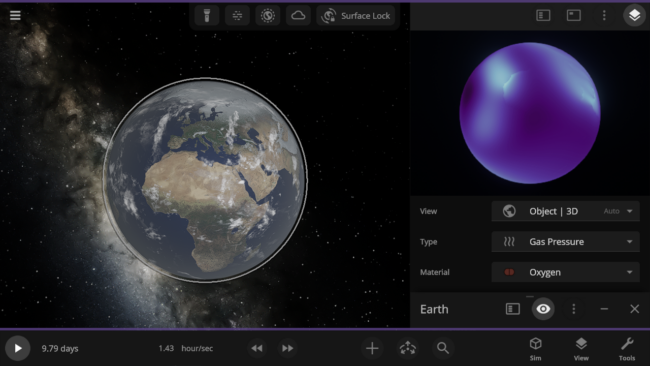
Check out the full list of What’s New in Update 36.3.
Please report any issues on our Steam forum, on Discord, or in-game via Home > Send Feedback.

Winds of Change | Update 36.2
Jun 25th
Watch winds push gases across planetary atmospheres, see object shapes accurately outlined, and adjust what objects are made of by percentage. We’ve also focused on eliminating issues with over 50 fixes and improvements.
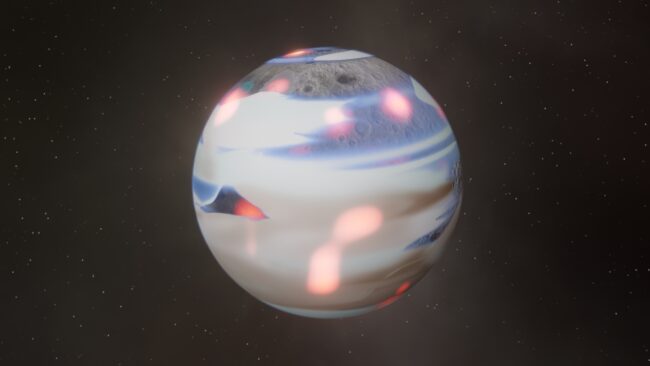
Atmospheric Winds
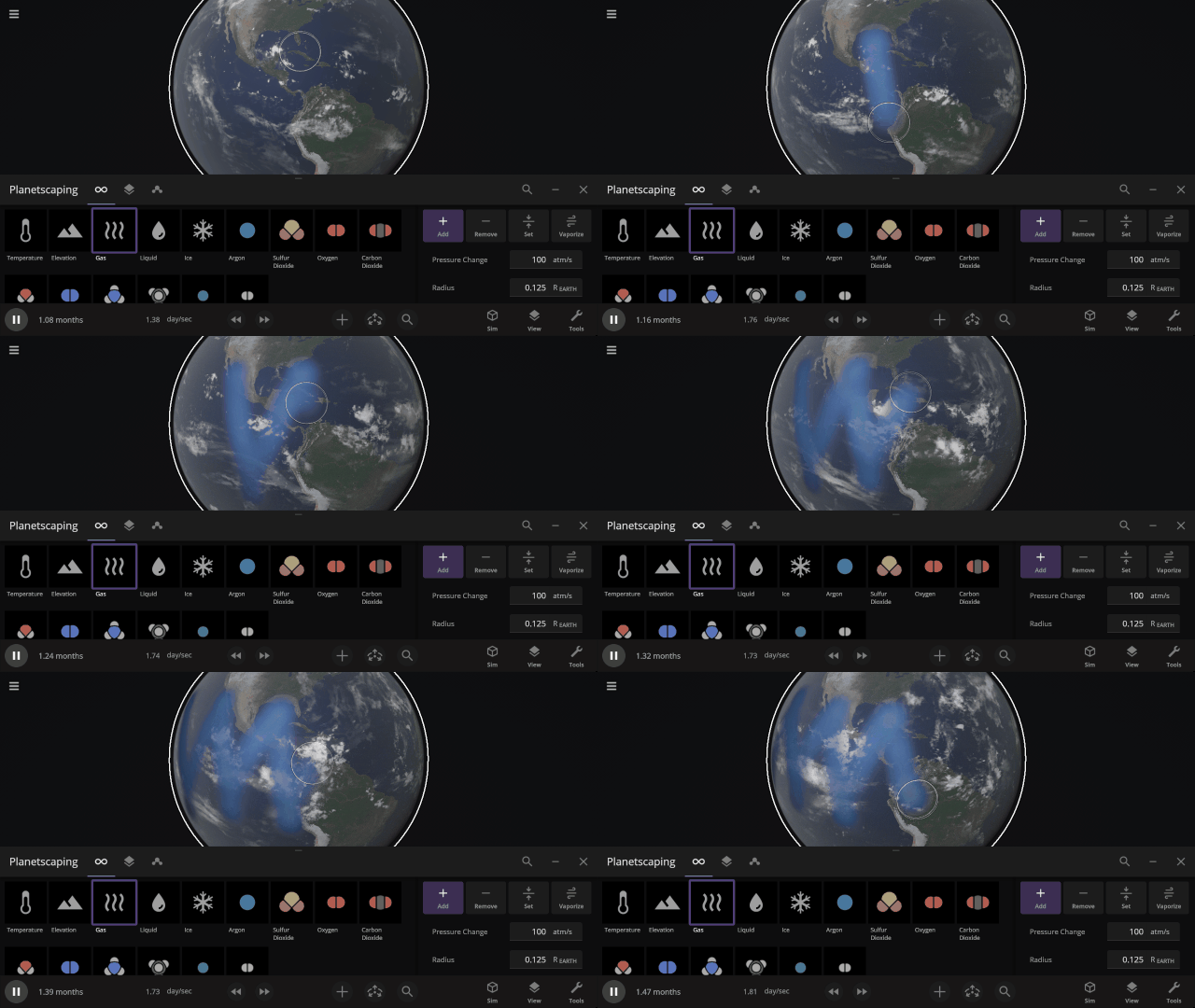
Gases now sweep across planetary atmospheres via the geostrophic wind. Check it out and customize the wind speed under Surface > Atmosphere > Geostrophic Wind Speed
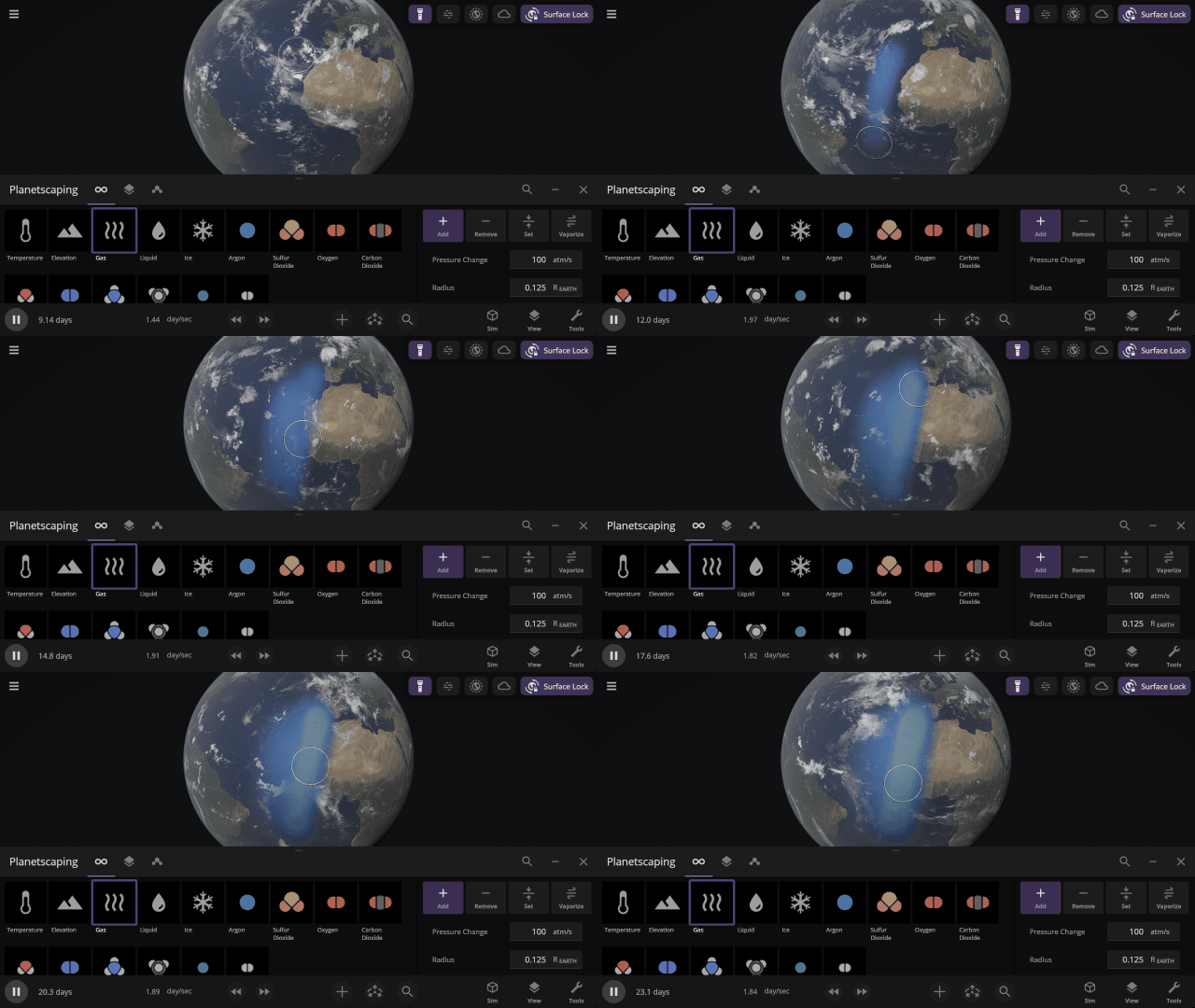
Shapely Object Outlines
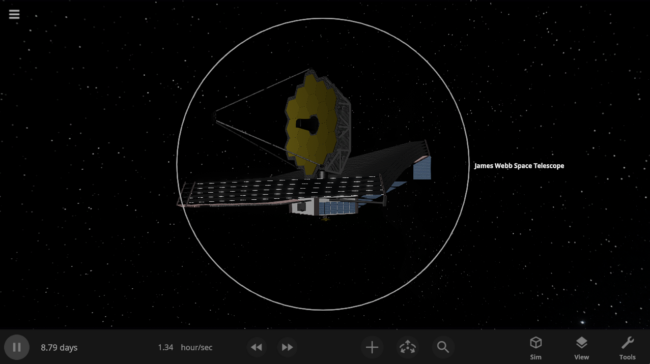
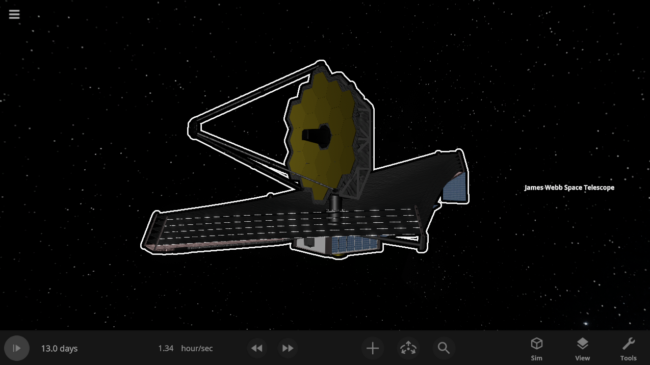
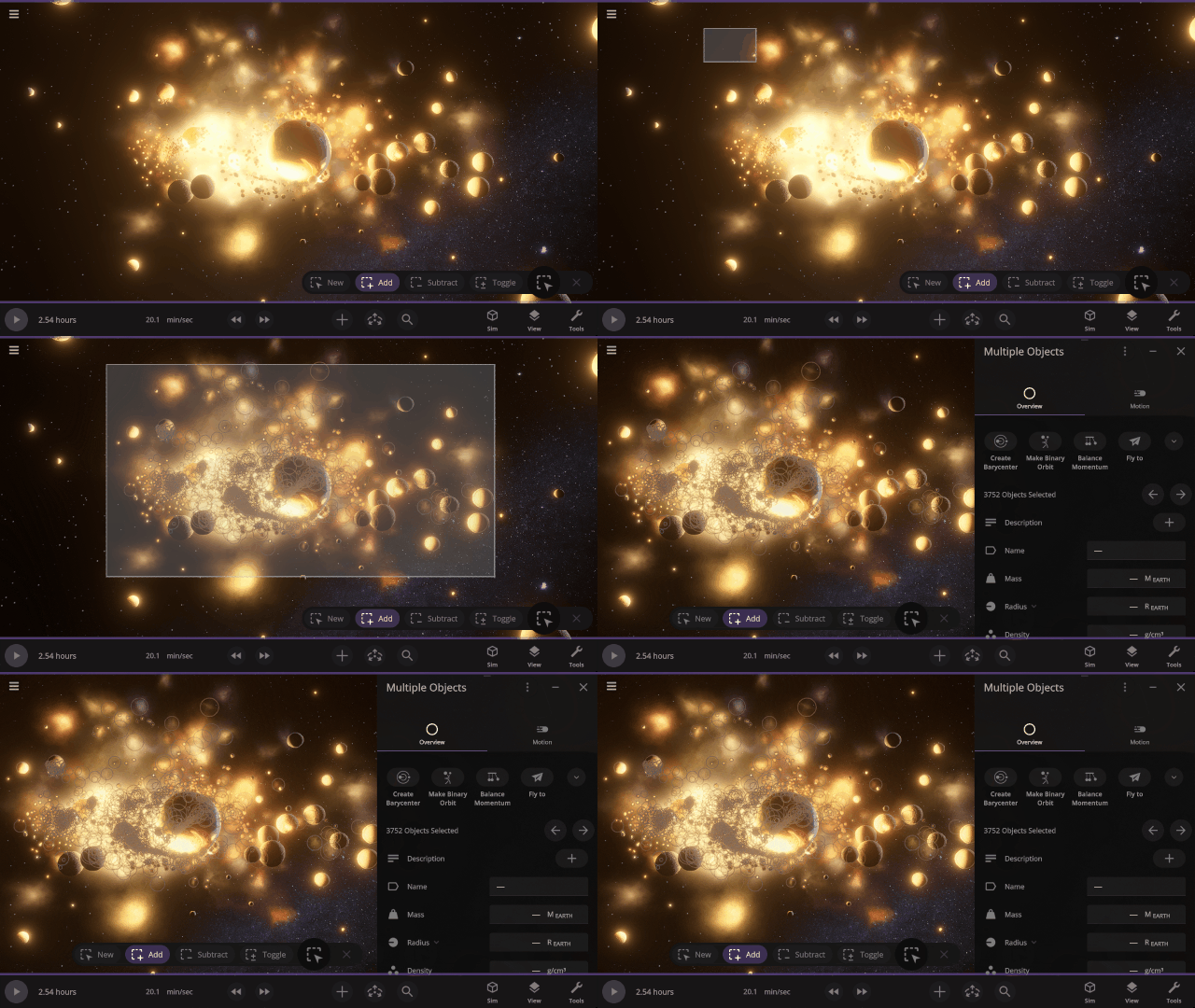
Object outlines now conform to their unique shapes rather than being drawn as circles. Selecting multiple objects at once now seamlessly blends their shapes.
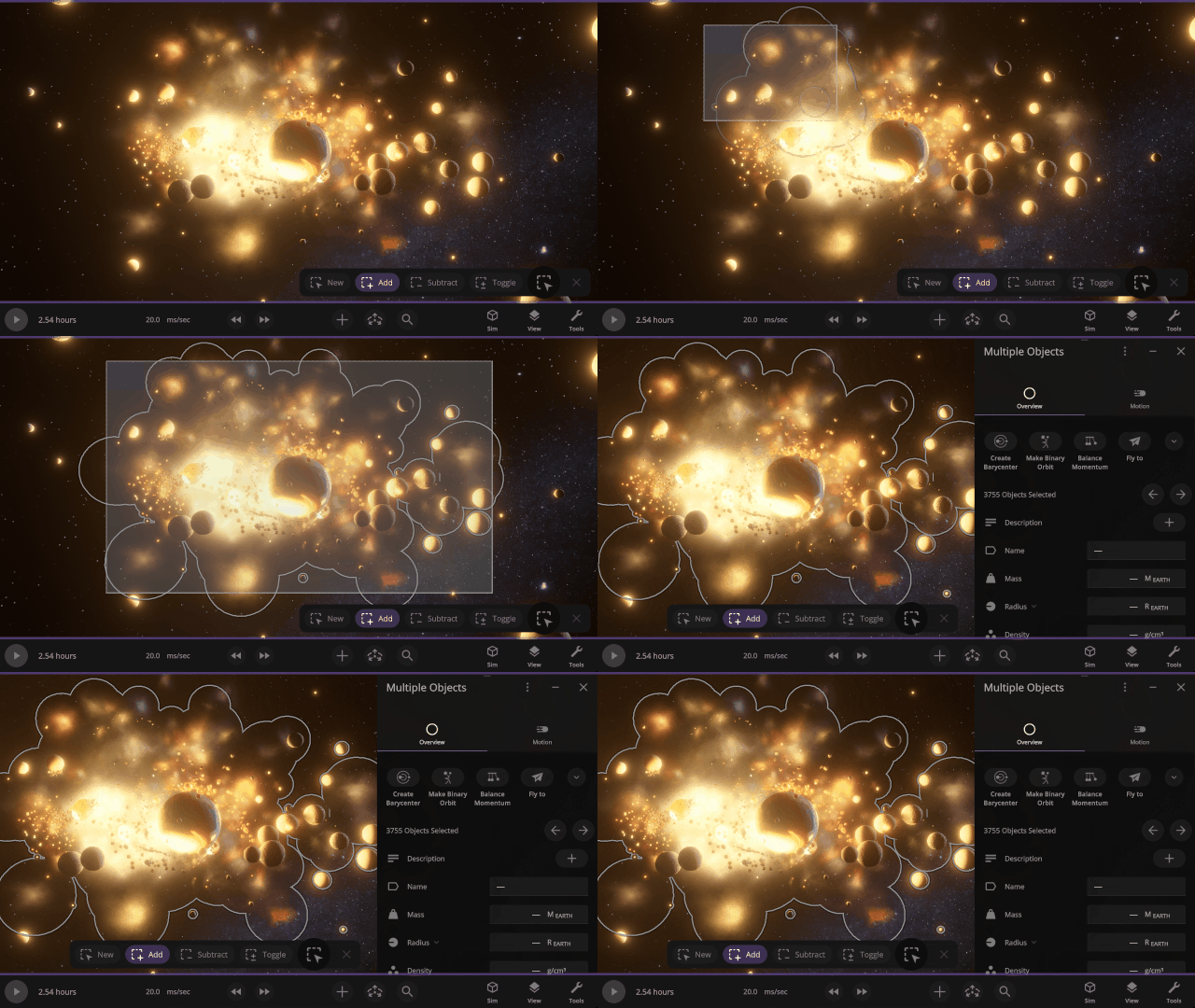
More Highlights
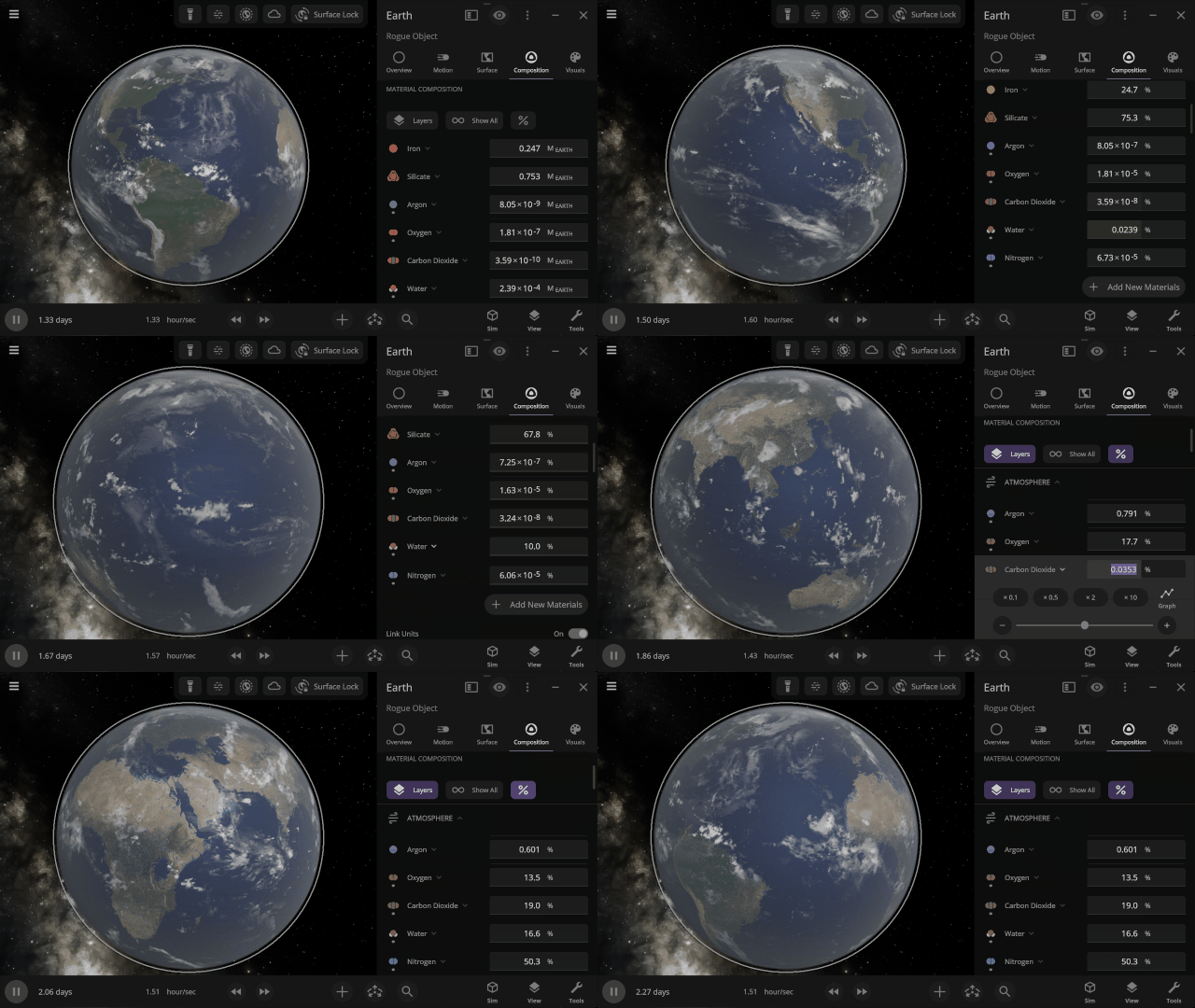
Adjust object material compositions based on percentage. Quickly recreate Earth, Titan’s atmosphere, or fine-tune your custom creations.
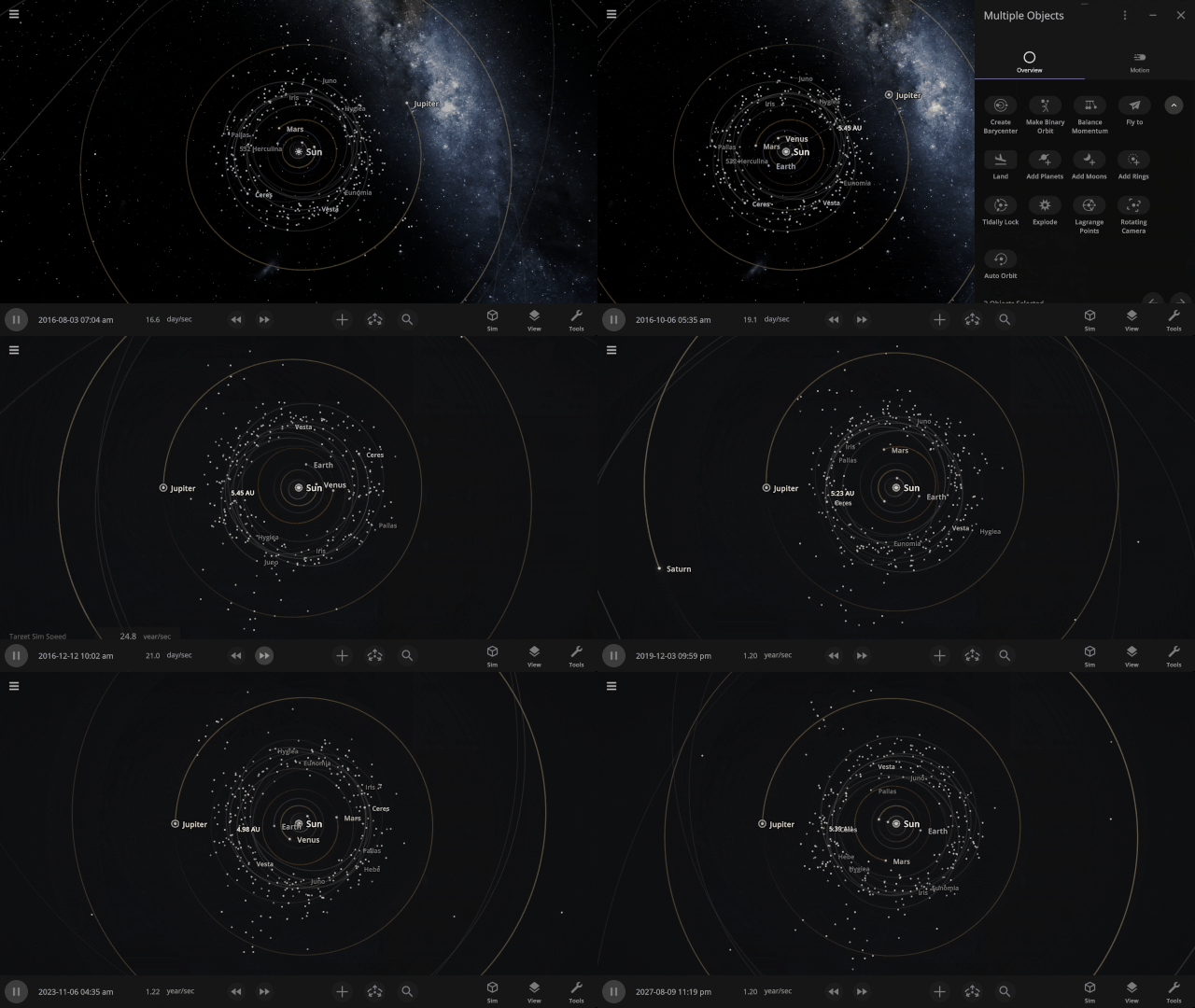
Explore a new way to see object motion with the new Rotating Camera view. Click Rotating Camera when two objects are selected to freeze their relative motion and reveal difficult-to-see orbital motions and patterns. Try selecting Jupiter and the Sun in the Solar System to see how the trojan asteroids move relative to Jupiter.
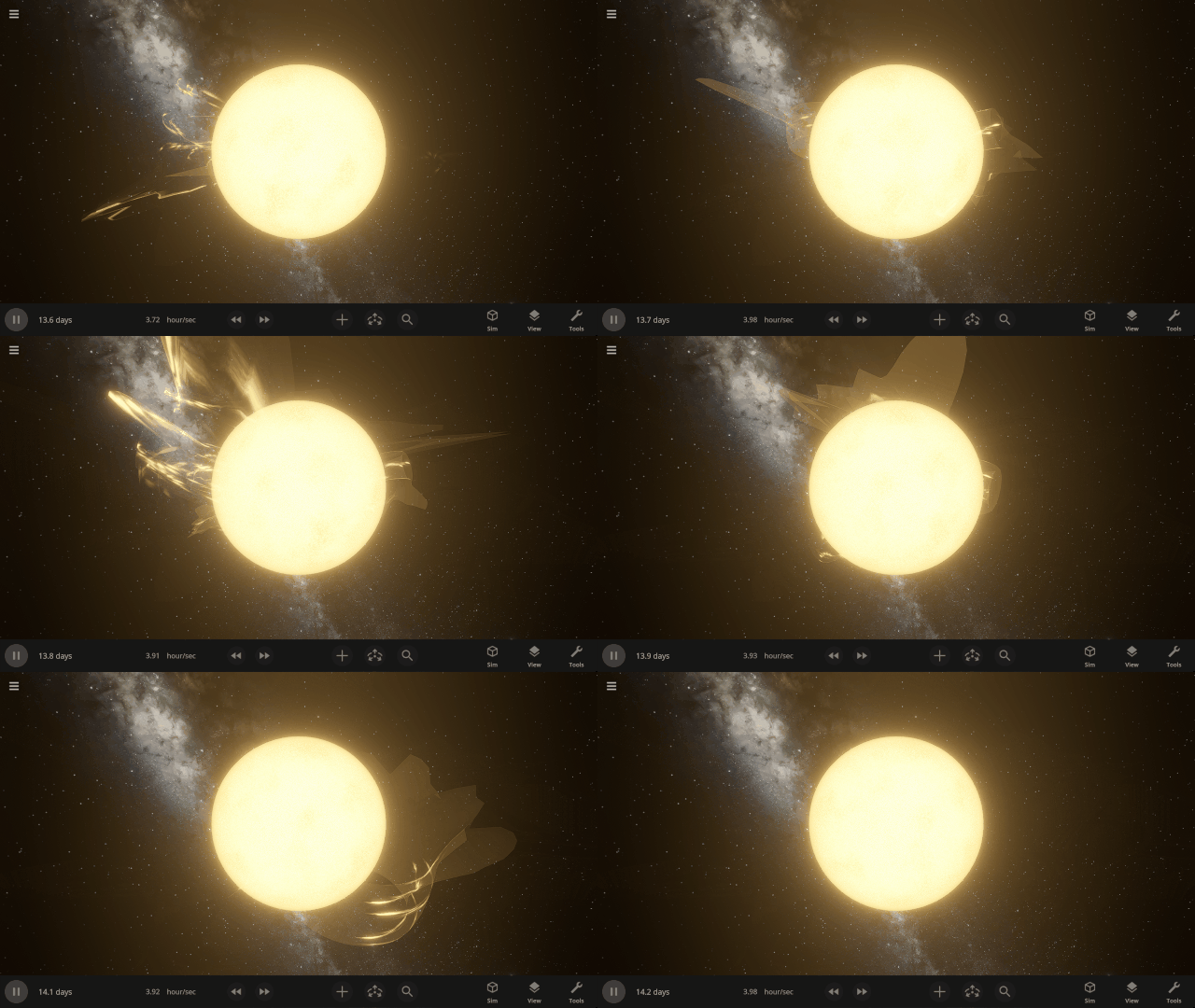
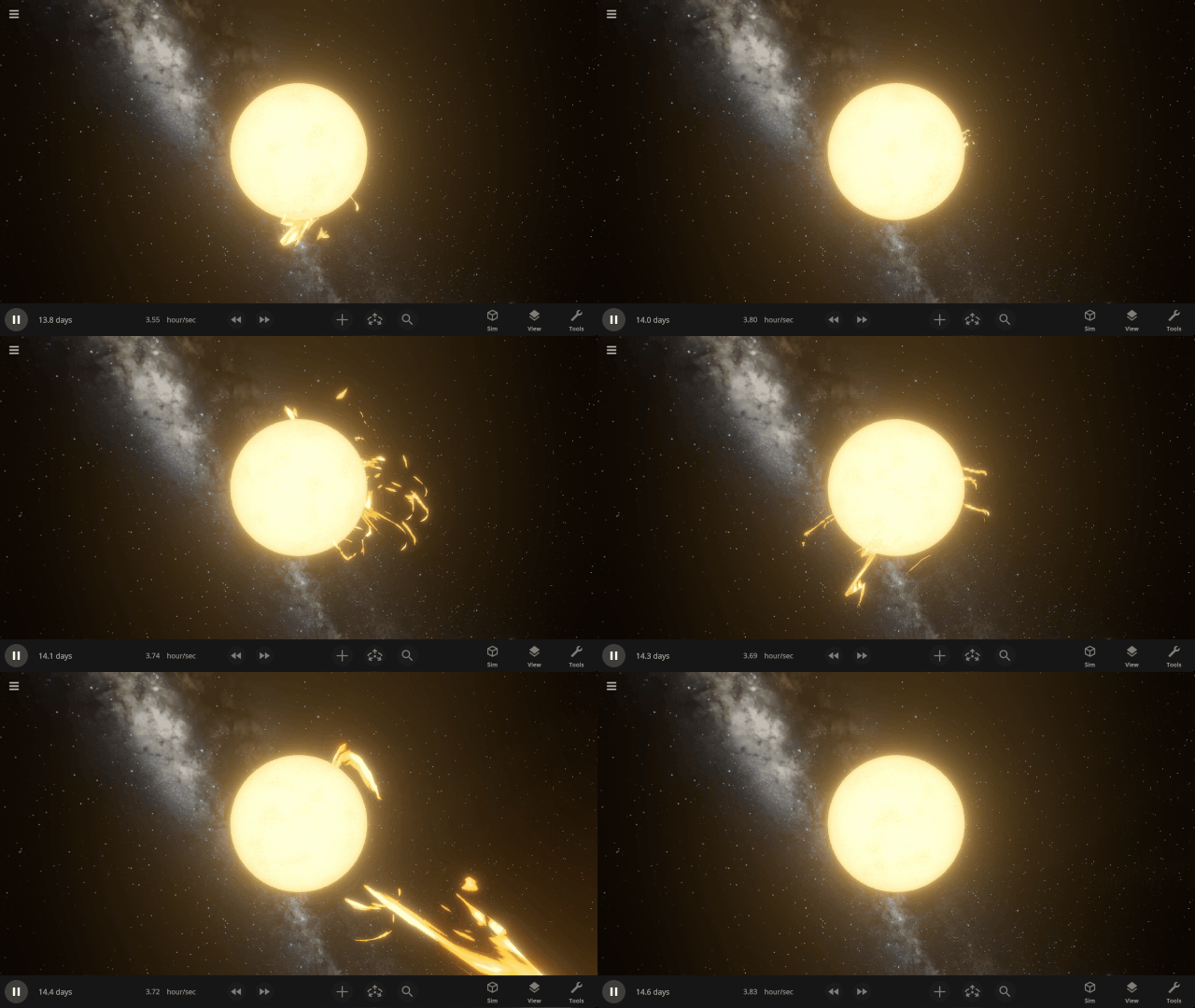
Stellar prominences now look more realistic, with colors based on the star’s surface temperature and thinner, more looping visuals.
Check out the full list of What’s New in Update 36.2.
Please report any issues on our Steam forum, on Discord, or in-game via Home > Send Feedback.

Back to the Moon! | Update 36.1
Apr 29th
Artemis II Mission
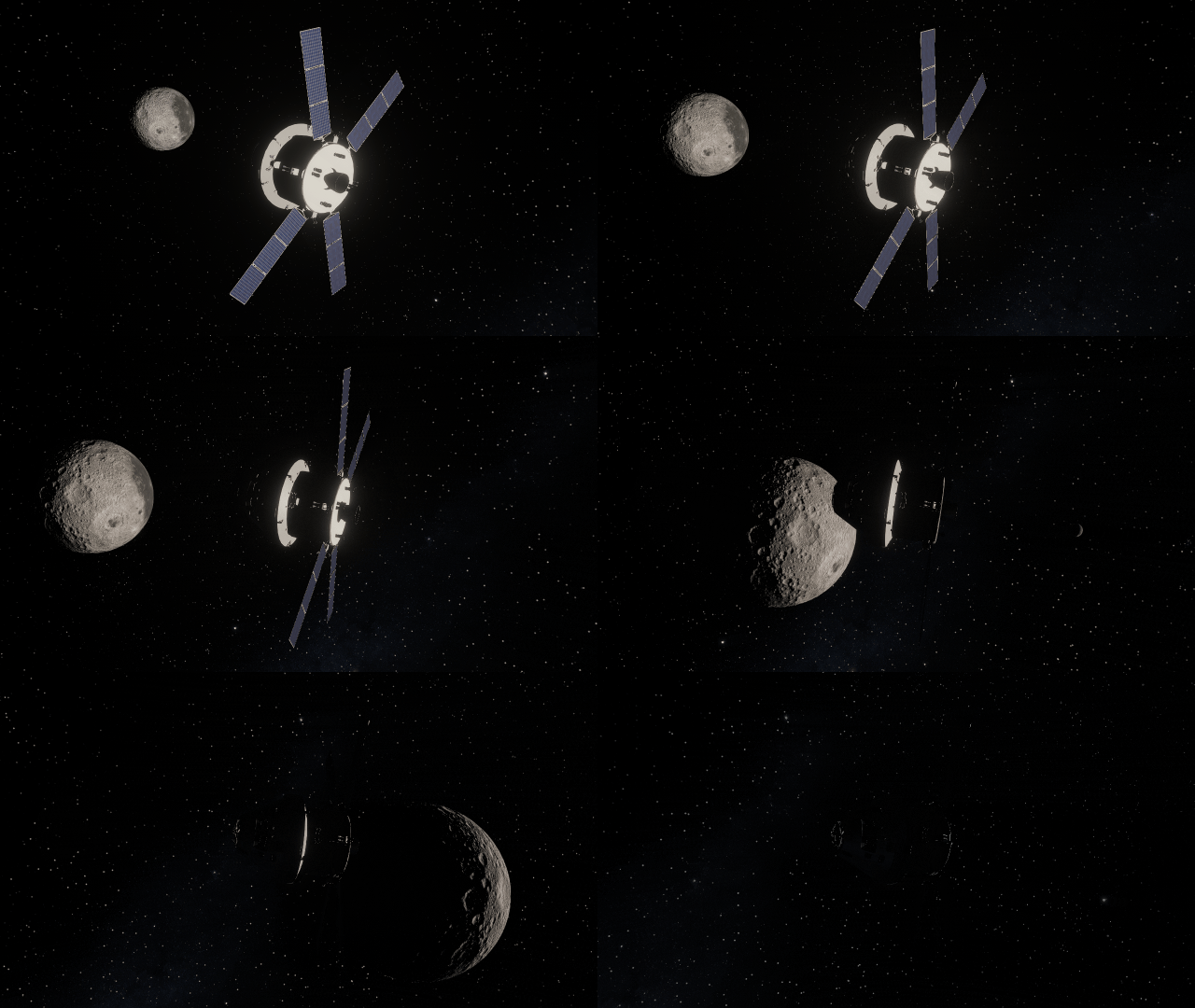
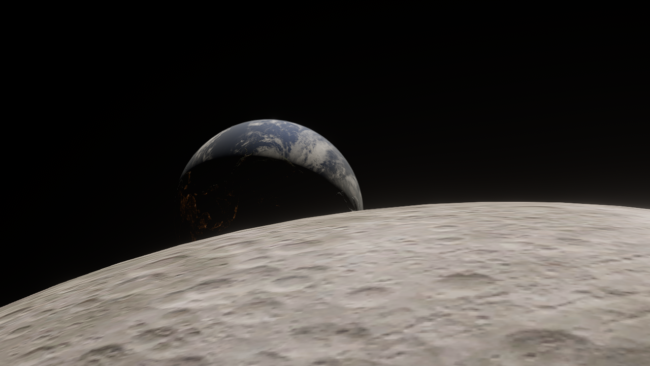
The recent Artemis II mission swept around the far side of the Moon, taking humanity farther than they’ve ever been from Earth. Experience it yourself in our new simulation, Artemis II: Humanity’s Farthest Journey.
Orion Spacecraft
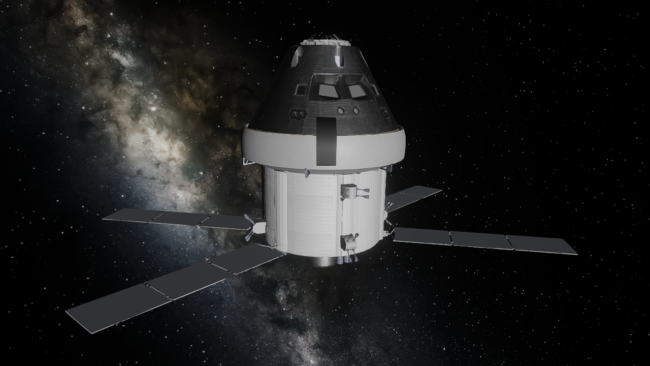
The Orion Integrity spacecraft from the Artemis II mission is now in Universe Sandbox. See it in our simulation of the Artemis II mission or add it to any simulation.
More Highlights
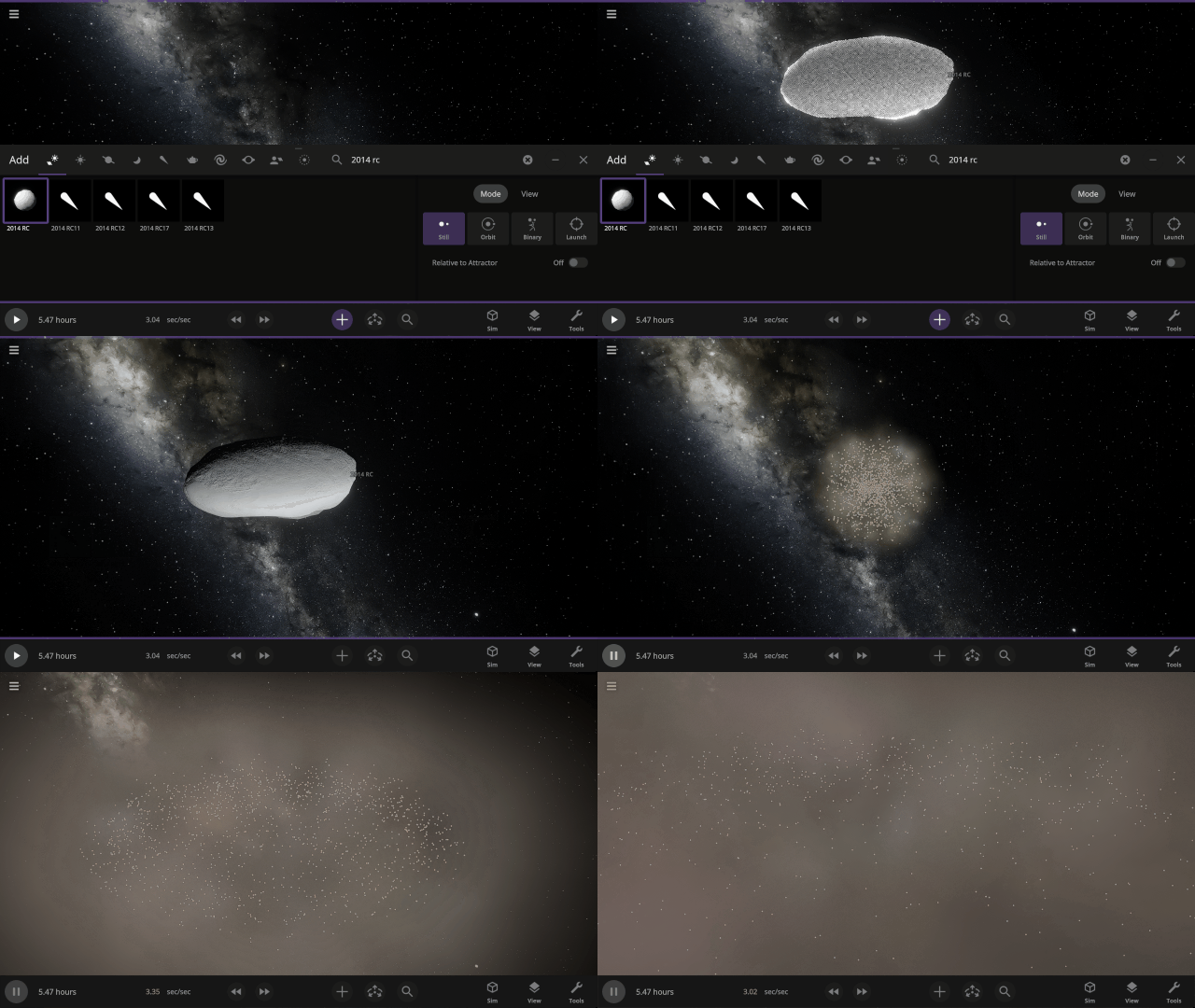
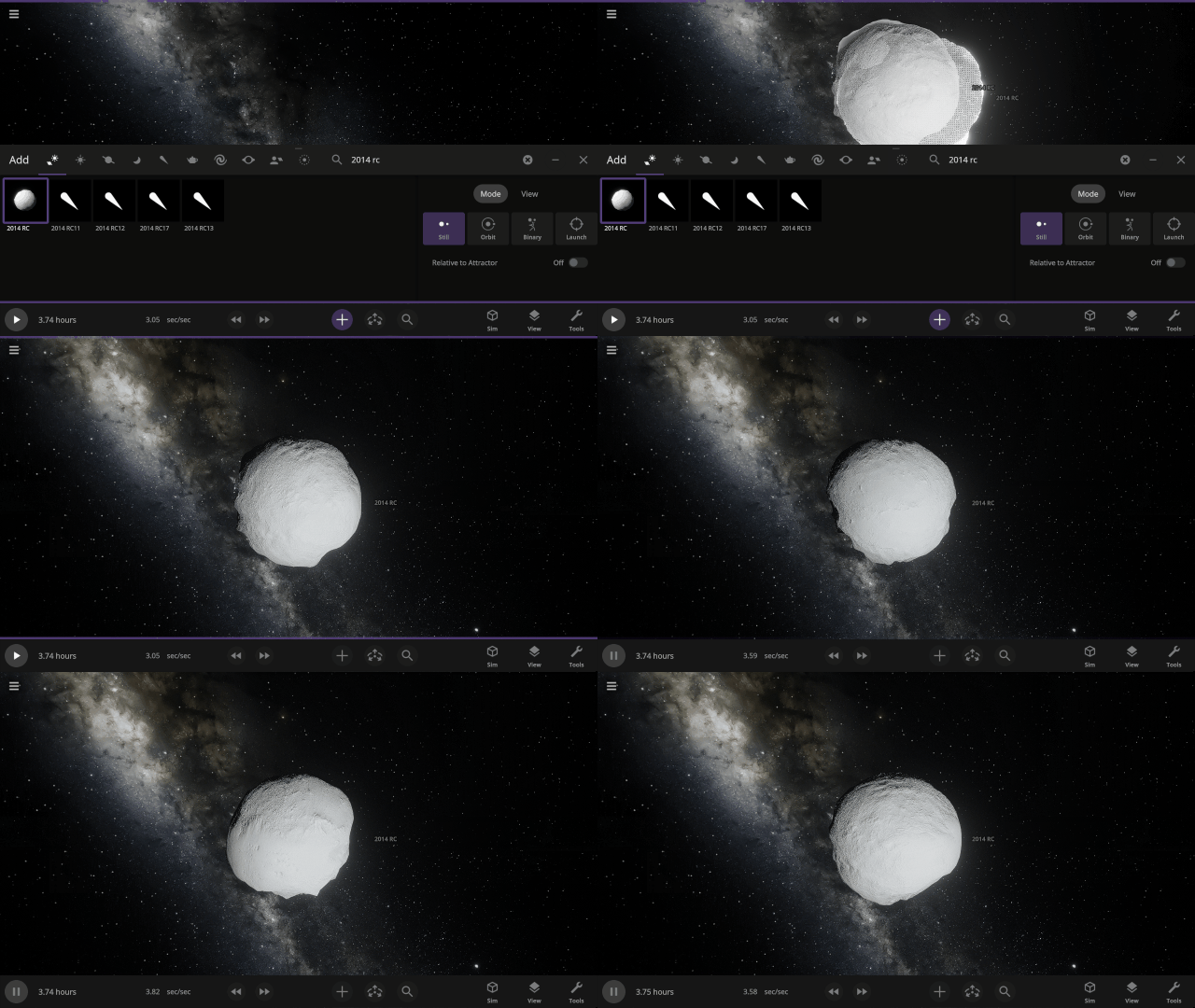
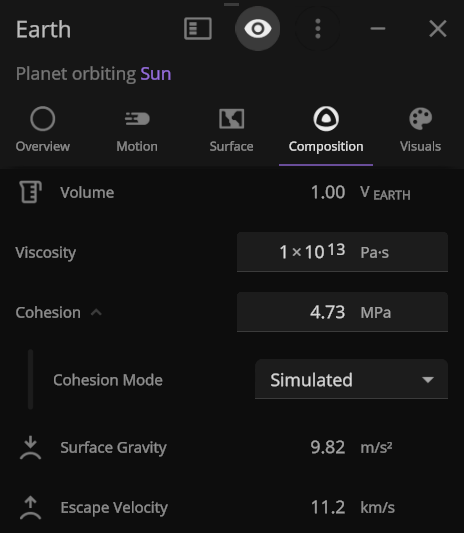
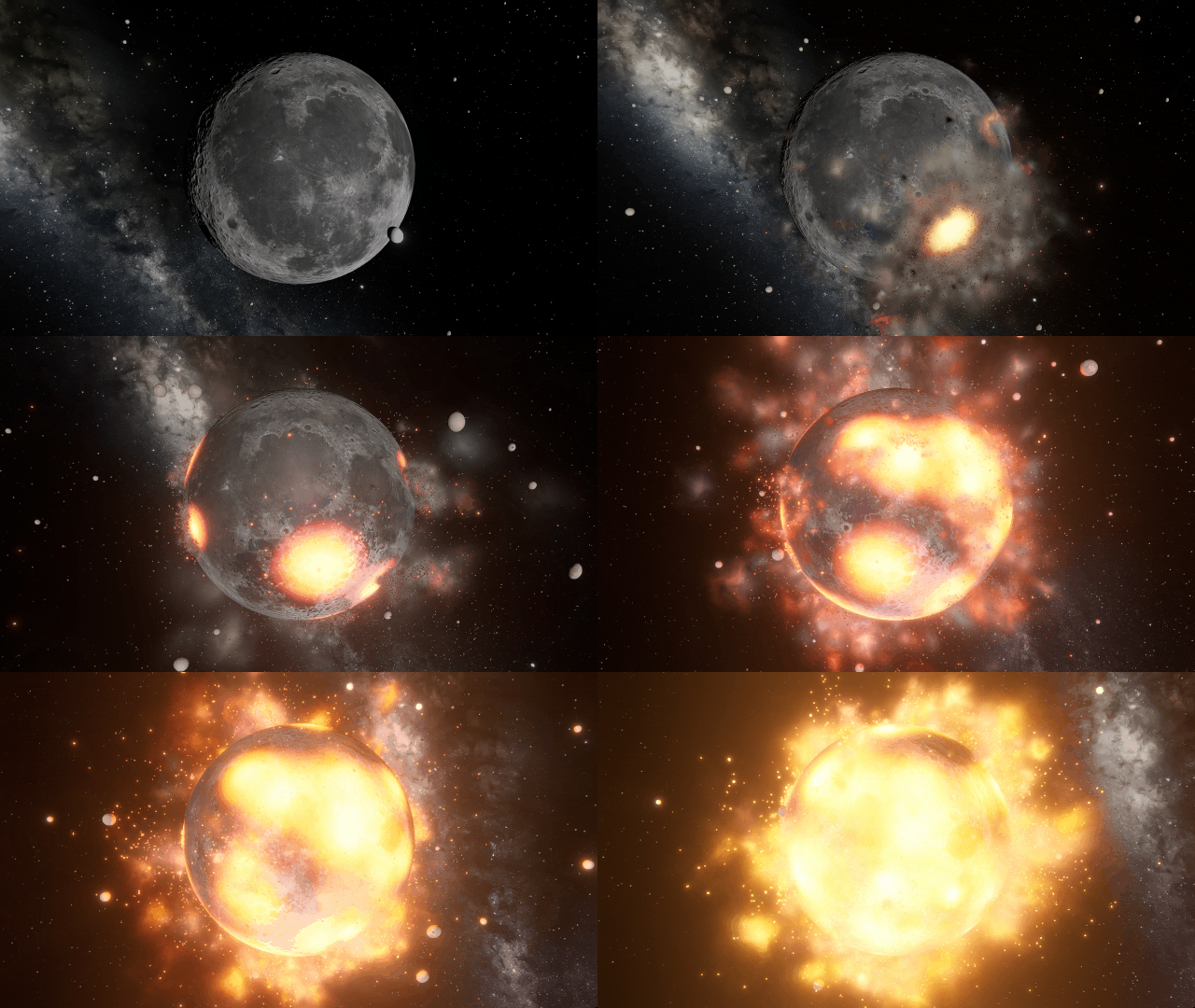
Object cohesion, how tightly bound together an object is, is now simulated based on its composition. This impacts object deformation and fragmentation rates and prevents fast spinning objects like asteroid 2014 RC from immediately ripping themselves apart.
Check out the full list of What’s New in Update 36.1.
Please report any issues on our Steam forum, on Discord, or in-game via Home > Send Feedback.

Pale Blue DOTS | Update 36
Mar 30th

Blast apart rings with lasers, deform moons as they become tidally locked, vaporize meteors, and more! We’ve reconstructed the physics simulation architecture of Universe Sandbox to provide a new base for improving performance, finding and fixing issues faster, and more easily adding new physics features.
“To me, it underscores our responsibility to deal more kindly with one another, and to preserve and cherish the pale blue dot, the only home we’ve ever known.” – Carl Sagan, Pale Blue Dot, 1994
New Simulation Framework
We’ve overhauled the physics architecture of Universe Sandbox to utilize the Data-Oriented Technology Stack (DOTS) from Unity, the game engine we use to build Universe Sandbox, to
- Improve performance now and in the future.
- Add new physics simulation, like stretched objects and atmospheric drag to simulate meteors.
- Make our game code easier to maintain and build on.
- Provide a foundation for future big features, such as building and flying spacecraft and constructing (and destroying) megastructures like Dyson spheres.

Improved Lasers!
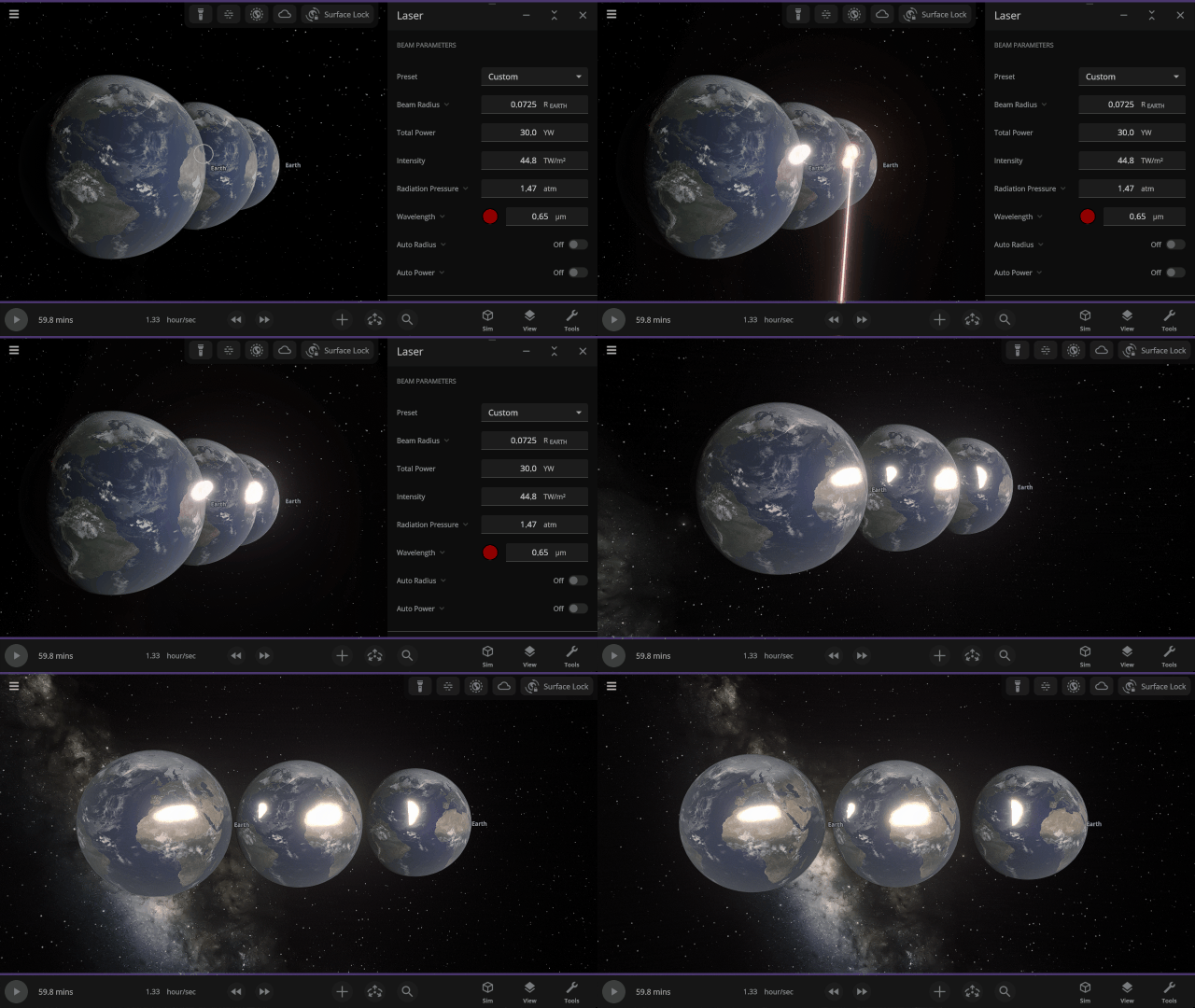
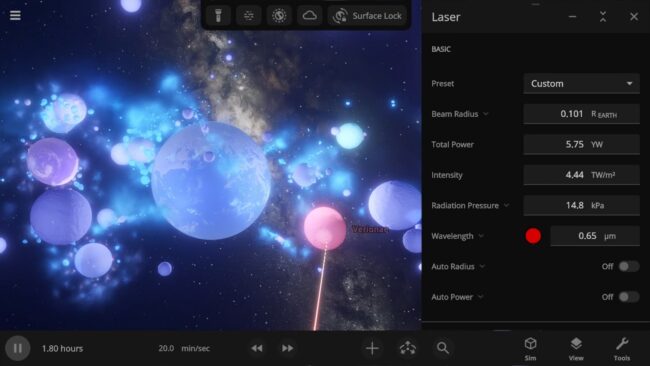
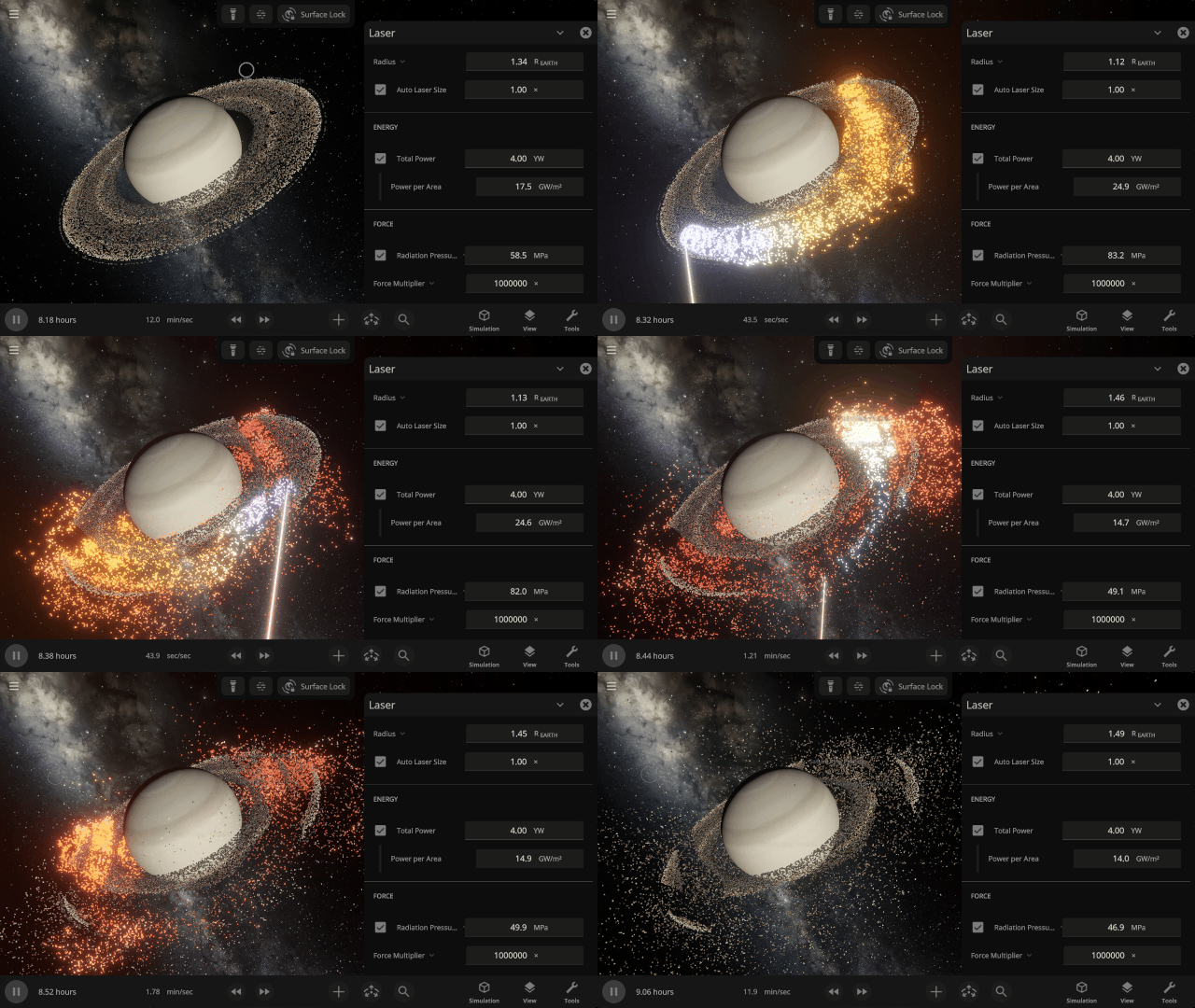
Blast multiple objects at once (instead of just one object at a time) with the updated laser! You can even push objects around by increasing light’s radiative pressure.
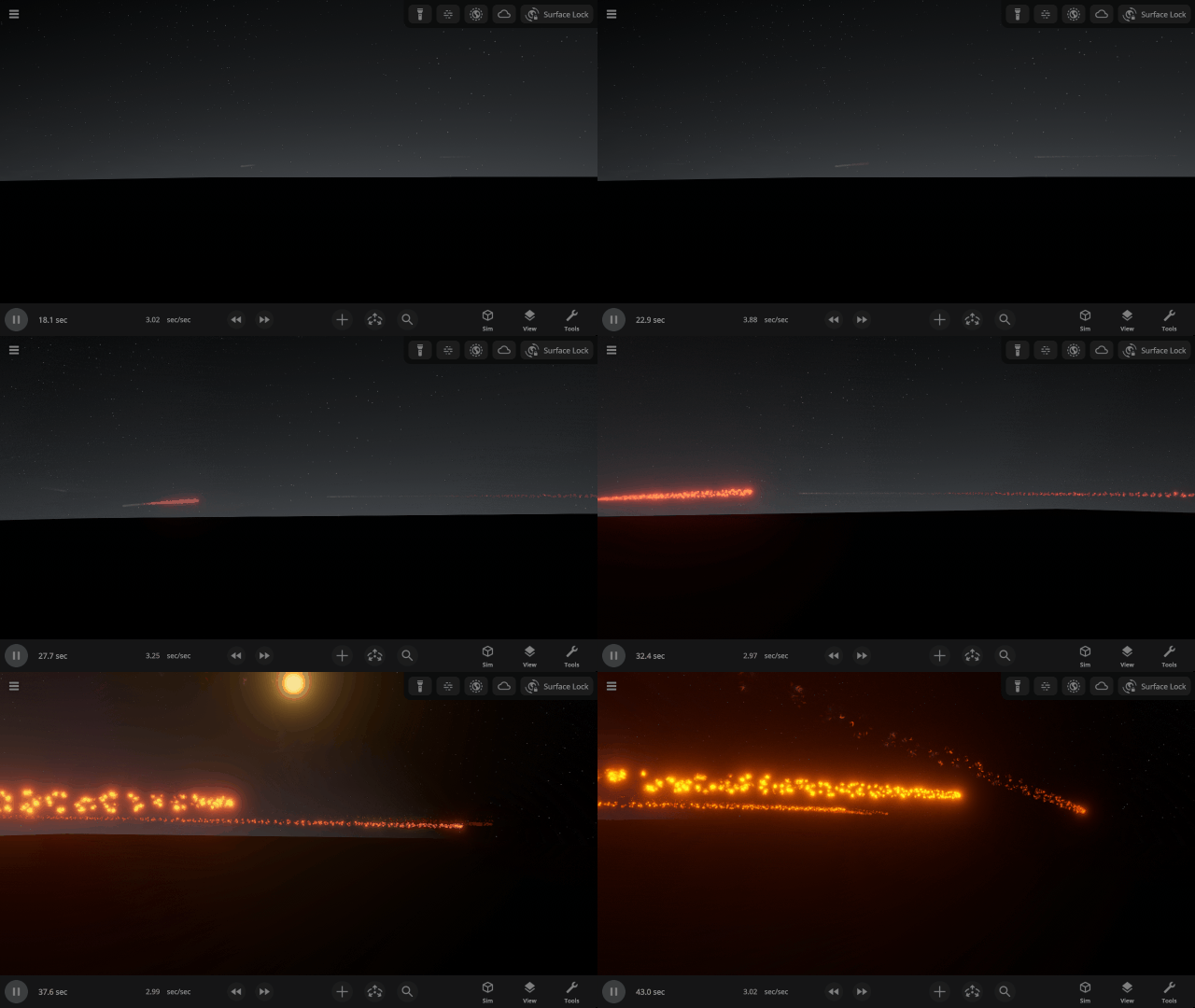
Atmospheric Fireballs
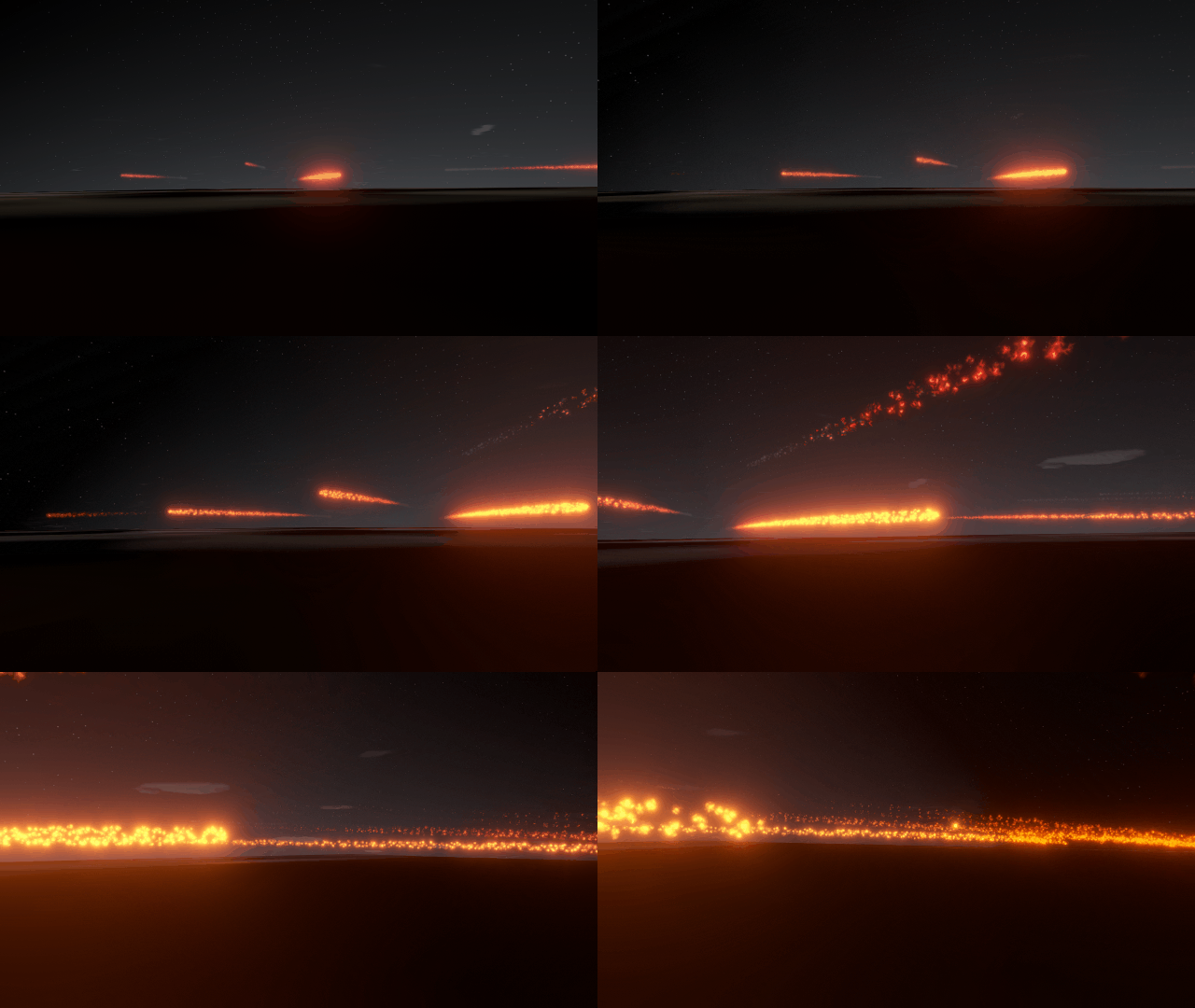
Objects now burn up as they travel through planet atmospheres with our new atmospheric drag force to simulate meteors. Trails are created as volatile material, like water, is burned off the object. Check it out in our new Meteor Shower from Earth’s Surface simulation.
More Highlights
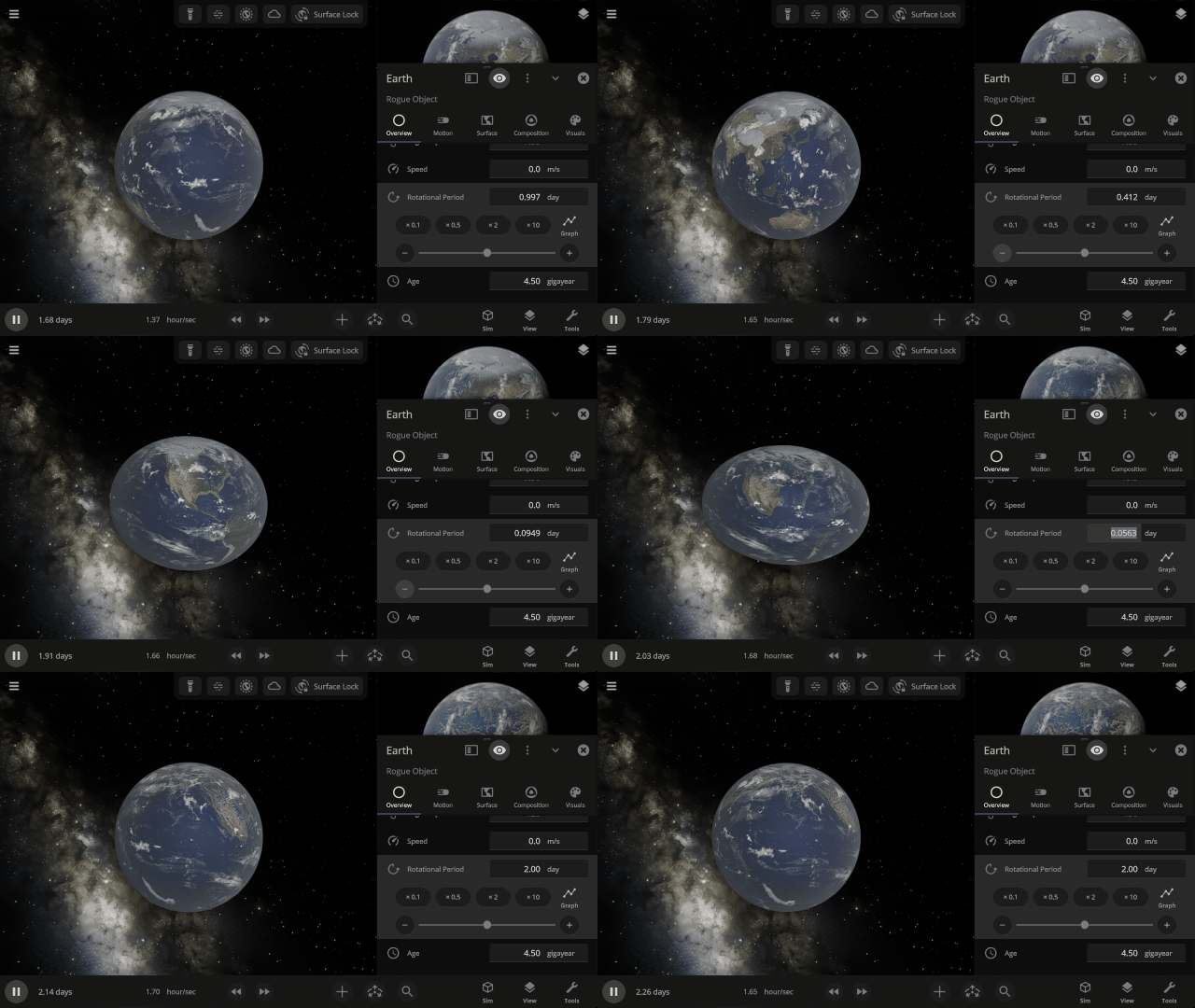
Objects Stretching & Squishing
Simulate the stretching and flattening of objects in real life due to gravity or fast rotation. However, collisions and surface simulation will continue to simulate as perfect spheres even on stretched objects until this is improved in a future update.
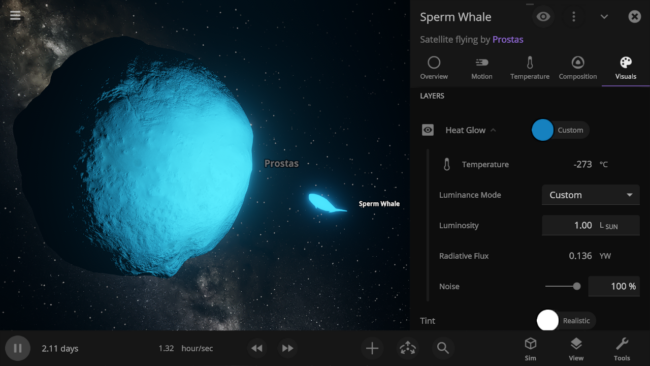
Customize Heat Glow & Luminosity
Want to make a whale glow with the brightness of the Sun? Now you can make any object emit any color light at any brightness, regardless of its temperature.
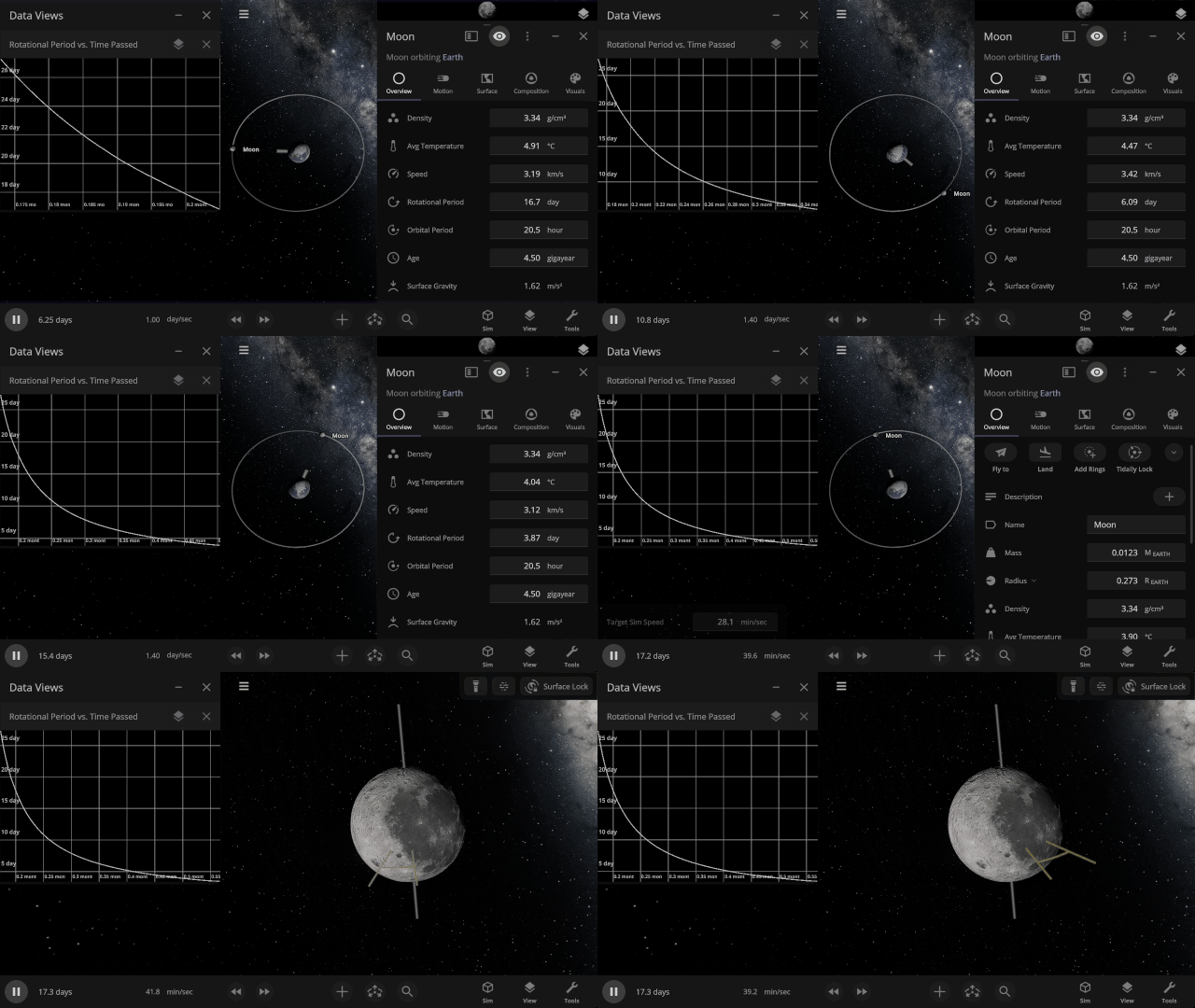
Tidal Locking
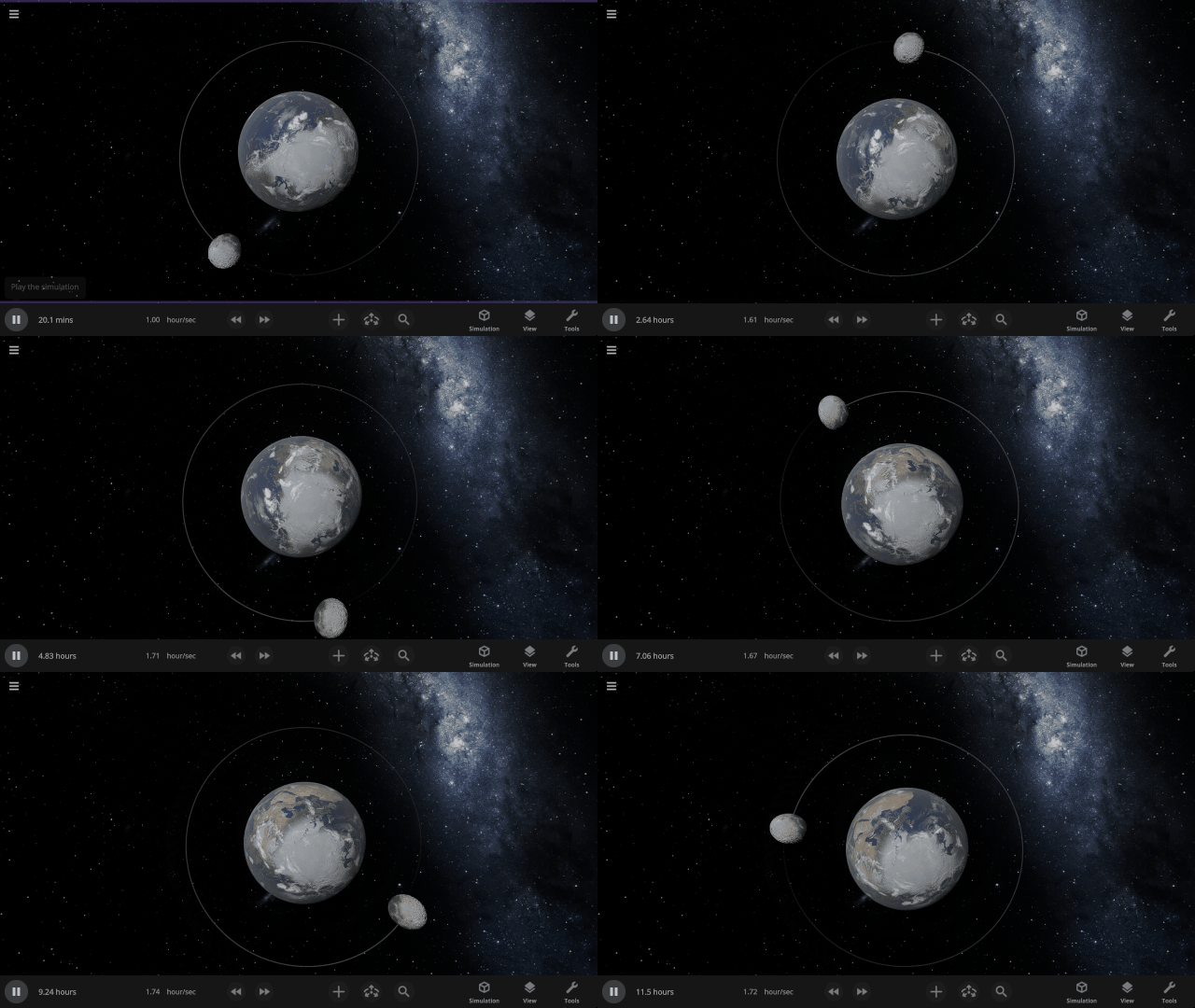
Gravitational interactions that change an orbiting object’s rotational period until the same side of one object always faces the other, as the Earth has done to the Moon, are now simulated. Visualize tidal locking by turning on Tidal Lag in the View panel to see the difference between the object’s orbital and rotational periods.
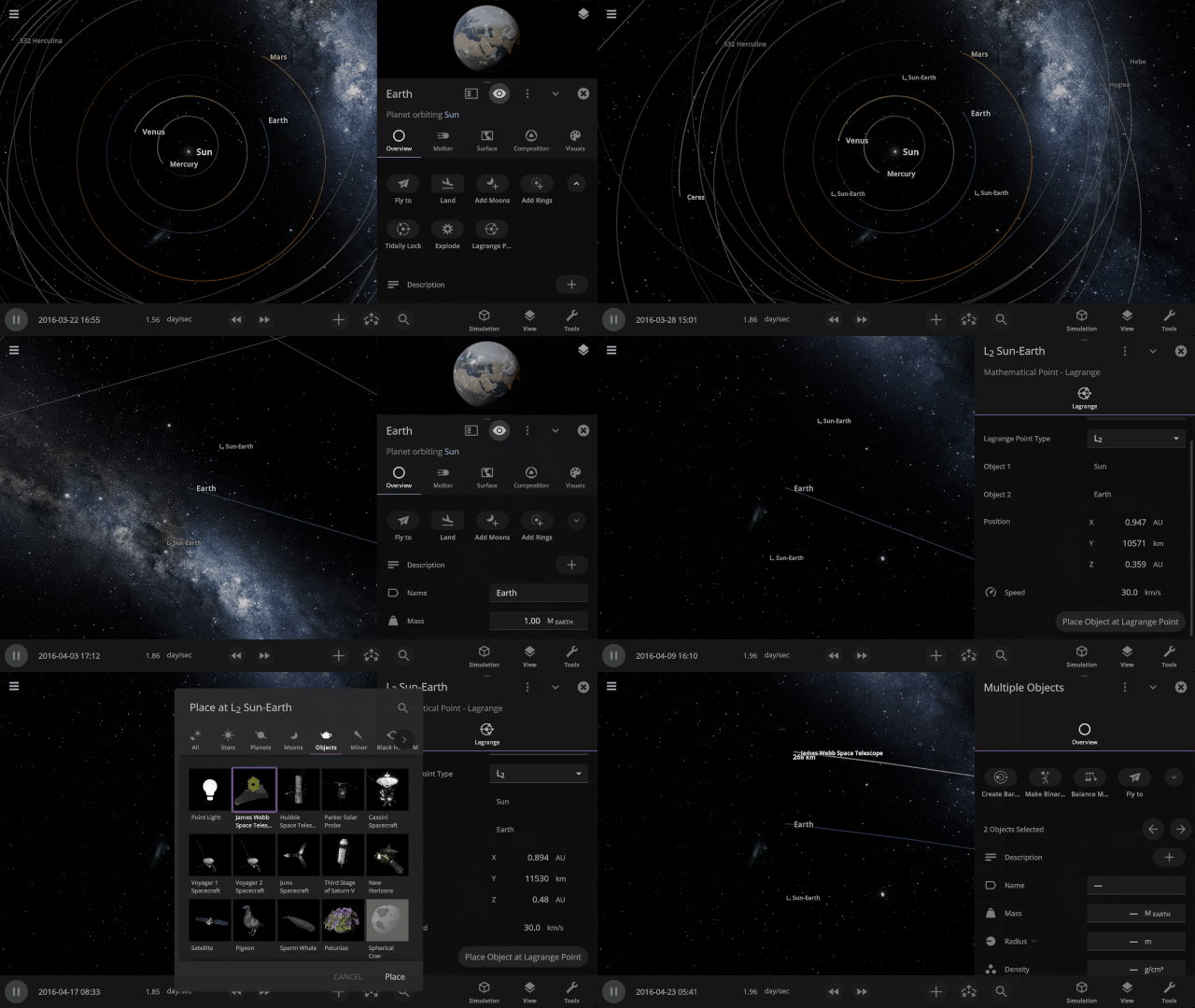
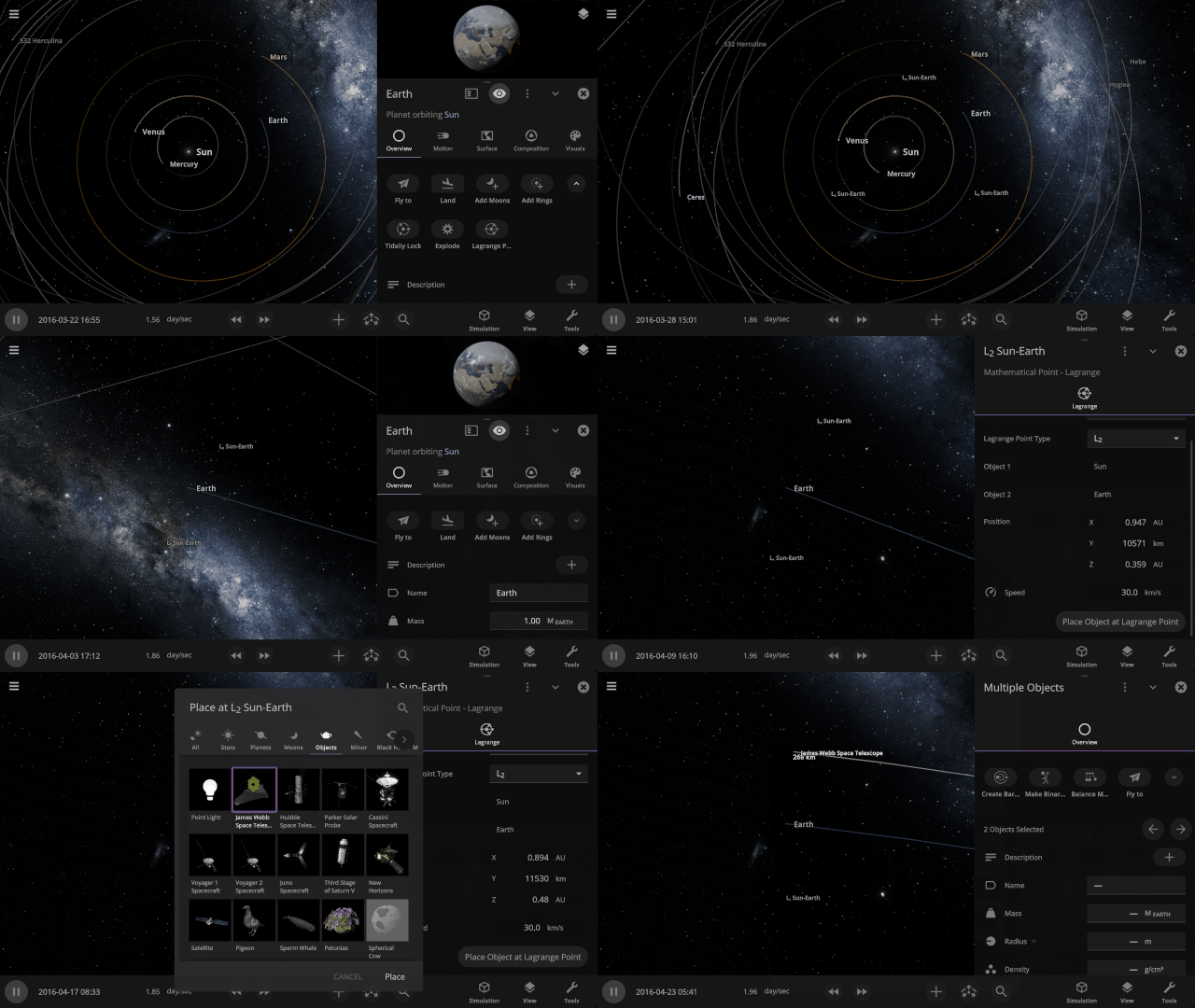
Lagrange Points
Mark the location of Lagrange points, points where the gravitational forces between all objects in the system are equal, with the press of a button. There’s even a handy Place Object at Lagrange Point option.
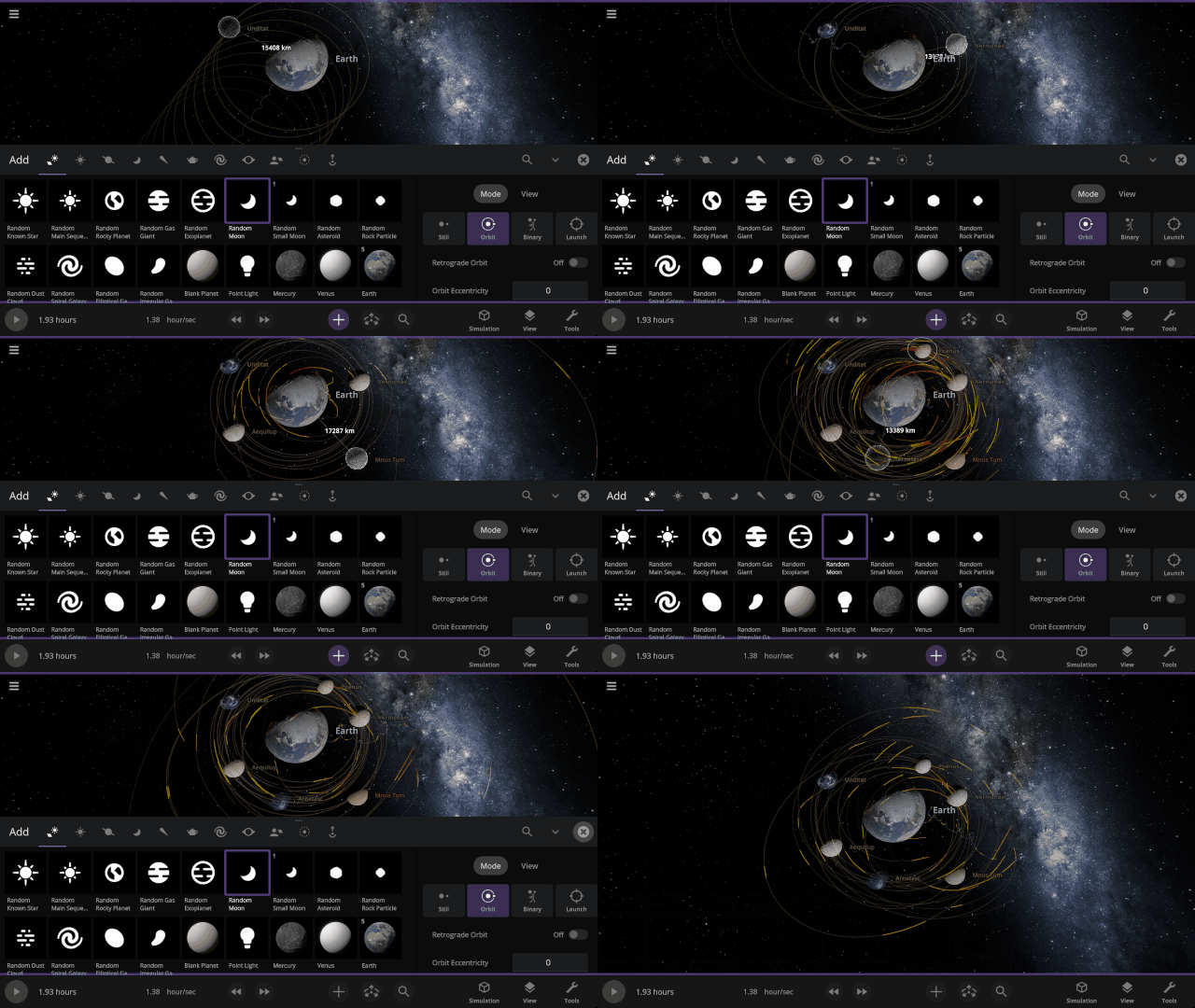
Predicted paths
See the path an object will follow as we project its motion into the future. Checking for collisions along the way, this path will turn from yellow to red, showing the amount of predicted overlap. Turn on predicted paths under
View > Overlays > Predicted Paths
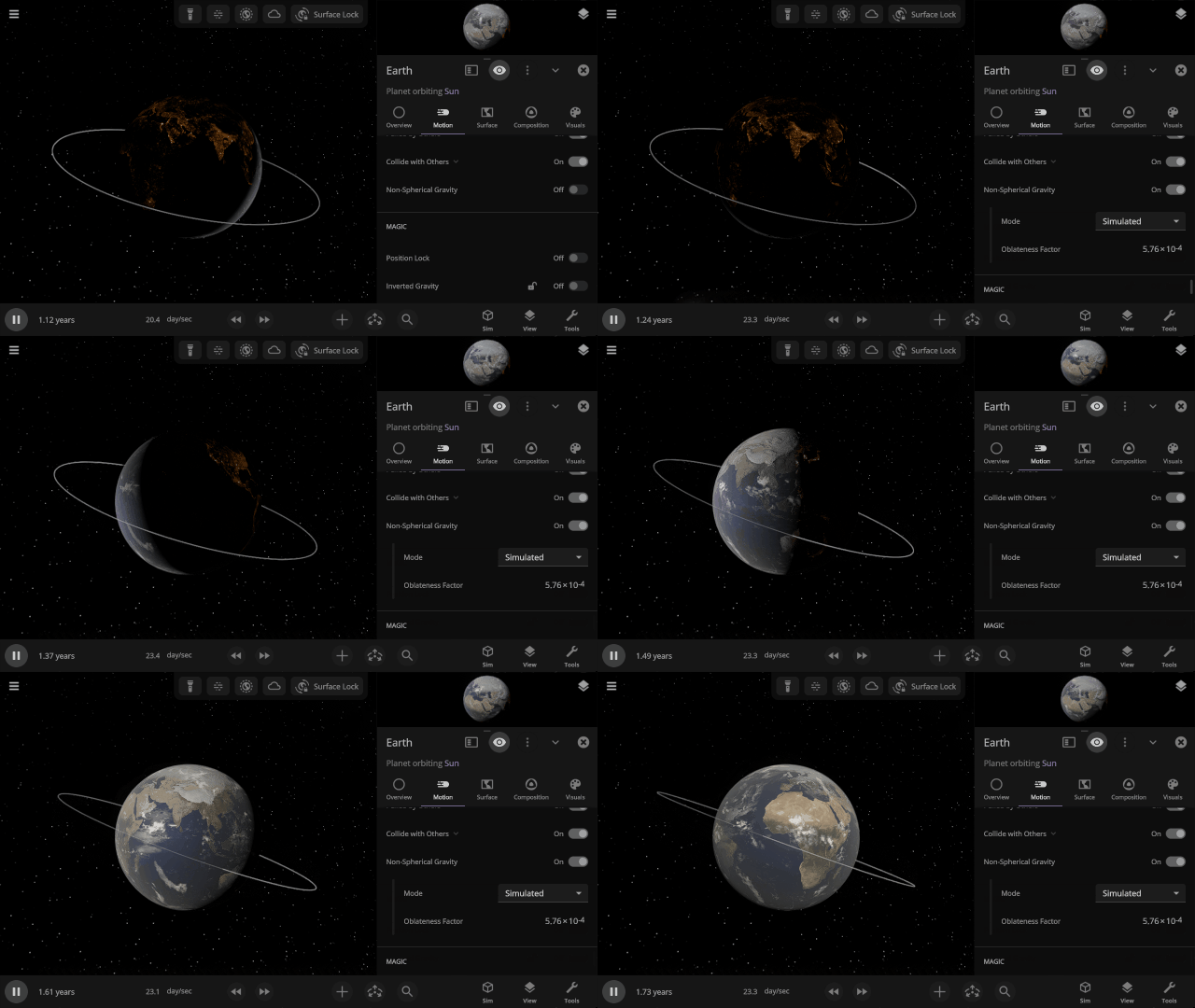
Non-spherical Gravitational Fields
Similar to flattening objects, we’re now fully simulating how an object’s gravitational field changes when it’s no longer a sphere by simulating its oblateness factor (also called J2). Previously, these factors, used to simulate the orbits of sun-synchronous satellites, had to be manually entered.
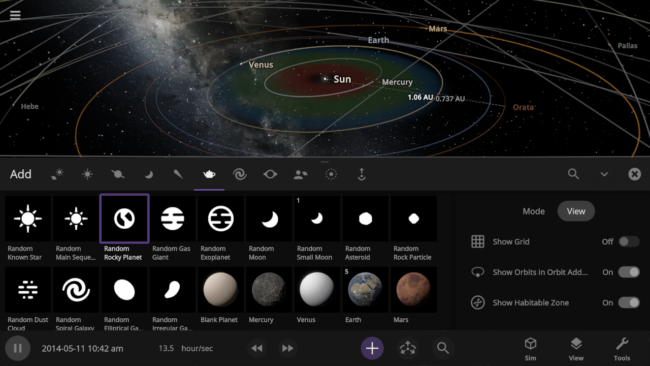
New Add Tool Views
Automatically turn on orbits, the simulation grid, or show the habitable zone with the Add Tool View options as you add objects to your simulation.
New Overlays
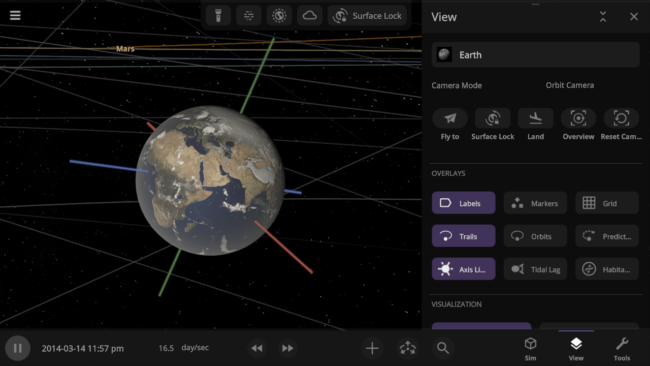
Use the new overlay options to easily see the predicted path an object will take, the orientation of its axes in the simulation, and more.
New Save File Structure
Simulation and object save files are now more versatile and capable. In the future, you’ll be able to save and share custom presets (like individual species of life). Previously saved simulations and objects will still open, but new saves will not work in old versions of Universe Sandbox.
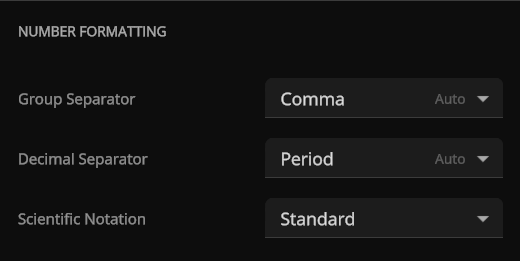
Number Formatting
Show large numbers with commas, periods, half-spaces, or without separators. The initial number format will correspond to the selected language and can be adjusted under
Home > Settings > General > Number Formatting
Check out the full list of What’s New in Update 36.
Please report any issues on our Steam forum, on Discord, or in-game via Home > Send Feedback.

Universe Sandbox Roadmap: 2026 & Beyond
Mar 19th
Work in Progress: Objects changing color based on their relative heating rate, heating up when blasted with the laser or crashing into each other.
Our first planned major release of 2026 is our physics architecture overhaul that will simulate meteors (atmospheric drag) and improve lasers. We’re also continuing development on life simulation, bringing Universe Sandbox to mobile devices, and other grand plans. But before we get into those projects, let’s look back at some highlights from last year.
Highlights from 2025
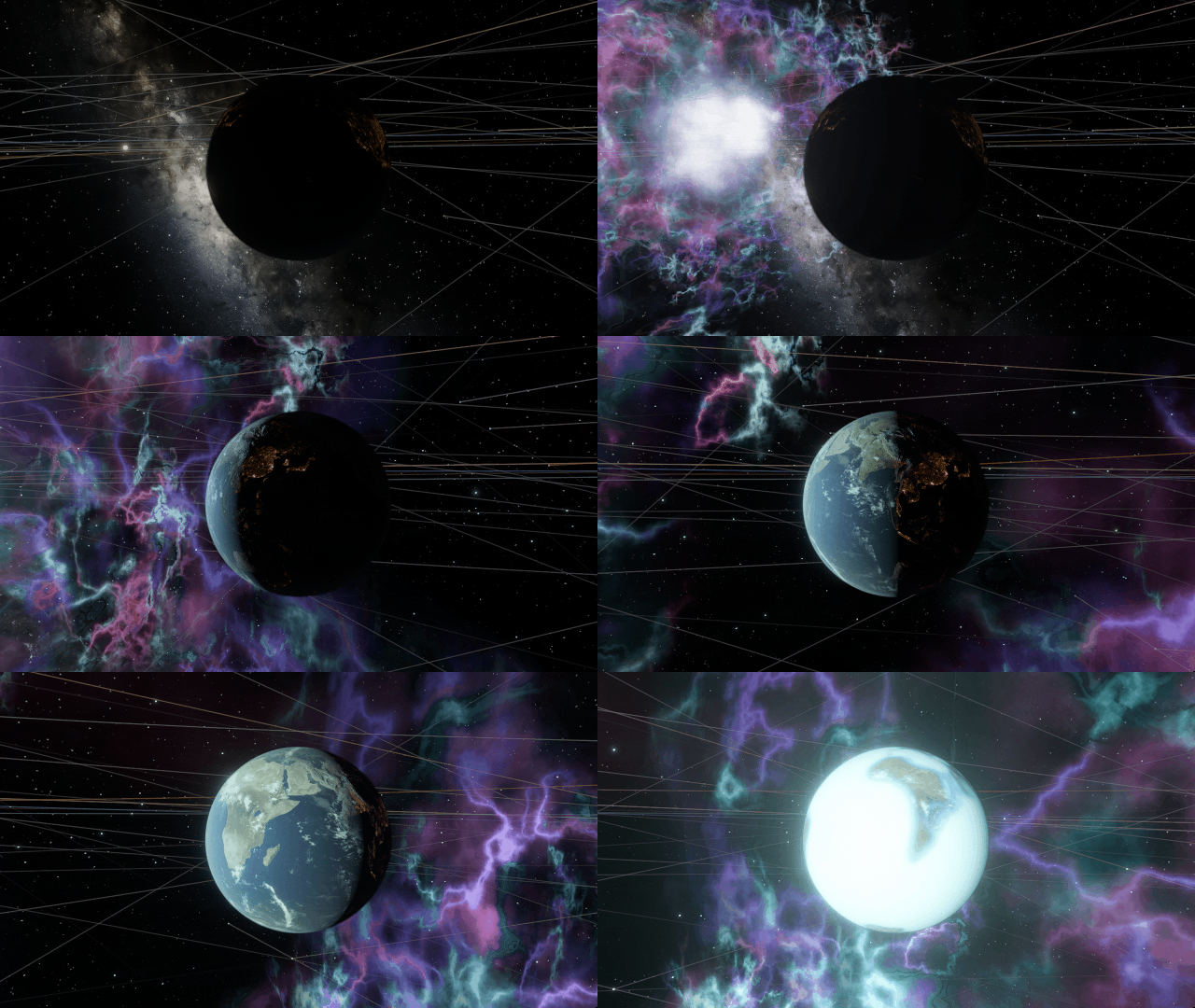
Our first big release in 2025 included a major graphics overhaul, a new dynamic user interface, and multi-object editing. We also released four other updates throughout the year, with new simulations, supernova lighting, and object descriptions. Some of our biggest accomplishments include
- Replacing our 10-year-old graphics technology with a state-of-the-art system for a more awe-inspiring and realistic universe, a project that took about 2 years. (Update 35, March 2025)
- Implementing a new interface system that automatically positions, resizes, and closes panels so you can focus on the simulation instead of managing the interface (Update 35, March 2025)
- Supernovas light up your simulation and leave behind a remnant if the exploding star is massive enough (Update 35.2, June 2025)
- Releasing a preview version of our physics architecture overhaul, including improved lasers, atmospheric drag, and more! Try it now (Update 36 Preview, December 2025)
Our major graphics overhaul and interface improvements were both major milestones from our 2024 Roadmap, and our next physics update has been a major milestone for the last few years.
What’s the Plan for 2026?
- Finish our major physics overhaul.
- Add planet-scale life simulation where vegetation and animals grow, die, get eaten, and more.
- More simulation improvements, including
- Overhauling the tech behind our surface simulation to make it more efficient.
- Updating our heating and cooling systems.
- Lay the groundwork for constructing and simulating spacecraft and megastructures with improvements to our collision simulation and detection systems.
- Bring Universe Sandbox to phones and tablets (iOS & Android).
We’re planning these projects for 2026, but additional challenges may arise that delay features, and our priorities may change.
Blast, Crash, & Smash – Physics
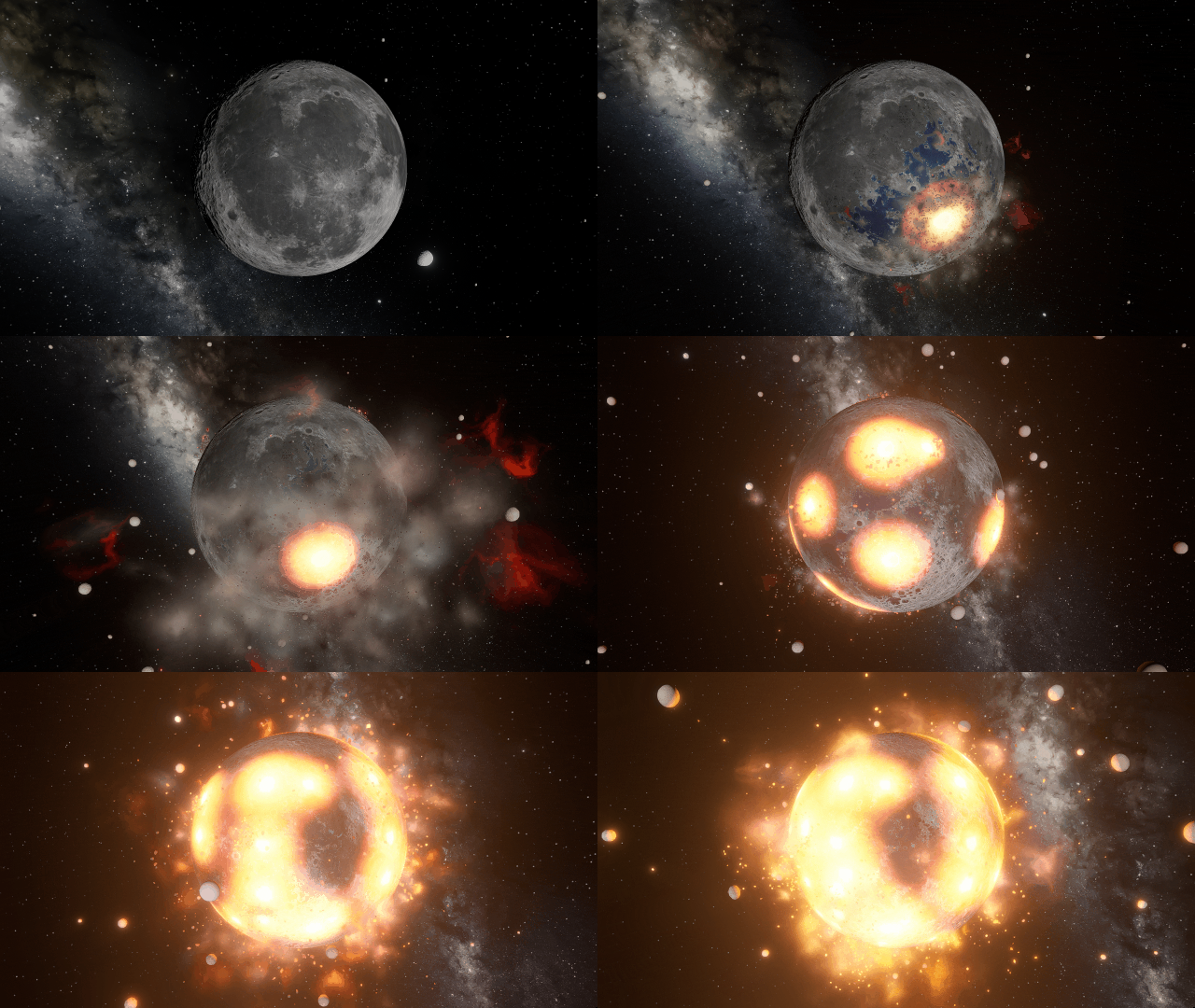
At the end of last year, we put out a preview of our major physics simulation architecture changes, including improved lasers, atmospheric drag, and simulated visual stretching and flattening of fast-rotating objects. This year, we plan to release this update and begin improving the rest of our simulation.
- Overhauling our Simulation Architecture
- We’ve been working on rewriting large portions of Universe Sandbox using the Data-Oriented Technology Stack (DOTS) from Unity, the game engine we use to build Universe Sandbox, to improve performance, make our code easier to maintain, and provide a new foundation for features such as spaceships and megastructures.
- Our next update applies the DOTS framework to our gravity, collisions, and fragmentation systems and includes
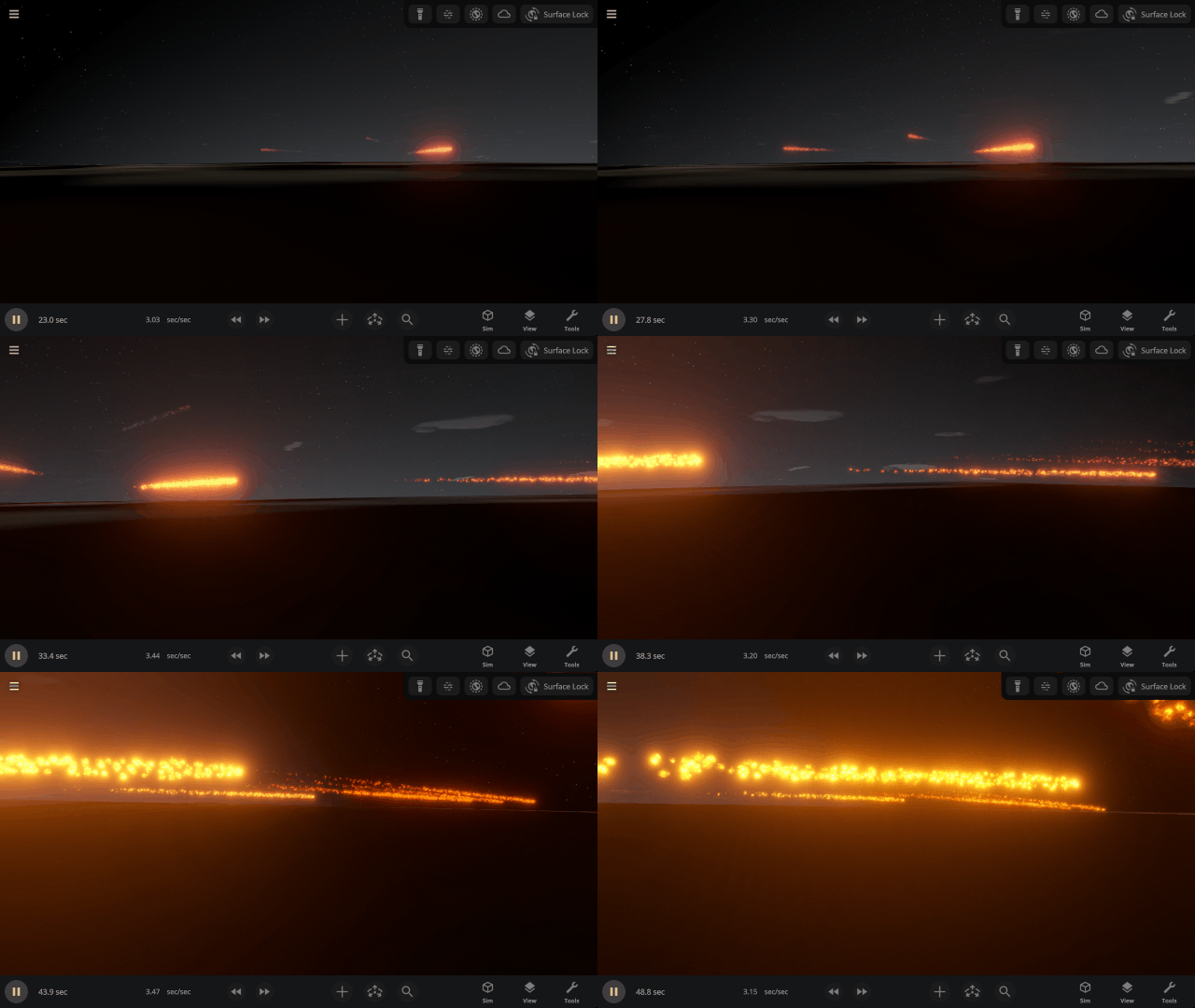
- Objects burning up as they travel through planet atmospheres with our new atmospheric drag force to simulate meteors.
- Objects burning up as they travel through planet atmospheres with our new atmospheric drag force to simulate meteors.
- We’ve been working on rewriting large portions of Universe Sandbox using the Data-Oriented Technology Stack (DOTS) from Unity, the game engine we use to build Universe Sandbox, to improve performance, make our code easier to maintain, and provide a new foundation for features such as spaceships and megastructures.
-
-
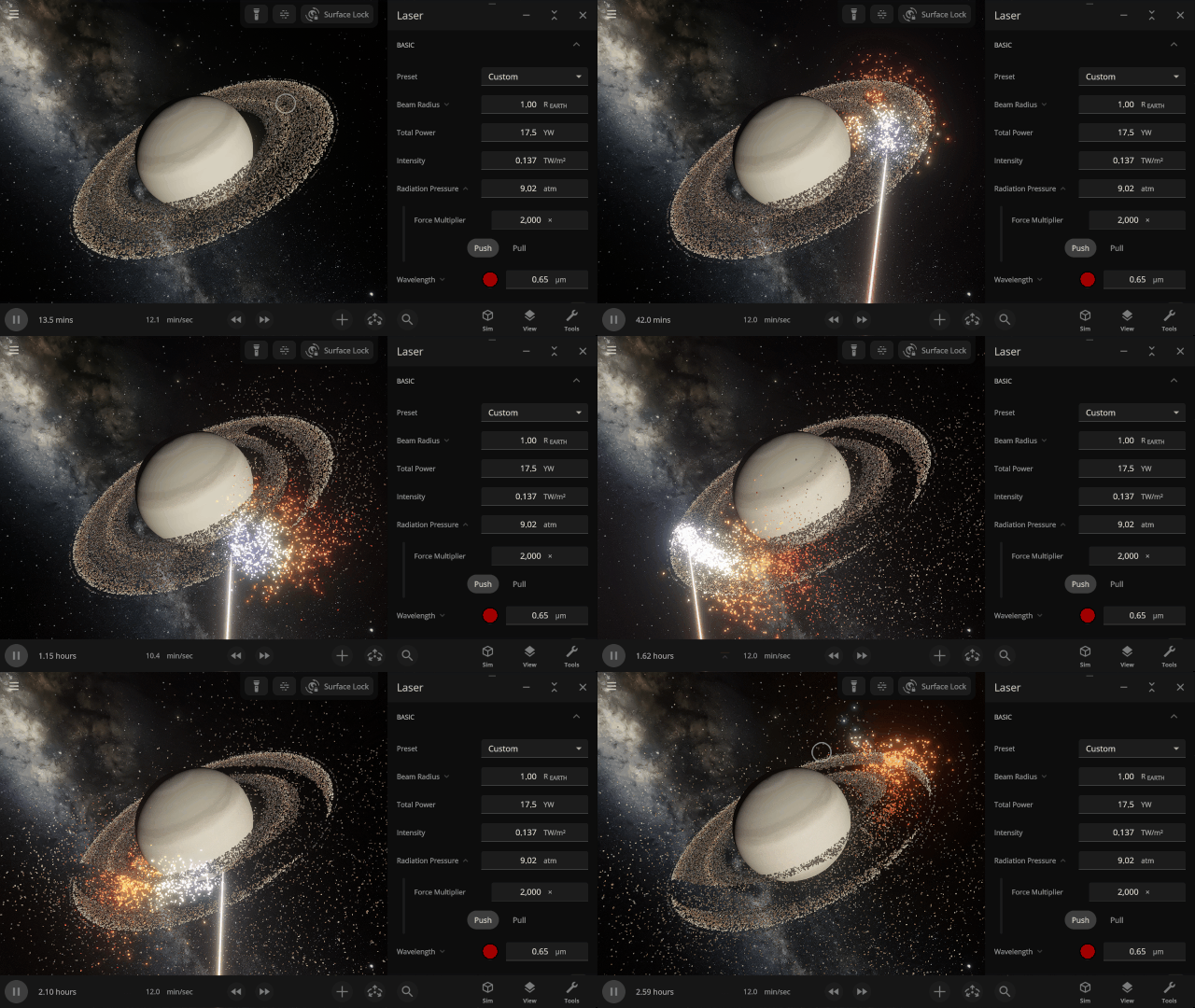
- Improving lasers to blast multiple objects at once (instead of just one object at a time) and pushing objects around by increasing light’s radiative pressure.
-
-
-
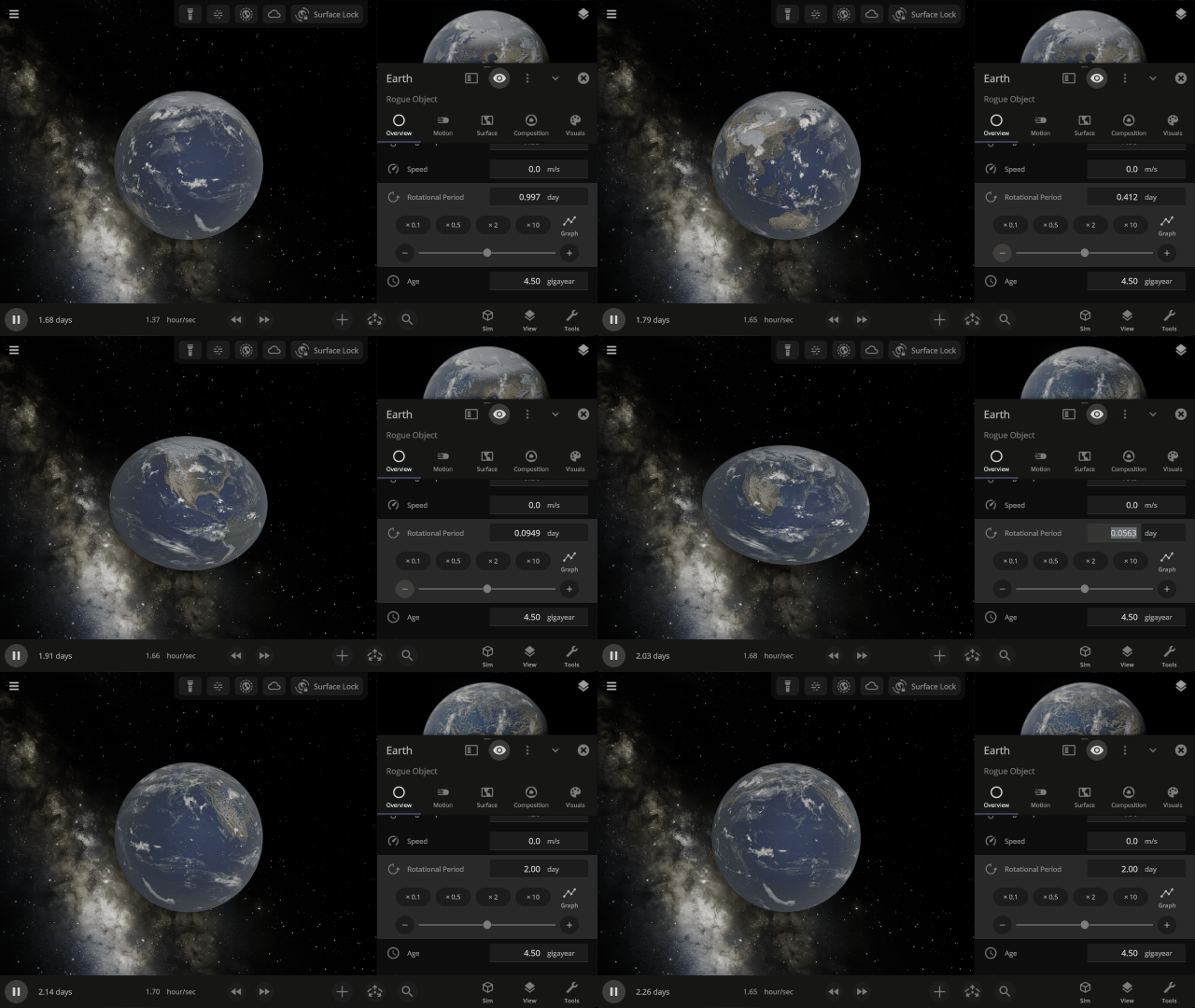
- Simulating the stretching and flattening of objects in real life due to gravity or fast rotation. However, collisions and surface simulation will continue to simulate as perfect spheres even on stretched objects until this is improved in a future update.
-
-
- Future updates will incorporate the DOTS framework into other simulation systems, including
- Surface simulation, which simulates temperature, liquid, and gas flow, and all parts of the surface.
- The graphics rendering system, to eventually enable us to smoothly simulate visual transitions between object types, such as rocky planets becoming gas giants.
- These improvements will not change our overall visuals.
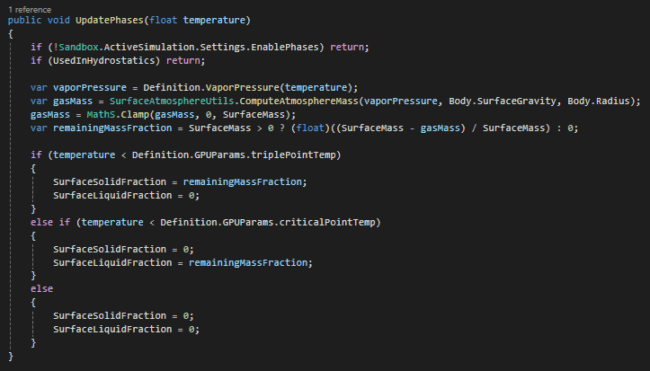
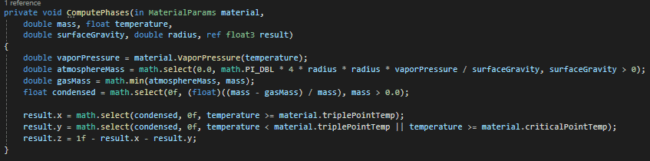
- Our composition and heating systems, which manage the internal structure of objects, phase changes, and sources of heating and cooling.
- Future updates will incorporate the DOTS framework into other simulation systems, including
- Gravity Simulation Optimizations
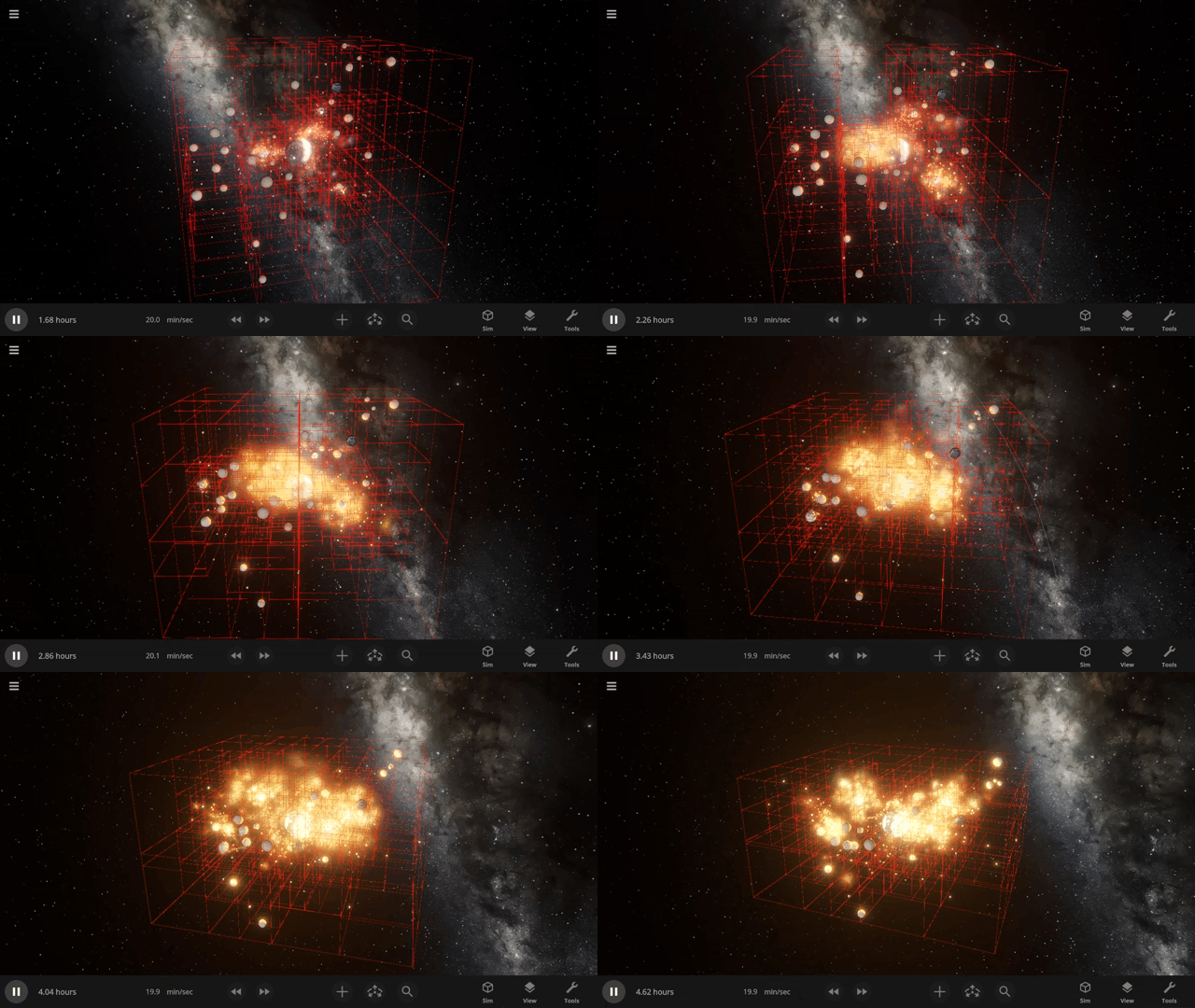
We’re looking into adding an additional method of N-body gravity simulation, called Barnes-Hut simulation, that can allow more simulated objects at the cost of slightly reduced accuracy. This will enhance our ability to simulate rock fragments and dust clouds attracting and merging to form planets & moons.
- Detailed Dynamic Collisions
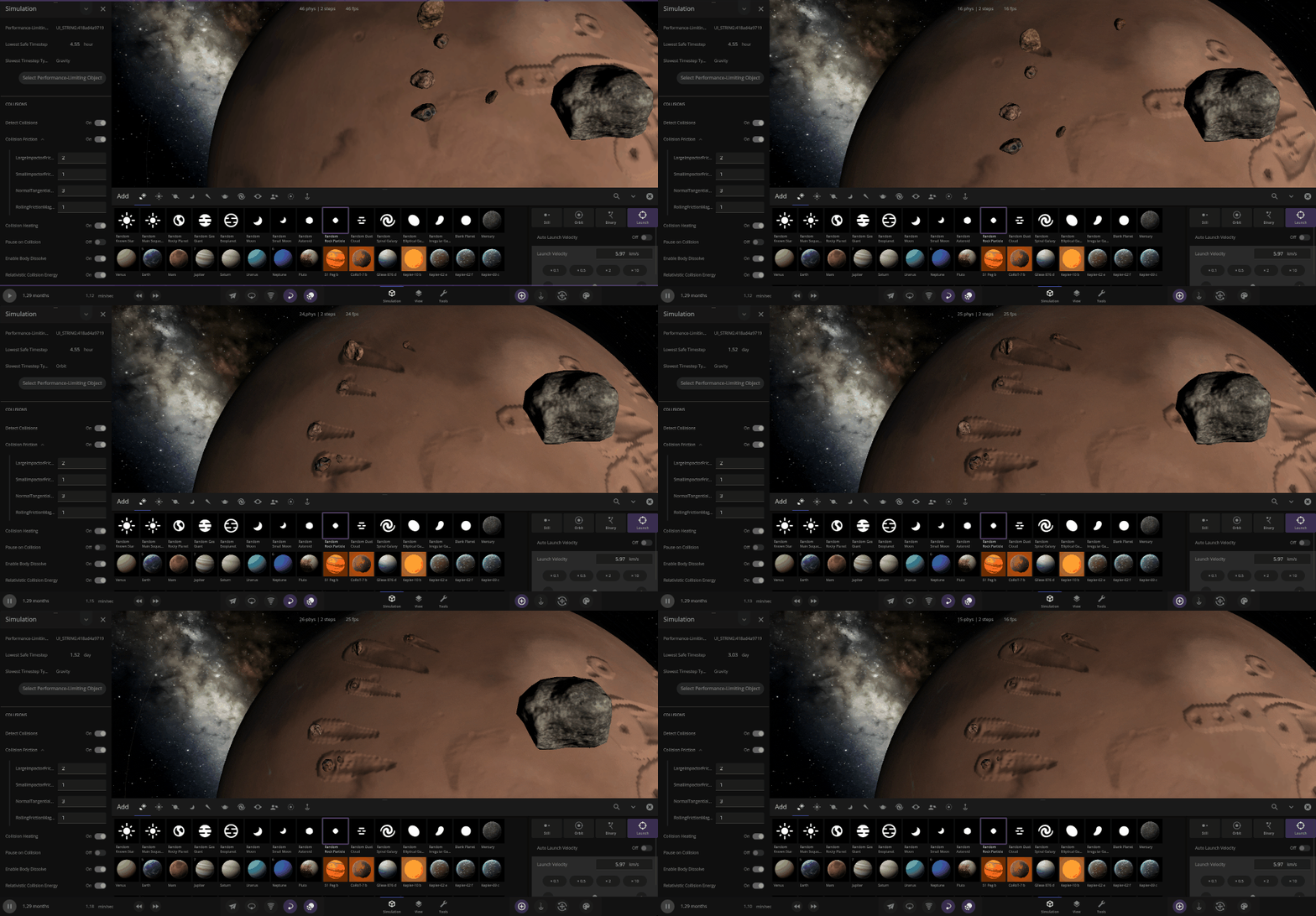
- Adding spin to fragments as they fly through space and roll across planets. Right now, fragments do not rotate when created.
- Simulating collisions of objects with their true shape (called rigid-body physics). Currently, all objects, from dice to celestial objects deformed by spin or tidal forces, are always simulated as spheres.
- Unifying celestial and non-celestial object collisions, including rigid body physics, into a single system.
It’s Alive! – Life Simulation
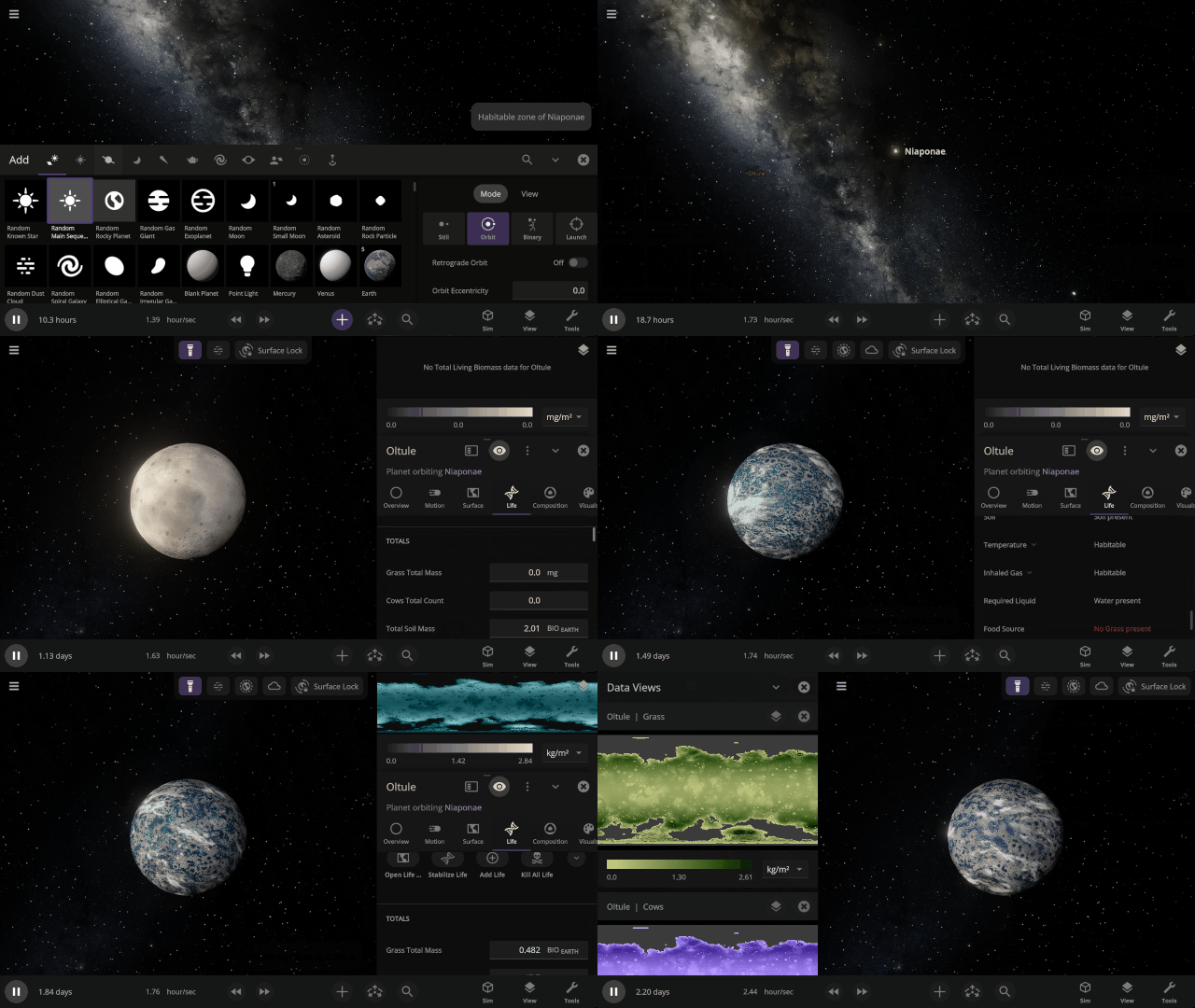
Make worlds habitable with the click of a button, create custom species, and watch populations rise and fall across dynamic planet surfaces. Simulating life is a big focus this year, and we’re making good progress.
- Growth & Death
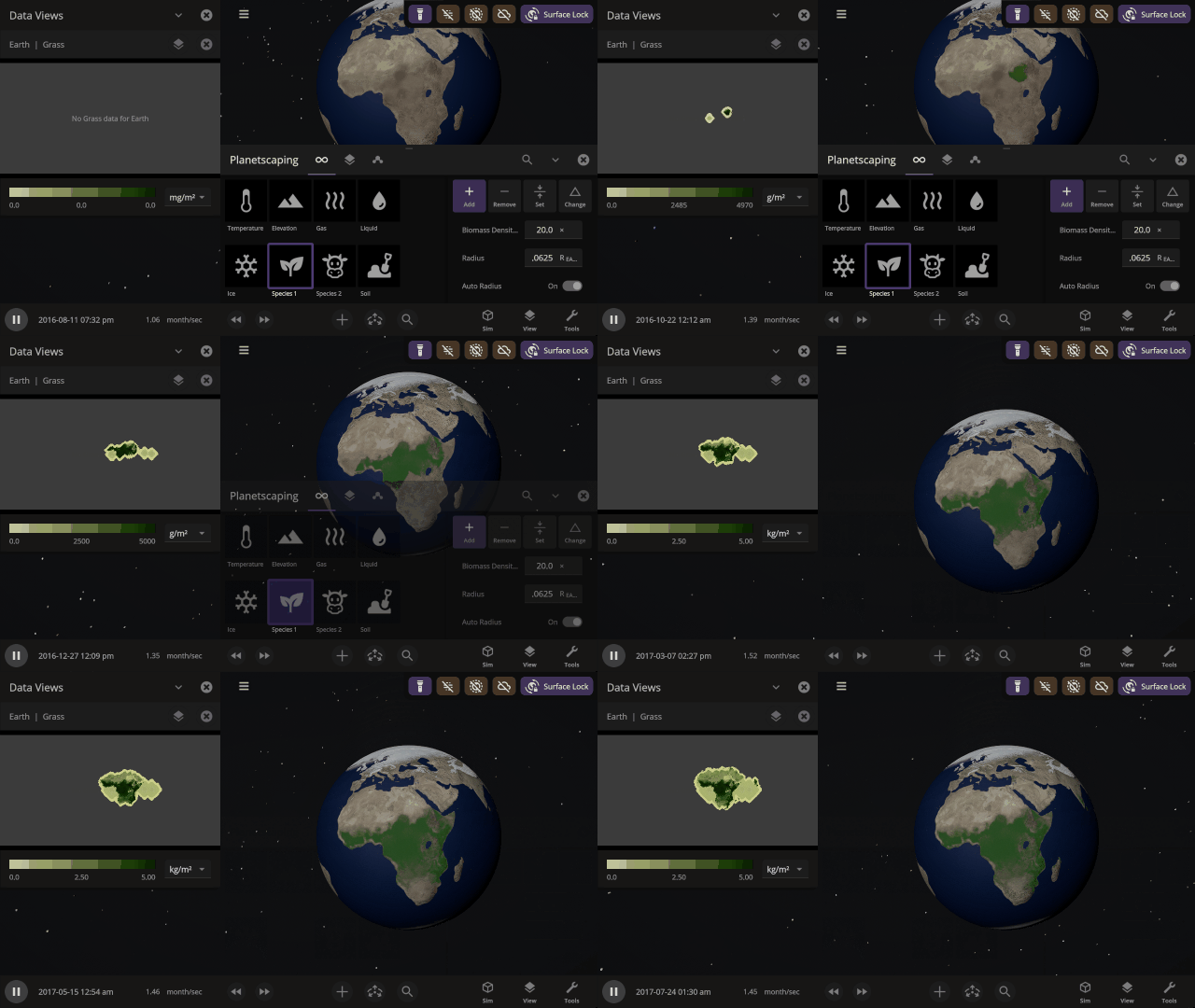
- Vegetation will grow, spread, and die based on local surface conditions, such as surface temperature and concentrations of gases and liquids.
-
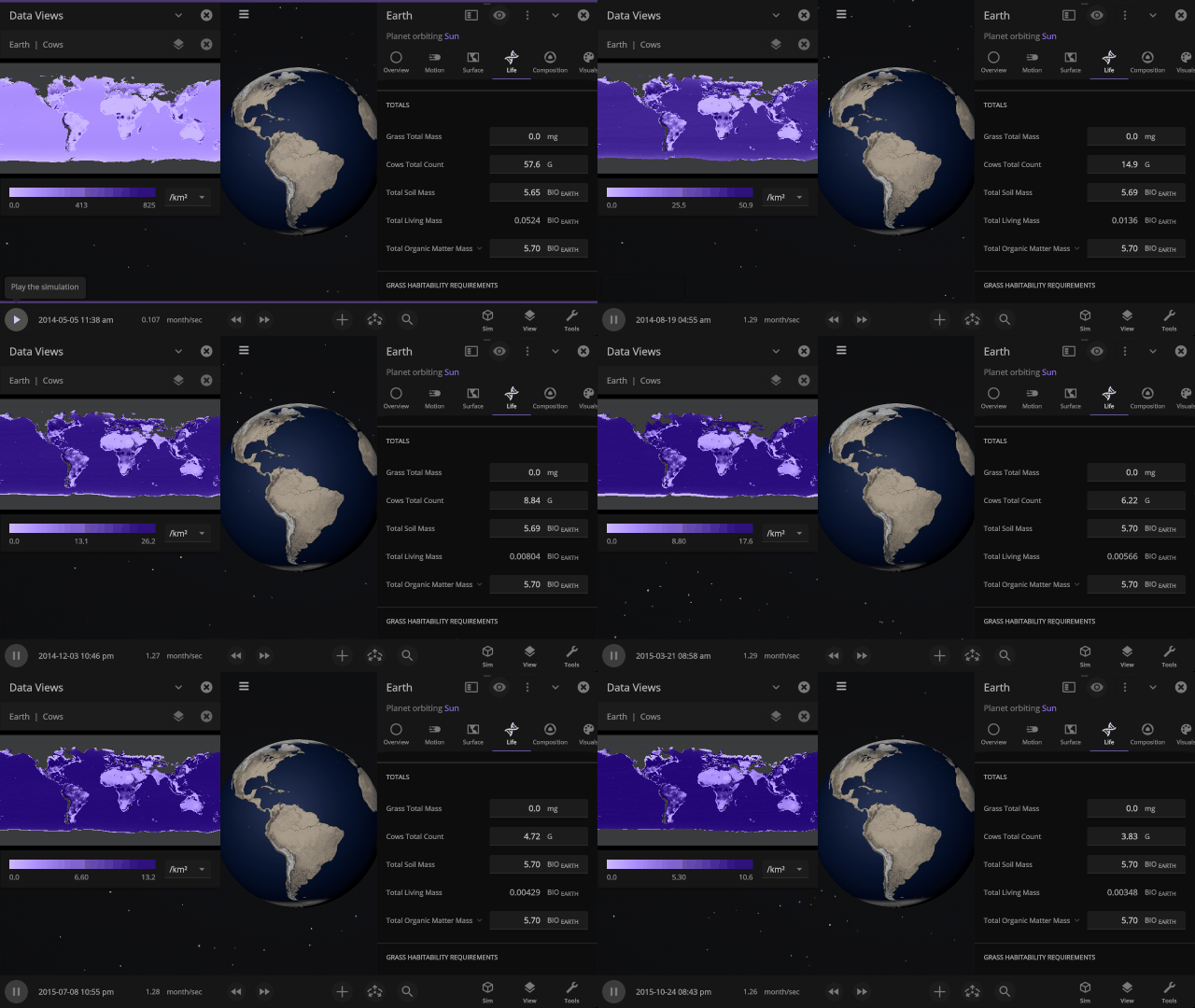
- Herbivores can also be simulated on planetary surfaces, and their populations depend on their food sources. If you kill all the grass the cows eat, they won’t live very long.
-
- Life is simulated on the same planetary scale as surface materials (like water and oxygen), so while you’ll see growth from space, you won’t see individual organisms on the surface.
- Creature Creation
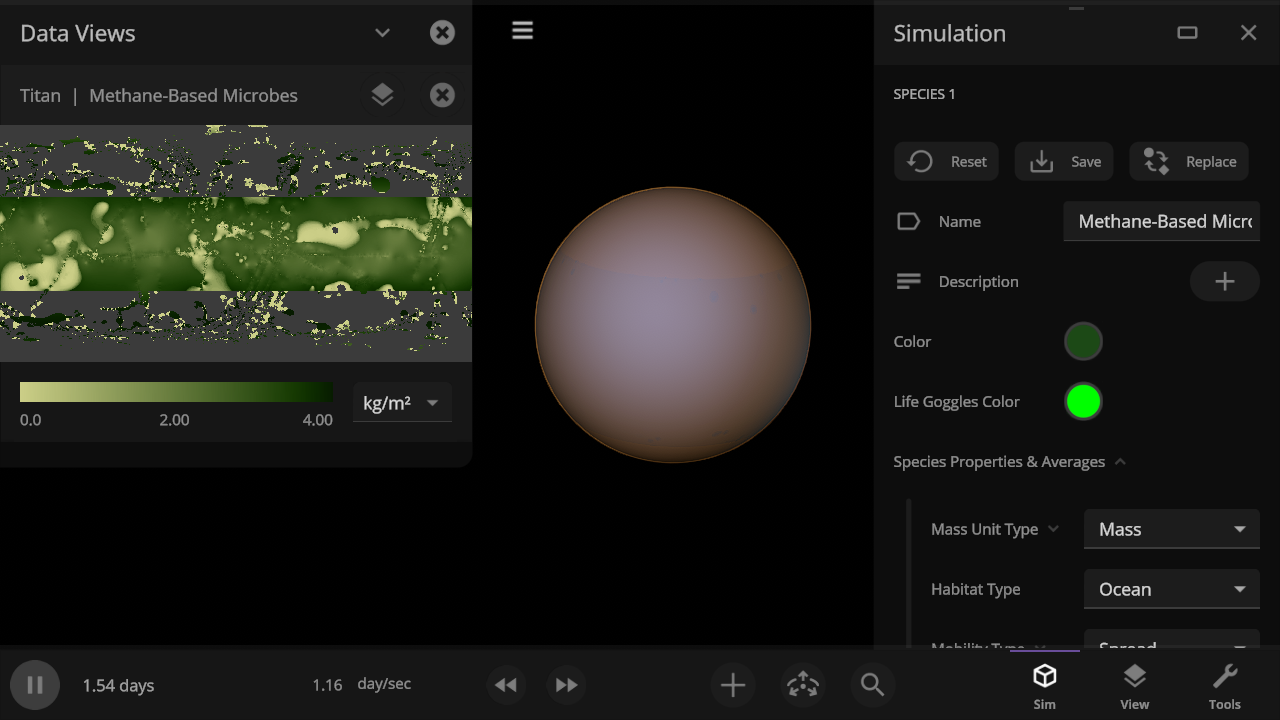
- Species will be customizable, so you can set the conditions required for any life you can imagine. Make your own custom methane-based life on Titan!
-
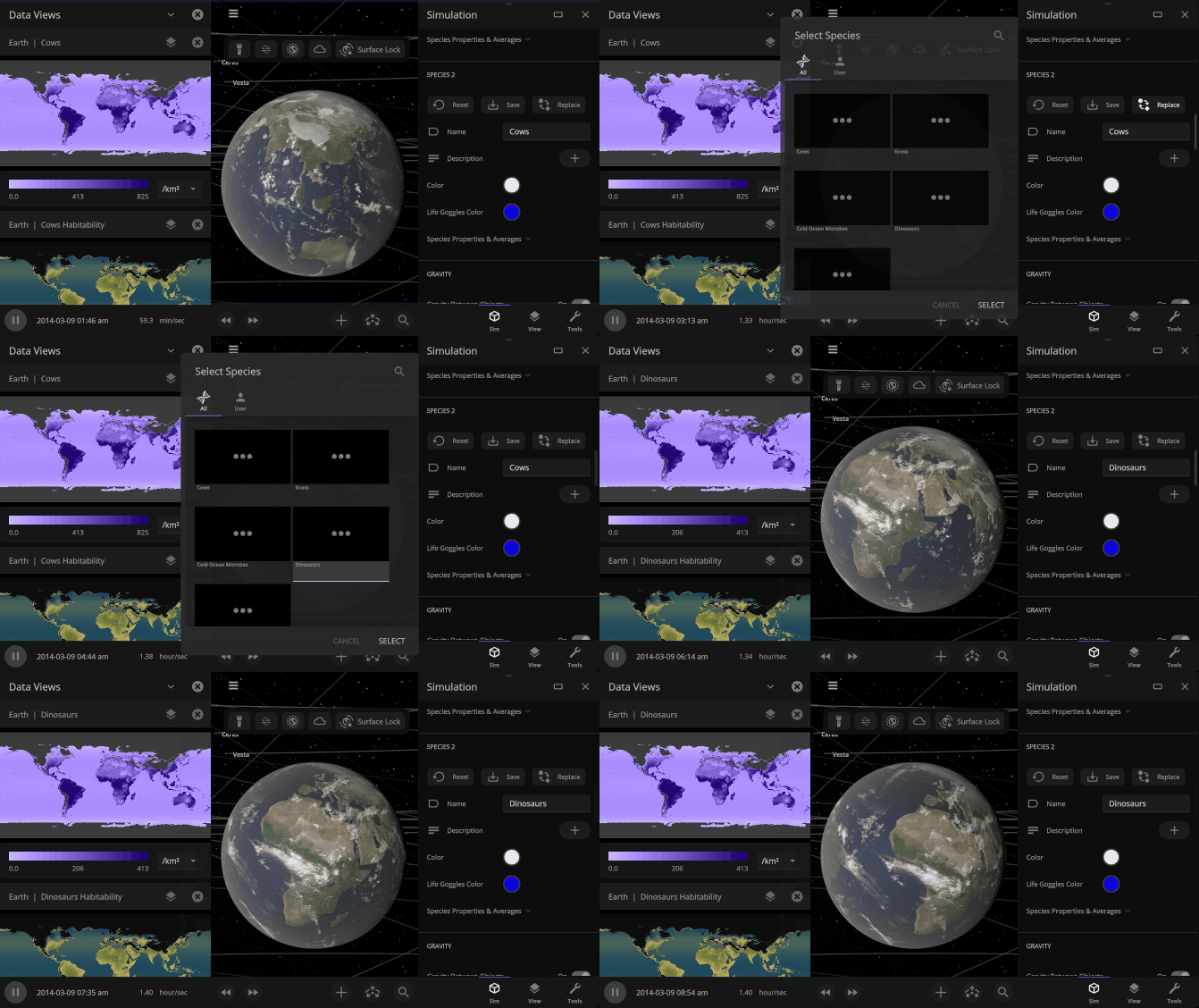
- In addition to preset species, like grass, cows, and dinosaurs, you’ll be able to save and share your custom species and add them to any simulation.
- Let There Be Life (and Death)
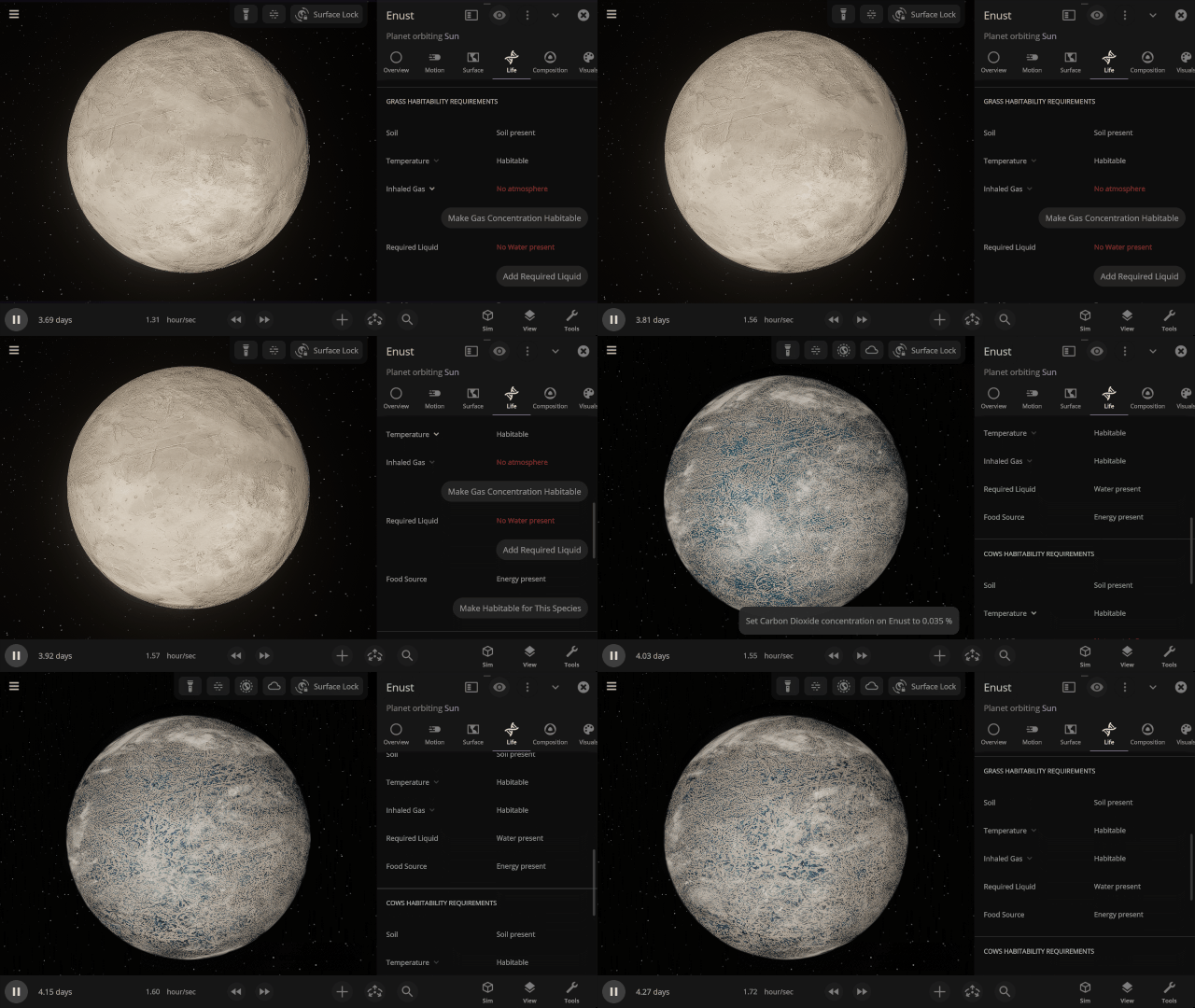
- Creating a habitable planet is hard, but we’re making it easier. You’ll be able to make any planet habitable for a specific species with the click of a button (or two).
-
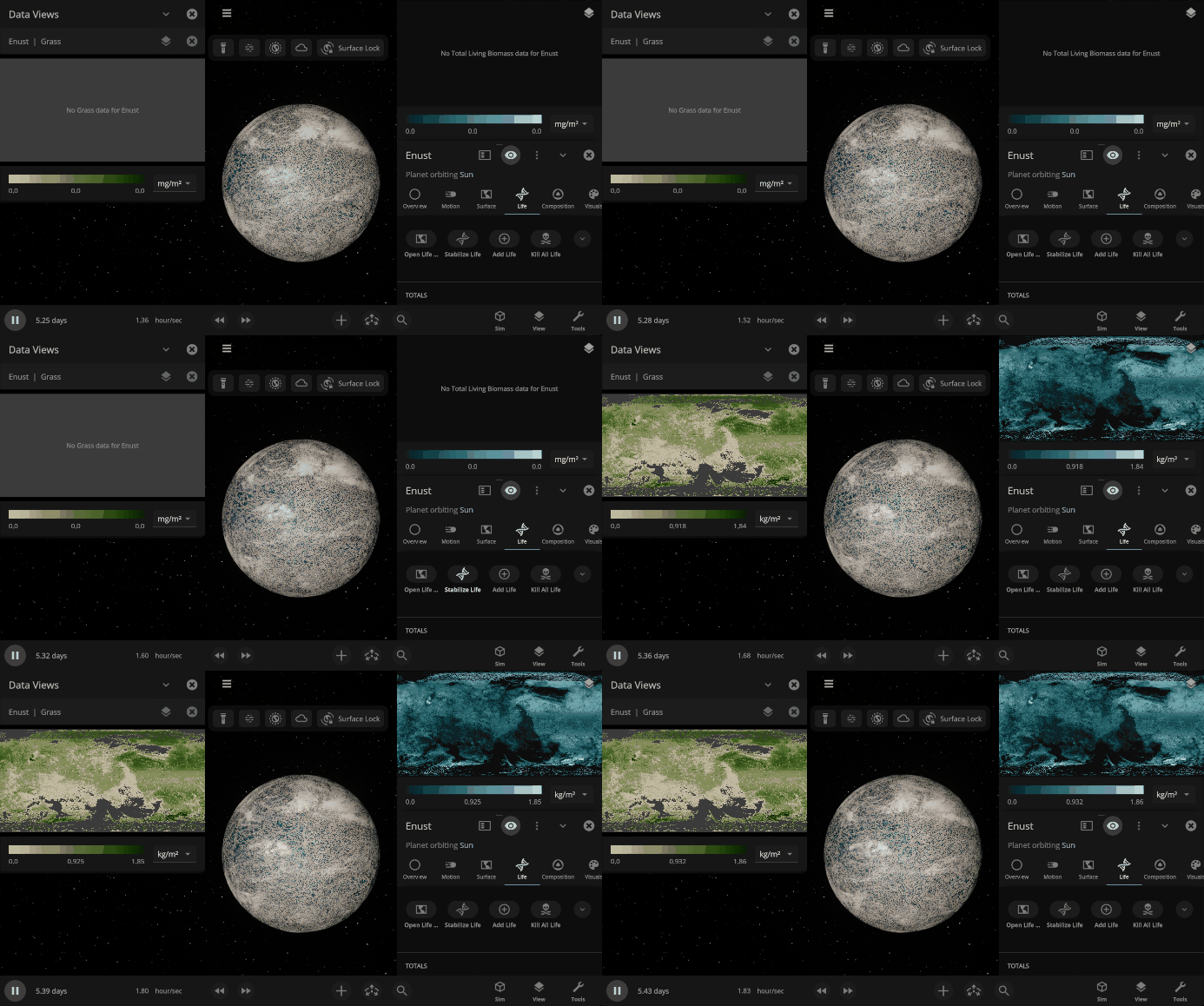
- Life can take a long time to grow and spread, but if you’re impatient, Stabilize Life will instantly populate your species on a planet based on local conditions.
-
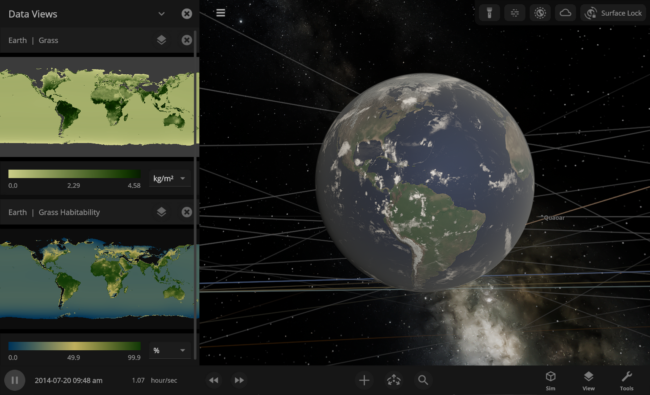
- Because life varies across the surface of an object, we’ll determine the maximum possible population of a species on each part of the surface based on local habitability conditions, rather than with the old planet-wide Life Likelihood value. More vegetation will grow in forests than in deserts, for example.
- New data views will help you monitor habitability, population, and more.
- Because life varies across the surface of an object, we’ll determine the maximum possible population of a species on each part of the surface based on local habitability conditions, rather than with the old planet-wide Life Likelihood value. More vegetation will grow in forests than in deserts, for example.
-
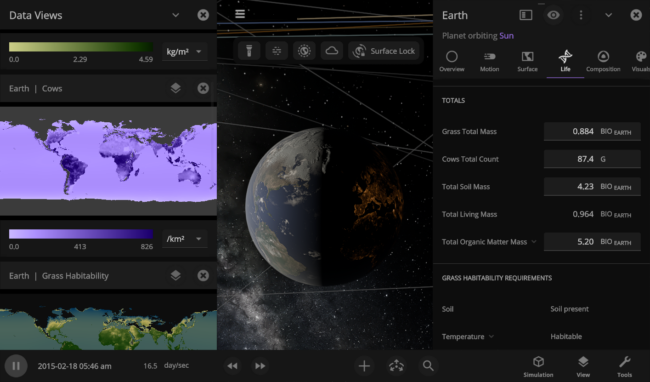
- You’ll even be able to see the specific population, in individual count, of each species alive on each planet.
- Future Plans
- Increase the complexity of the food chain by adding carnivores.
- Simulating two distinct species per planet instead of having only two species in the simulation. Earth could have grass and cows, while the Moon could have fungus and beetles.
Looking Good – Graphics
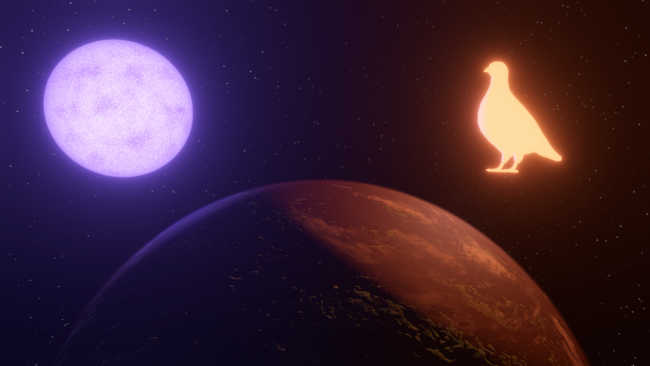
Customizing objects to emit light with any brightness and color, improving object selection to use shape conforming outlines, and implementing upscaling to improve frame rates (especially on slower computers) are all in active development.
- Your Light, Your Way
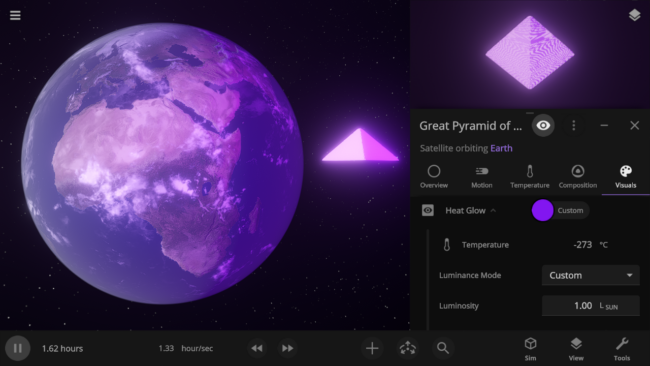
- Any object, from stars to pyramids, can be set to emit light no matter its temperature. Customize the light color and luminosity under the object’s Heat Glow, and make a whale as bright as the Sun. Previously, only hot objects could emit light.
- Check it out in the latest preview version of our physics simulation architecture changes.
- Any object, from stars to pyramids, can be set to emit light no matter its temperature. Customize the light color and luminosity under the object’s Heat Glow, and make a whale as bright as the Sun. Previously, only hot objects could emit light.
- Selecting Objects
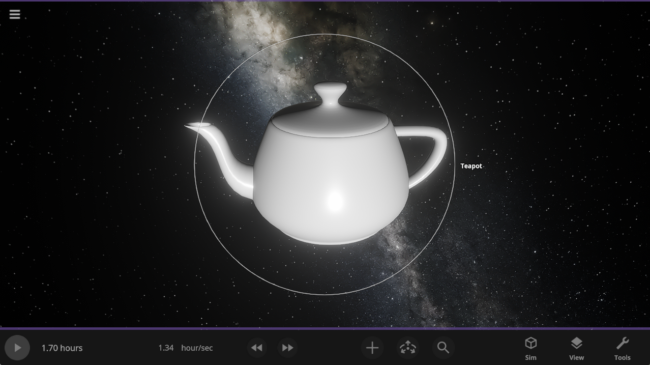
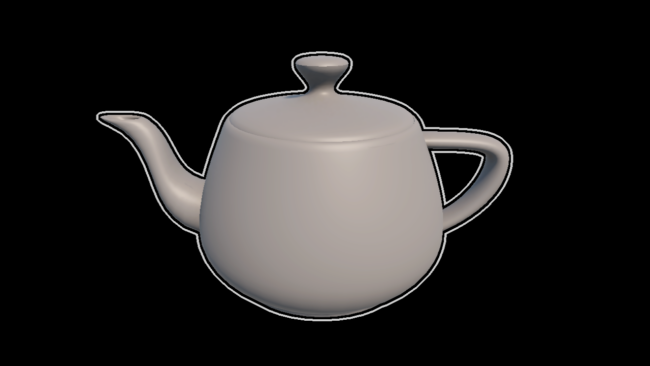
- Objects will have stylized outlines that conform to their on-screen shapes, rather than always being circles, even for human-scale objects like teapots.
- Behind the Scenes
- Adding more efficient upscaling methods (like DLSS and FSR) that resize lower-resolution images to higher resolutions will help increase performance across all platforms.
- Experimenting with different anti-aliasing methods, which smooth out jagged lines and images, will help make Universe Sandbox look even better without sacrificing performance.
A Universe on the Go – Mobile
Work in Progress: Loading the Earth & 100 Colliding Moons simulation, then watching chaos ensue on an iPhone 14 Pro.
We’re still polishing our user interface and improving performance, but we’re closer than ever to bringing Universe Sandbox to mobile devices (iOS and Android). This has been a major focus for a few years, and we’re continuing to prioritize it and the required features this year.
- Big Simulation, Little Computer
- Boosting performance across all platforms is a major mobile requirement for us. Our physics simulation architecture overhaul (currently available as a preview) will deliver necessary performance gains for both mobile devices and desktops.
- We’ve been scouring our codebase to identify and implement performance improvements, including better caching for textures and the user interface.
- Internal graphics improvements, such as new upscaling methods, will enhance performance on mobile devices.
- How to Control the Universe
- We’re continuing to improve our interface system that automatically positions, resizes, and closes panels so you can spend less time moving the interface around and more time interacting with the simulation.
- We’re continuing to improve our interface system that automatically positions, resizes, and closes panels so you can spend less time moving the interface around and more time interacting with the simulation.
- More Information
- Universe Sandbox on mobile is built from the same codebase as the desktop version and will have the same features.
- The mobile release date is still to be determined.
- We expect to release the mobile version as a one-time paid app with no ads or in-game purchases. We haven’t yet finalized pricing.
- While we want to support as many devices as possible, the minimum hardware requirements are not finalized.
- Sign up for our mobile mailing list to receive updates about mobile development
https://universesandbox.com/mobile/
Behind-the-Scenes Changes
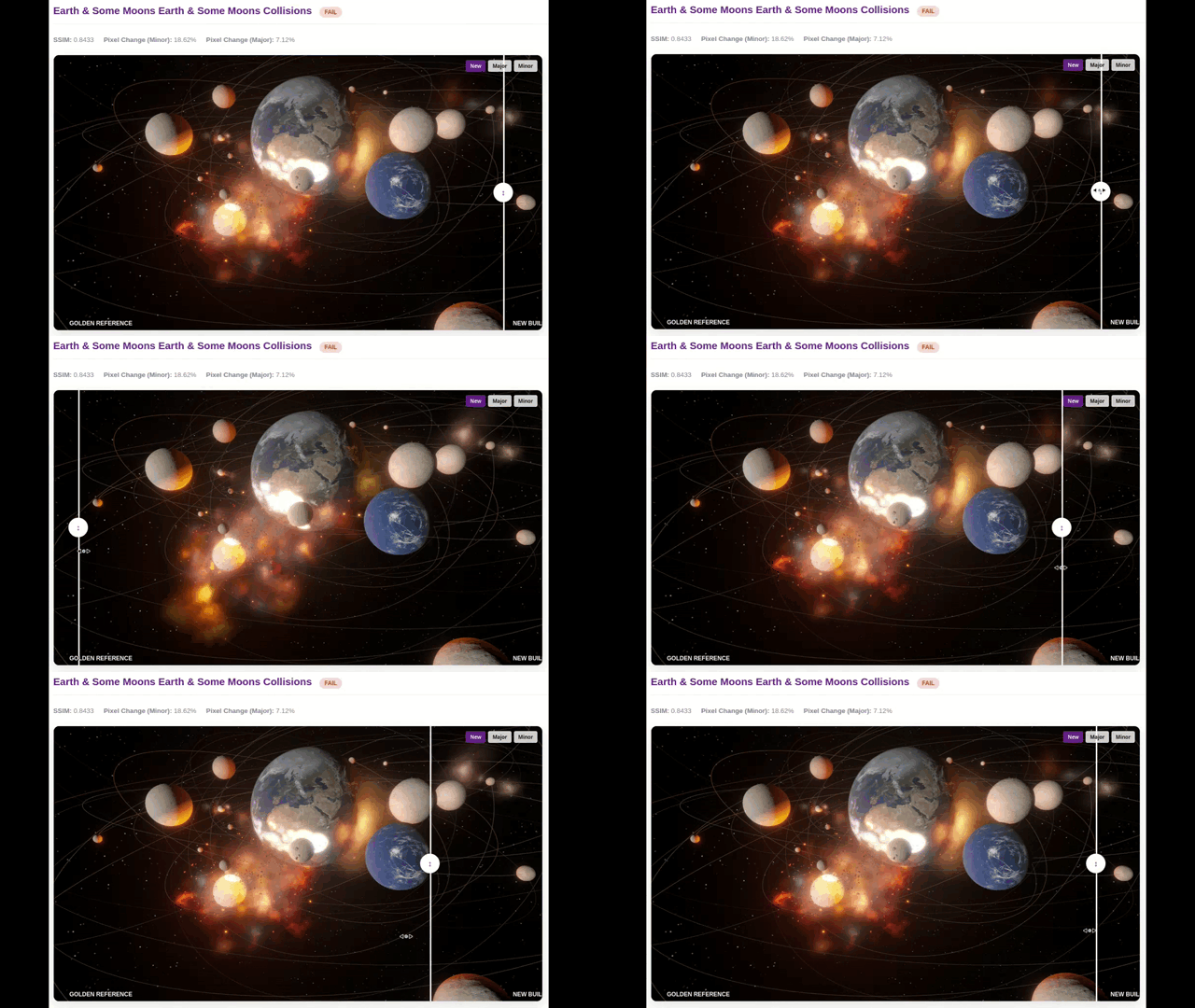
Flashy new features are always fun to share, but we’re also constantly improving our development process. These under-the-hood changes may not be obvious, but they can make a big difference over time.
- Save Files
- Simulation and object save files are now more versatile and capable in our physics simulation architecture changes preview. In the future, this will allow you to save and share custom presets (such as individual species of life).
- Simulation and object save files are now more versatile and capable in our physics simulation architecture changes preview. In the future, this will allow you to save and share custom presets (such as individual species of life).
- Testing, Testing, 1, 2, 3
- We’re continuing to improve and standardize our suite of automated testing tools for quantifying and comparing collision physics, simulation performance, and graphical changes.
- Continued improvements to the system we use to build, test, and distribute new versions of Universe Sandbox have made it even easier to release updates, patches, and preview versions. What used to take one person a few hours is now as simple as a couple of clicks.
And Beyond!
Our plans extend beyond 2026 and include adding detailed planet surfaces, simulating stellar life cycles, and adding gamepad support. Some features are in early development, while others are still in the planning phase, and we don’t yet know when they will be released.
- Spaceships & Megastructures
- From small spacecraft to Dyson spheres, we want you to be able to construct (and destroy) structures with simulated parts and physics. Adding rigid-body physics is the next major step toward making that happen.
- From small spacecraft to Dyson spheres, we want you to be able to construct (and destroy) structures with simulated parts and physics. Adding rigid-body physics is the next major step toward making that happen.
- Detailed Planet Surfaces
- Imagine flying over mountains and through canyons on planet surfaces in Universe Sandbox. We’re still experimenting with adding procedural detail and terrain to planet surfaces.
- Imagine flying over mountains and through canyons on planet surfaces in Universe Sandbox. We’re still experimenting with adding procedural detail and terrain to planet surfaces.
- Planet Customization
- Satisfy your world-building desires and create a planet using custom maps or images (like a picture of your dog).
- Satisfy your world-building desires and create a planet using custom maps or images (like a picture of your dog).
- Stellar Lifecycles
- Realistically simulating how stars burn hydrogen into helium (and heavier elements) and die violent deaths is complex, but we’re thinking about how to rebuild our star simulation so we can bring stellar evolution to Universe Sandbox.
- Realistically simulating how stars burn hydrogen into helium (and heavier elements) and die violent deaths is complex, but we’re thinking about how to rebuild our star simulation so we can bring stellar evolution to Universe Sandbox.
- Gamepad, Steam Deck, and Home Consoles
- What could be better than playing Universe Sandbox from the comfort of your couch? We want to add gamepad support so you can control your universe in more ways. This will improve our Steam Deck support and could enable support for other gamepad-based consoles in the future.
We’re excited to bring so much to Universe Sandbox this year, and we can’t wait to share it with you!

Pale Blue DOTS Preview Now Available | Physics Simulation Overhaul
Dec 18th

For the last four years, we’ve been working on a major overhaul of Universe Sandbox to utilize the Data-Oriented Technology Stack (DOTS) from Unity, the game engine we use to build Universe Sandbox, to
- Improve performance now and in the future.
- Add new physics simulation like visually deformed objects and atmospheric drag to simulate meteors.
- Make our game code easier to maintain and build on.
- Provide a foundation for big features in the future like building and flying spacecraft, and constructing megastructures like Dyson spheres.
For this preview version we’ve only overhauled our physics simulation architecture, but we also plan to convert surface simulation, temperature and composition simulation, graphics simulation, and more over to DOTS in the future.
This physics update, like our graphics overhaul from March 2025, is part of our plan to rewrite Universe Sandbox piece by piece with cutting-edge systems so we can continue to improve it for years to come. It’s like we’re gradually replacing every part of a spaceship out from under you while you’re actively piloting it.
You can learn more about all the additions and improvements that are part of this preview version in our preview What’s New.
Try the preview of Pale Blue DOTS | Update 36 right now!
Learn how to opt-in to this preview version on Steam, now available for testing and feedback on the !preview-version Steam beta branch.
https://universesandbox.com/support/previewversion
How does this make Universe Sandbox better?
New Features
Most of this update is about rewriting current features, like gravity and Roche fragmentation, so you may not notice any immediate differences at first glance. But don’t worry, we’ve added a few new things to check out too.
Simulate Meteors
Objects now burn up as they travel through planet atmospheres with our new drag force. Check it out in our new Meteor Shower from Earth’s Surface simulation.
Improved Lasers!
Blast multiple objects at once with the updated laser! Objects will now block the beam from hitting hidden objects. Increase the force from radiation pressure to push planets and their rings.

Objects Stretching & Squishing
The stretching and flattening of fast-rotating objects and extreme gravitational forces are now simulated. Until we release our planned collision shape update, surface simulation and collisions will continue to simulate all objects as spheres, even if they do not appear spherical.

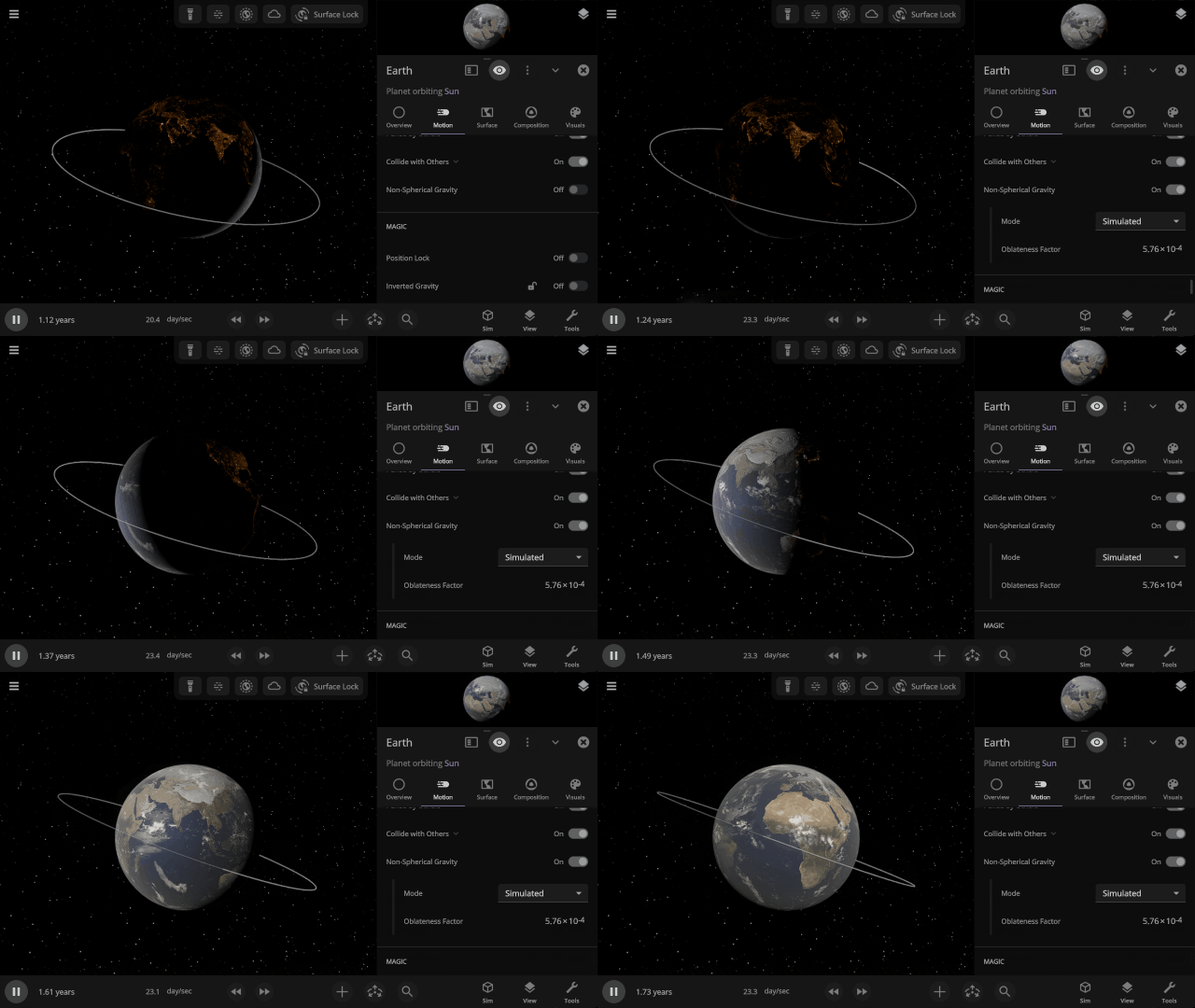
Non-spherical Gravitational Fields
Similar to visually flattening objects, we’re now fully simulating how an object’s gravitational field changes when it’s no longer a sphere by simulating its oblateness factor (also called J2). Previously, these factors, used to simulate the orbits of sun-synchronous satellites, had to be manually entered.
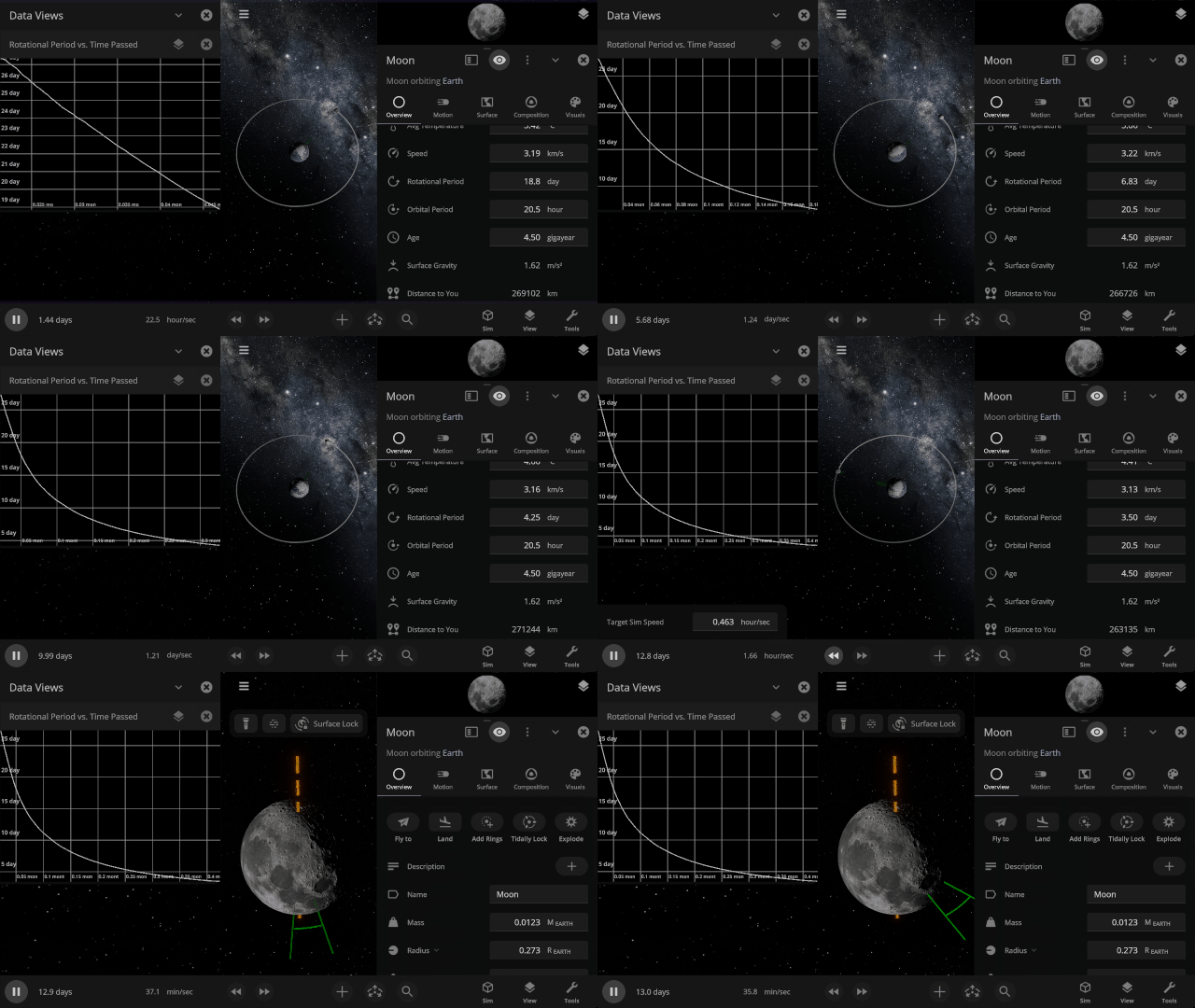
Tidal Locking
Gravitational interactions that change an orbiting object’s rotational period until the same side of one object always faces the other, as the Earth has done to the Moon, are now simulated. Visualize tidal locking by turning on Tidal Lag in the View panel to see the difference between the object’s orbital and rotational periods.
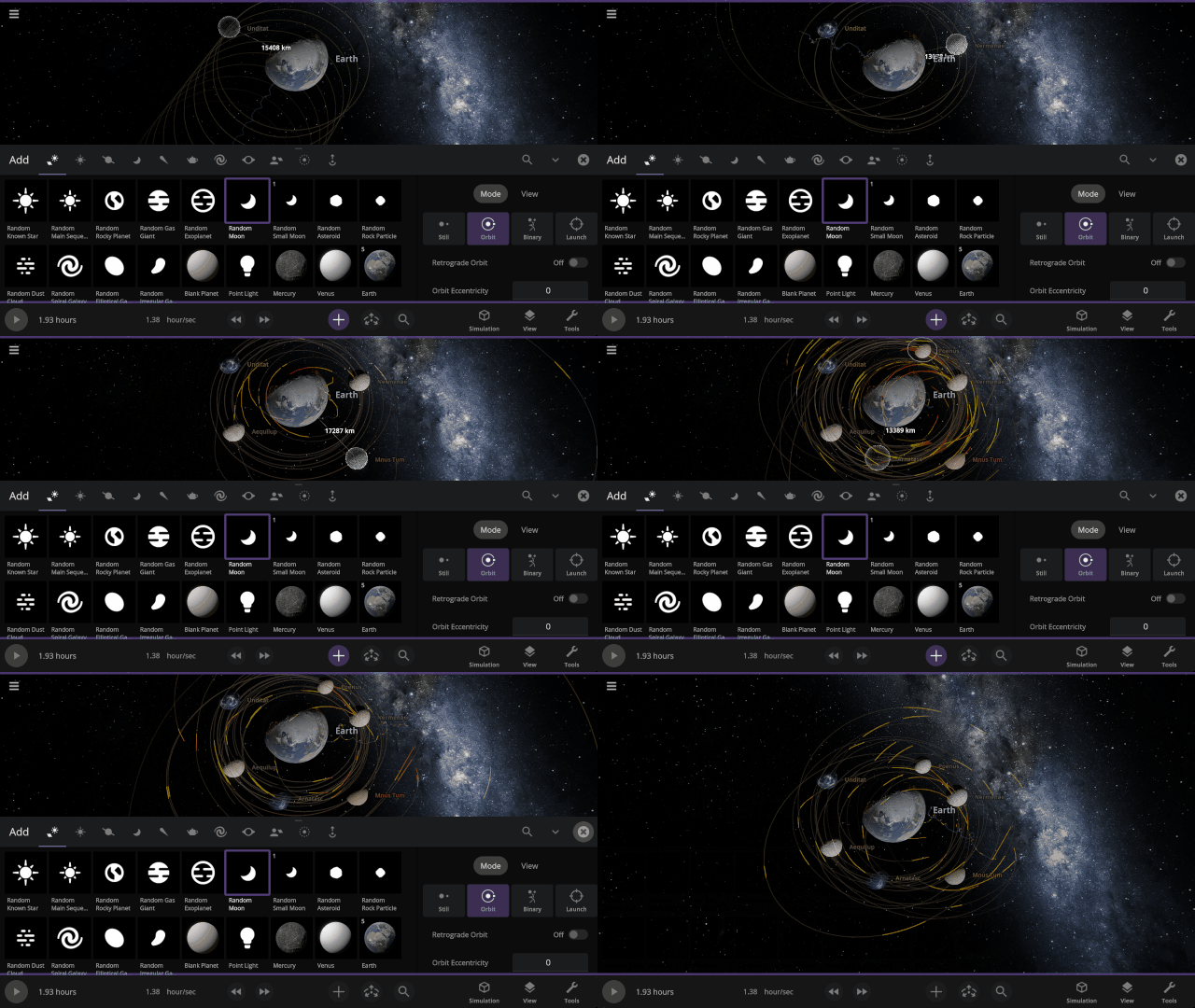
Predicted Paths
See the path an object will follow as we project its motion into the future. Checking for collisions along the way, this path will turn from yellow to red, showing the amount of predicted overlap. Turn on predicted paths under
View > Overlays > Predicted Paths
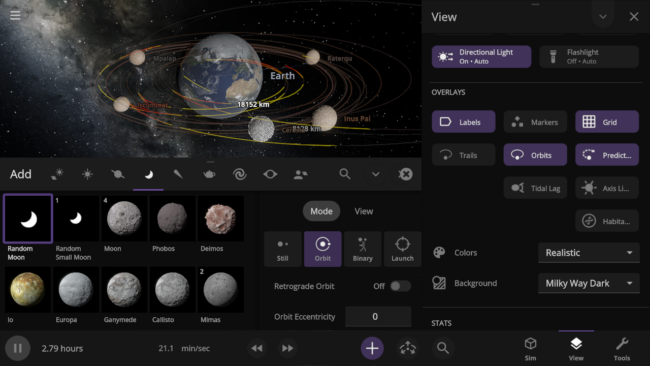
Lagrange Points
Mark the location of Lagrange points, points where the gravitational forces between all objects in the system are equal, with the press of a button. You can also quickly place objects at a Lagrange point with the Place Object at Lagrange Point option.
There are many more features we’re planning to build on top of this new framework including
Future Plans
Gravity Simulation Optimizations
We’re looking into an alternative method of gravity simulation, called Barnes-Hut simulation, that can improve performance and allow more simulated objects, at the cost of slightly reduced accuracy. This will improve our ability to simulate rock fragments and dust clouds attracting and merging to form planets & moons.

Everyday Object Collisions
From dice to spacecraft, non-celestial objects will eventually collide according to their true shapes instead of simplified spheres, using rigid-body physics.
Maintenance & Performance
The structure of Unity’s Data-Oriented Technology Stack (DOTS) simplifies our code by breaking it into smaller parts while maintaining the complexity required to simulate the universe. This restructuring makes it easier to maintain, build on, and identify and address issues as we add new features.
Moving as much of our simulation as possible to this new structure will let your computer perform calculations faster. Eventually, these performance improvements will allow us to simulate more objects, collisions, and fragments at once on desktop computers and mobile devices alike.
What is DOTS?
DOTS (Data-Oriented Technology Stack) is essentially Unity’s version of a data-oriented design for game development within the Unity game engine. Okay, so what’s a data-oriented game design?
A data-oriented design means focusing on operating directly on the data within the game. This optimizes the main thing a game does: take some input data, do something to it, and then output the transformed data.
This might sound obvious, but it’s different from traditional object-oriented game design, which is what Universe Sandbox previously used.
Object-oriented game design focuses on game objects, like Earth in Universe Sandbox. With an object-oriented approach, you take data from an object, like Earth, do something with it, like determine its position and velocity as it orbits the Sun in the next frame, and then apply the data to the object. Typically, this approach works on one object at a time and takes longer when there are more objects.
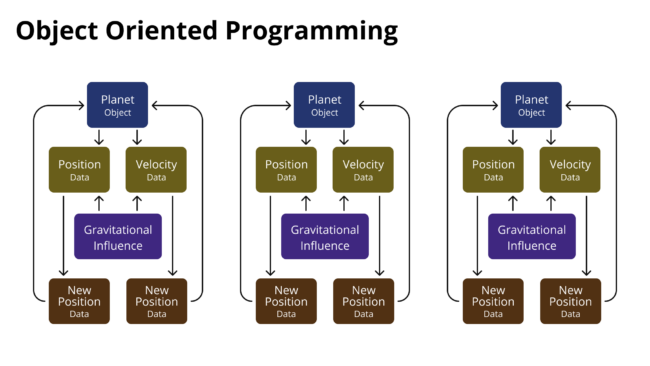
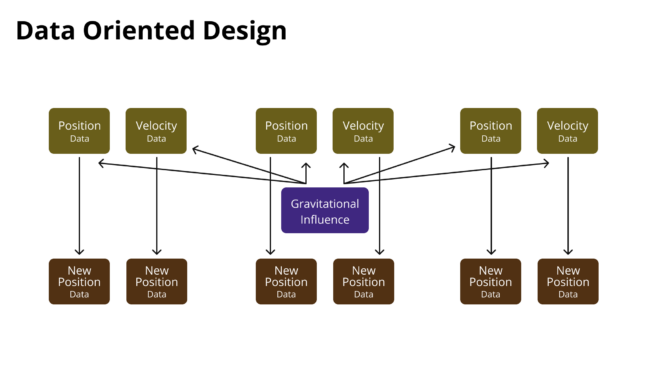
In contrast, data-oriented design focuses on how we transform the data on each object. For example, we know that all objects in the Solar System have a position and velocity, and they’re all influenced by gravity. Each object has different properties, but the math used to find each object’s position and velocity is the same.
Since the math is the same, instead of computing the position and velocity of each object in the Solar System one at a time every frame, our data-oriented design lets us compute them all at once. Then we apply that transformed data back to each object whenever the data is requested. This design optimizes the data calculations and uses fewer computational resources.
How Does DOTS Work?
DOTS is really made up of three pieces: the Entity Component System, the Burst compiler, and the Job system. The most important things to know are
- Unity’s Entity Component System makes us strictly structure our code so that all of our data is laid out in a specific way in the computer memory.
- Because data is stored in a fixed layout in the computer memory, we don’t waste any computing time finding it since we know where it all is.
- Unity’s Burst compiler optimizes how our code accesses and processes data after we make a new version of Universe Sandbox, since we know where it is in memory, making our computations faster.
- With all our data laid out in a specific way, Unity’s Job system determines which computations can run simultaneously, enabling us to perform more computations in less time.
How is DOTS Different?
Previously, there was no specified layout for where data was stored in computer memory, so it took extra computation power to locate the data before we could use it for our computations. The Entity Component System forces us to structure our code in a specific way so that data is stored in a specific layout in computer memory. Rewriting our simulation code in this format took a lot of time and effort, but it not only allows us to improve computation performance but also makes our code more uniform, easier to maintain, fix, and build on.
DOTS also makes it easier to run our simulation across all available CPU cores. Unity’s Job system determines which computations can run simultaneously so we can perform the most computations in the least time without introducing errors in the simulation. And the Burst compiler enables these computations to be run in the most efficient way, leading to more performance gains.
Why Move to DOTS Now?
In short, the technology is now ready and mature enough to use.
Unity didn’t start working on DOTS until 2019, 8 years after we started development on Universe Sandbox, so building Universe Sandbox with this technology wasn’t even an option. Unity also didn’t officially release the last pieces of the DOTS until June 2023 (though we’d been looking into making this transition since 2021). With that last release, we were finally able to begin our restructuring of Universe Sandbox in earnest.
What’s Next?

Our core physics simulation has now been migrated to the DOTS framework, including our gravity simulation, collision physics, and spin and Roche fragmentation. This transition really is a complete restructure of our entire physics simulation, and we’re in the final stages of testing and bug fixes.
And this is just the beginning. So far, we’ve only moved our physics simulation to take advantage of all that DOTS has to offer. We’re also planning to move our other simulation systems, including our surface simulation, material composition system, and graphics rendering, over to Unity’s DOTS system. With each piece, Universe Sandbox will get more and more efficient so that you can simulate more with the same computational power.
For now, we want to do a thorough job testing our physics simulation. After all, we simulate the universe, and it would be bad if we broke physics.
And, like any new feature, there may be issues we haven’t yet found or fixed – and you can help!
Try the preview of Pale Blue DOTS | Update 36 right now!
Learn how to opt-in to this preview version on Steam, now available for testing and feedback on the !preview-version Steam beta branch.
https://universesandbox.com/support/previewversion
And Beyond…
Future updates will unify our collision simulation to allow for more realistic collisions of celestial objects like planets and everyday objects like pigeons, colliding according to their unique forms instead of as spheres, also called rigid-body physics.
This transition also lays the groundwork for us to eventually allow you to build and fly spacecraft, and construct megastructures like Dyson spheres. We’re excited for what’s already here and for what this will let us bring to Universe Sandbox in the years to come!
Join our community discussions on our Steam Forum and our official Discord community.

Planet Nine’s New Nemesis | Update 35.4
Oct 23rd
Learn about the recently discovered sednoid 2023 KQ14 and why it challenges the Planet Nine hypothesis. Enjoy a handful of bug fixes and quality-of-life improvements like the ability to quickly fly to planets just by selecting an already selected object. We’ve also updated our game engine and improved support for High Dynamic Range (HDR) displays.
A New Sednoid In the Outer Solar System
The recently discovered sednoid 2023 KQ14 orbits way out in the Oort Cloud with Sedna, and its position challenges the current predictions of a hypothetical Planet Nine in our Solar System. Check it out in our new simulation Sednoid 2023 KQ14.

Updating Our Engine
We’ve updated Unity, the game engine we use to build Universe Sandbox, to version 6.1. This update allows us to further improve our visuals with more accurate lighting, better support for High Dynamic Range (HDR) displays, and more.
More Highlights
Clicking on a selected object now flies you to the object.
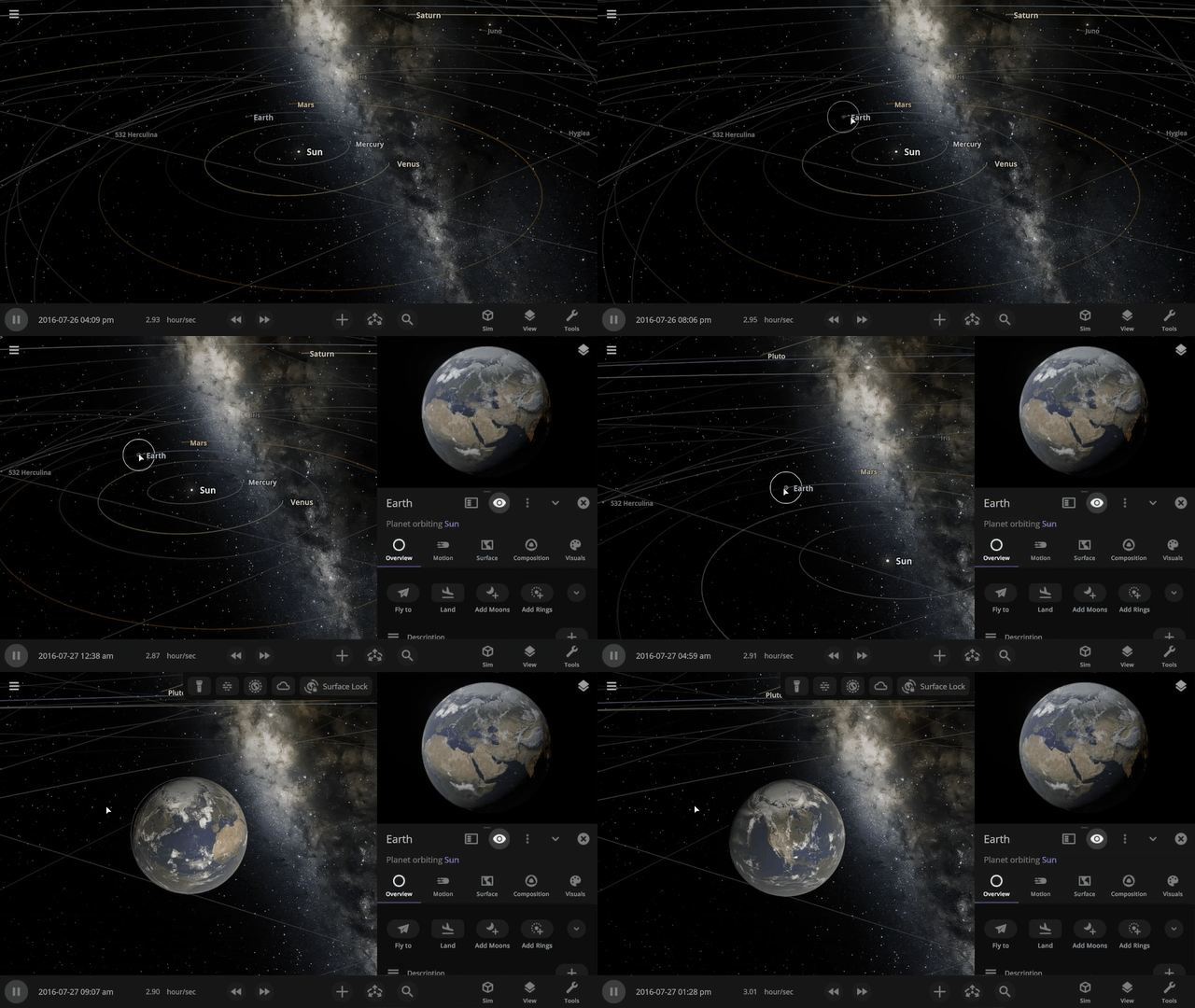
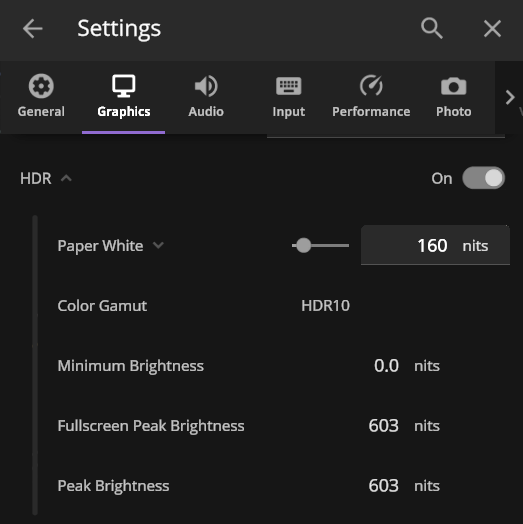
We’ve improved HDR (High Dynamic Range) support for those with HDR-compatible monitors. Playing Universe Sandbox with HDR on adds higher contrast and more vibrant colors. HDR support is still a work in progress, but you can try it out by enabling it under Home > Settings > Graphics > Display.
Check out the full list of What’s New in Update 35.4.
As of this update, Universe Sandbox on Windows now requires a graphics card that works with DirectX 12, which has been a stated minimum graphics requirement since March 2025. Learn more.
Please report any issues on our Steam forum, on Discord, or in-game via Home > Send Feedback.
Universe Sandbox on Windows Now Requires DirectX 12
Sep 15th
The next update of Universe Sandbox on Windows will require a graphics card that works with DirectX 12.
With the release of Update 35 | Space in a New Light in March 2025, we updated our stated minimum graphics requirements to DirectX 12, instead of DirectX 11. However, you may have been able to run the latest version of Universe Sandbox on computers that did not support DirectX 12.
Why Now?
DirectX 12 will allow us to continue improving our planetary surface simulation, lighting models, dynamic resolution handling for improved performance, and more.
We always planned for Update 35 to take advantage of DirectX 12 features. However, issues with Unity, the game engine we use to create Universe Sandbox, forced us to continue using DirectX 11 temporarily.
While waiting for Unity to solve these issues, we kept our stated minimum requirements at DirectX 12, knowing it would be required in the near future. Those Unity issues have since been resolved, and our next update will require DirectX 12.
What is DirectX?
DirectX is helper software that sits between Windows and your graphics hardware. DirectX 12 was first released with Windows 10 in 2015. Read more on Wikipedia.
Does my computer support DirectX 12?
You can find out which versions of DirectX your computer supports and install the latest version by following Microsoft’s support instructions.
The last version of Universe Sandbox that supports DirectX 11, Update 35.3, will always be accessible to those who purchased Universe Sandbox. Learn how to access old versions.

10-Year Steam Launch Anniversary
Aug 21st
The 10-year anniversary of Universe Sandbox’s Early Access launch on Steam is this Sunday, August 24, 2025!
To celebrate this milestone, Universe Sandbox will be on sale now until August 28.
Over the last 10 years, we’ve added so many new features to make Universe Sandbox better than ever, from simulating liquids and gases flowing over planet surfaces and lasers in 2019, to realistically simulating planet atmospheres and accurately terraforming planets in 2023, and our major graphics update just a few months ago.
And we have so much planned. We’re currently working on
- Improving collisions with more realistic friction and craters and simulating atmospheric drag, which allows meteors to burn up in the atmosphere.
- Adding basic life simulation where life grows, dies, and can be eaten.
- Bringing Universe Sandbox to phones and tablets (iOS & Android).
Our long-term goals stretch years into the future and include
- Detailed planet surface so you can fly over mountains and through canyons.
- More planet customization with custom maps or images, like a picture of your dog.
- Colliding everyday objects, including simple shapes like dice and complex shapes like spacecraft, according to their unique forms instead of as spheres, also called rigid-body physics.
- And so much more!
Learn about what we’re currently working on in our 2025 Roadmap post.
We’re incredibly grateful that we’ve been able to continue developing and improving Universe Sandbox over the last decade, and we’re humbled by the ongoing support of our community. Thank you all for giving us the opportunity to make this crazy game.
We’re proud of what we’ve accomplished since Universe Sandbox was first released on Steam in Early Access 10 years ago, and we’re so excited about everything that’s still to come.
– The Universe Sandbox Team